
Sweet Camera Selfie




Overview
Sweet Camera Selfie is a specialized photography tool designed for the 'Selfie' generation, focusing on real-time AR (Augmented Reality) filters and professional-grade beauty retouching. While standard camera apps focus on realism, Sweet Camera Selfie focuses on 'Hyper-Aesthetic'—transforming mundane selfies into social-media-ready portraits with a single tap.
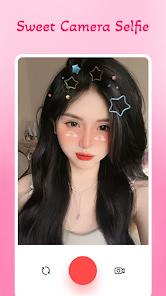
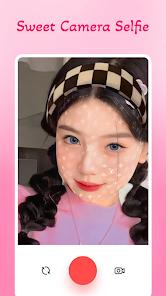
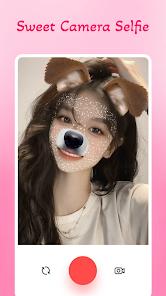
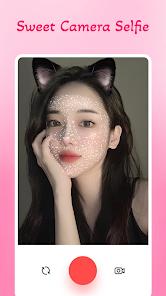
The app's functional depth lies in its AR face-tracking technology. It can precisely map facial features to apply 'Live Stickers' (like animal ears, crowns, or glasses) that move seamlessly with the user’s head. Beyond stickers, the app features a powerful 'Beauty Suite' that allows for real-time skin smoothing, eye enlargement, and facial slimming. This 'virtual makeup' feature is particularly popular for users who want to capture content without spending time on physical preparation.
Market-wise, the app positions itself as a light, user-friendly alternative to professional editors or even high-end apps. It includes a built-in 'Collage Maker' and a variety of 'Artistic Filters' that mimic classic film stock or modern 'Vsco' styles. One of its standout features is the 'Video Selfie' mode, which allows users to apply all filters and stickers to short video clips, making it a favorite for creators on platforms like TikTok and Instagram. Despite its playful nature, the app is a powerful engine of digital self-expression, allowing users to curate their identity with surgical precision and whimsical flair.
Pros & Cons
Incredible variety of AR stickers.
Fast and intuitive beauty retouching.
High-quality video filter support.
- ✕
Some stickers require an ad-view to unlock.
- ✕
App adds a watermark to photos in the free version.
- ✕
Can be resource-heavy on older phones.
Download
 Get it on Google Play
  Get it on App Store
 FAQs
Can I remove the watermark?
Usually, the watermark can be removed by watching an ad or purchasing the Pro version.
Are the filters applied in real-time?
Yes, you can see exactly how the filter and sticker look before you take the photo.
Does it support 4K video?
The app typically optimizes for social media sharing, usually capping resolution at 1080p for stability.
Hot Reviews
Users consistently rave about the quality of the 'Bunny' and 'Cat' ears, noting they are more stable than those on other platforms.
Many reviews mention that the 'Smooth Skin' feature is very natural-looking and saves hours of manual editing.
Some users dislike the prominent branding on the bottom corner of their photos, which requires a payment or ad-watch to remove.