Adobe Express: AI Photo, Video




Overview
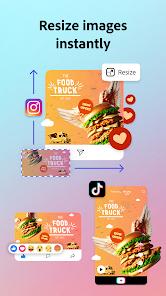
Adobe Express in 2026 represents the pinnacle of AI-augmented design, having successfully transitioned from a 'lite' version of Photoshop to a standalone ecosystem powered by Adobe Firefly and Agentic AI. The core functionality has expanded beyond simple template editing; it now includes an 'AI Creative Assistant' that allows users to initiate complex design projects via natural language commands. For instance, a user can prompt, 'Create a minimalist aesthetic for a sustainable clothing brand launch including 5 Instagram posts and 2 TikTok layouts,' and the app will generate a cohesive set of assets with consistent branding, typography, and color palettes.
Depth-wise, the 2026 update introduces batch PDF conversion, allowing users to import up to 30 PDFs at once and turn them into editable, layered Express projects. This is a game-changer for businesses transitioning legacy documents into social-ready content. Furthermore, the integration with ChatGPT and Hootsuite means users can ideate, design, and schedule their entire marketing calendar without leaving a single interface. Adobe Express holds a significant edge in 'Typographic Fidelity.' By leveraging the full Adobe Fonts library and advanced kerning controls, it avoids the 'templated' look that often plagues quick-design apps.
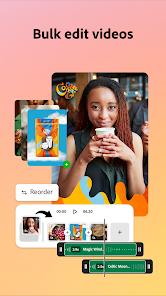
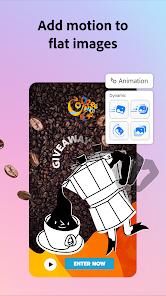
A deep insight into its 2026 architecture reveals the use of 'Style Reference' models. Unlike generic AI art, Adobe Express uses your brand’s specific historical assets to ensure that every AI-generated image aligns with your pre-defined aesthetic. This 'Brand Safety' is what sets it apart for corporate users. The app also features 'Turbulence' and 'Wobble' animations for text, catering specifically to the high-energy demands of short-form video platforms like Instagram Reels and YouTube Shorts. For professionals, the 'Share for Review' feature allows for real-time collaboration where stakeholders can pin comments directly onto the canvas, bridging the gap between mobile speed and professional accountability.
Pros & Cons
Agentic AI for project automation
Direct Firefly integration
Batch PDF editing
Massive stock library
Seamless brand kit syncing
No-code animation
- ✕
High subscription cost for Pro
- ✕
Heavy storage usage
- ✕
Requires high-speed internet
- ✕
Occasional AI hallucinations
- ✕
Overwhelming for beginners
- ✕
Video editing is less precise than Premiere
Download


FAQs
Is Firefly included?
Yes, Adobe Firefly powers most of the generative AI features in Express.
Can I use it offline?
Basic editing is available, but AI and cloud features require an internet connection.
Does it support 4K video?
Yes, you can export social-media optimized 4K clips.
Is there a student discount?
Yes, students get access via the Creative Cloud package.
Can I import Photoshop files?
Yes, you can import PSDs as layered, editable files.
Hot Reviews
I just told the app what I wanted for my bakery launch and it made 10 posts in seconds. Incredible.
Finally, a mobile app where the fonts don't look cheap. The Adobe Fonts library is massive.
Managing my brand colors across all my posts has never been easier.
Turning my boring price list PDF into a sleek Instagram story was a breeze.
The style reference feature ensures my AI images actually match my brand's look.