Google Home
Overview
The Google Home app has undergone a profound architectural shift in 2026. Originally a configuration tool for Chromecast and Nest hardware, it is now the primary interface for "Gemini for Home," Google’s latest generative AI ecosystem. The application positions itself as a "Visual-First" smart home orchestrator that leverages Google’s unparalleled knowledge graph and search capabilities.
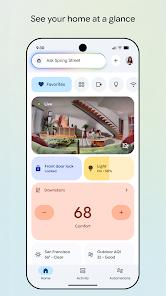
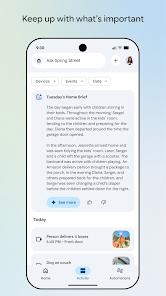
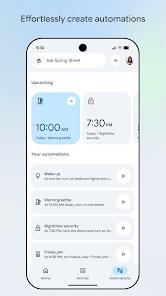
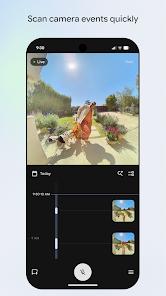
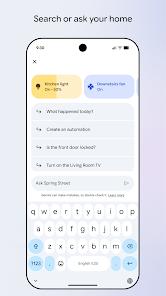
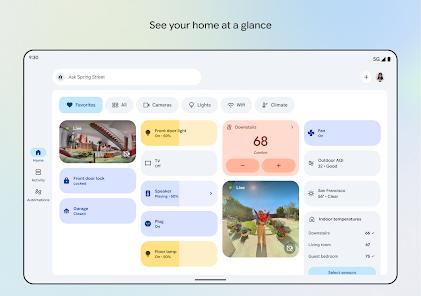
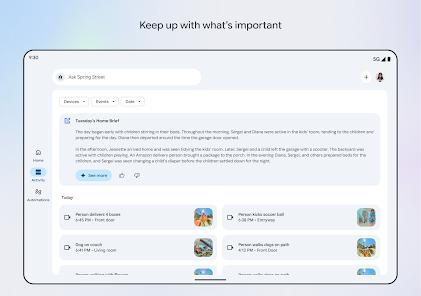
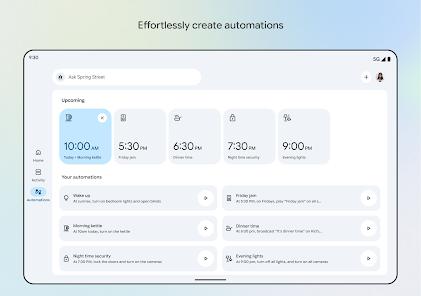
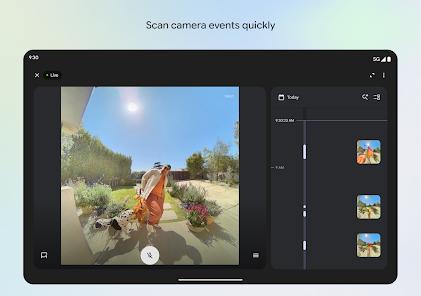
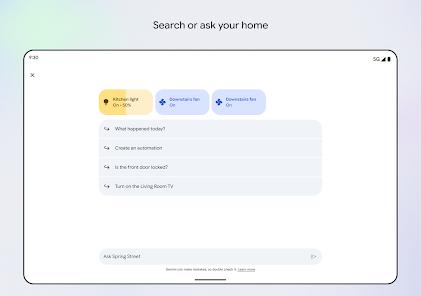
The feature breakdown for the 2026 version highlights the "Home at a Glance" status board. This dashboard utilizes AI to prioritize the most relevant controls based on the time of day and user activity—such as showing the "Coffee Maker" and "Weather" in the morning and "Security Cameras" at night. A core technical advancement is the "Natural Language Automation" engine powered by Gemini. Users no longer need to build complex logic; they can simply type or say, "Help me wake up gently at 7 AM," and the app will coordinate a sequence of gradual lighting, news briefings, and thermostat adjustments. Additionally, the app provides a highly optimized interface for Nest camera history, featuring a "scrubbable" timeline and AI-generated "Event Summaries" that can distinguish between people, animals, and packages.
Insightful observations of the Google Home app suggest that it is winning the "Search and Intelligence" battle but losing the "Simplicity" war. It offers superior visual analytics and faster video playback. However, the recent redesign has been criticized for being "cluttered" and "visually jumbled," with many users expressing nostalgia for the simpler Nest app interface. Furthermore, a significant accessibility concern has arisen: the removal of keyboard-based command entry in some regions has made the app more difficult for hearing-impaired users who prefer text over voice. Despite these UI challenges, Google Home remains the top choice for users who want a "Self-Optimizing" home that integrates deeply with their existing Google Workspace, Calendar, and YouTube ecosystems.
Pros & Cons
Industry-leading video playback for Nest cameras, featuring ultra-fast timeline scrubbing and AI-powered event labeling.
"Gemini for Home" integration allows for the most natural and context-aware voice control currently available on the market.
Unrivaled integration with Google Search, Google Calendar, and YouTube Music, creating a truly unified digital life.
Full support for "Matter" and "Thread," ensuring that the app can serve as a universal hub for any compliant smart home hardware.
The "Home at a Glance" feature uses predictive AI to show you the controls you need before you even ask for them.
Multi-user support with "Voice Match" ensures that personal information is only provided to the correct household member.
Robust automation triggers that can react to sensor data (e.g., "If the air quality is low, turn on the air purifier").
- ✕
The 2026 user interface has been panned by some users for being "too complex" and lacking the intuitive warmth of earlier versions.
- ✕
Occasional technical bugs, such as "automation loops" or devices showing as "offline" when they are actually connected, persist for power users.
- ✕
Heavy reliance on a "Voice-First" interface can be exclusionary for users with speech or hearing impairments.
Download


FAQs
Can I use Google Home with Ring cameras?
While you can link the accounts, the integration is limited. You generally cannot view live Ring feeds on a Nest Hub or within the Google Home app.
What is the "Home at a Glance" feature?
It is a dynamic dashboard that uses AI to display the most relevant controls and security statuses based on your current context and time of day.
Does the app require a monthly subscription?
The app itself is free. However, advanced camera features like "Familiar Face Detection" and 60-day video history require a Nest Aware subscription.
How do I set up a "Guest" for my home?
Users can invite others via email to become "Home Members," granting them access to control lights, cameras, and other shared devices.
Is my home data used to show me ads?
Google states that sensor data (like heat or motion) is not used for advertising, though your Assistant queries may influence your overall Google ad profile.
Hot Reviews
Reviewers who have switched from other ecosystems often remark that the "Nest" integration in Google Home is the fastest and most reliable for checking their front door.
A significant number of 2026 reviews complain about the "cluttered" nature of the new dashboard, stating it takes too many taps to find basic device settings.
Users love the "proactive" nature of Gemini, noting that the app often suggests helpful routines (like "Your home is empty, should I turn off the lights?") that they hadn't considered.