
JBL Headphones

Overview
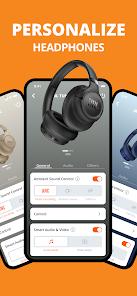
The JBL Headphones application is a cornerstone of the modern "connected audio" experience, acting as the primary interface between physical hardware and personalized software control. In an era where hardware specifications alone no longer define the user experience, JBL has utilized this app to provide professional-grade acoustic customization to the average consumer.
Technical Mechanism and Feature Breakdown
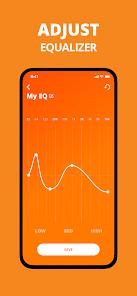
The application serves as a command center for a vast array of JBL wireless products, including the Tune, Live, Tour, and Quantum series. Central to its functionality is the Custom Equalization (EQ) engine. Users can select from predefined presets like "Jazz," "Vocal," or "Bass," or create their own 10-band frequency curves to suit their specific auditory preferences. This level of control is essential for correcting the "V-shaped" sound profiles common in consumer headphones, allowing for a flatter, more accurate response.
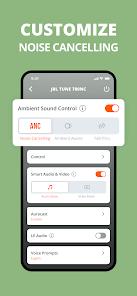
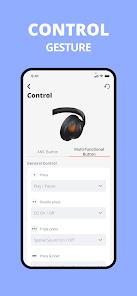
Advanced noise management is another critical feature. The app allows users to toggle between Active Noise Cancelling (ANC), Ambient Aware, and TalkThru modes. Ambient Aware increases environmental transparency by utilizing external microphones to pipe in ambient sound, while TalkThru lowers music volume significantly to facilitate conversation without removing the headset. For high-end models like the Tour Pro 2, the app manages even more granular settings, such as "SilentNow," which activates ANC without music to create a "silence bubble" for concentration or sleep.
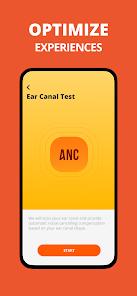
Furthermore, the "Personi-Fi" feature uses a series of hearing tests within the app to calibrate the audio output based on the user's age, gender, and hearing profile. This ensures that frequency response is optimized for the unique biological characteristics of each listener’s ears. The app also integrates utility features like "Find My Buds," which triggers a high-pitched ring on misplaced earbuds, and "Check My Best Fit," which uses internal microphones to ensure the ear tips provide an airtight seal.
Pros & Cons
Supports an extensive list of models ranging from budget "Wave" series to professional "Tour" and "Quantum" headsets.
Provides highly granular EQ settings that allow users to bypass factory sound signatures and create bespoke acoustic profiles.
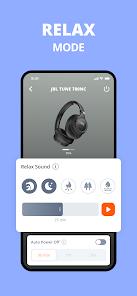
The "SilentNow" and "My Alarm" features turn standard headphones into a dedicated productivity and sleep tool.
Regular firmware updates delivered through the app ensure that hardware performance and stability improve over time.
"Find My Buds" and fit tests add significant practical value for True Wireless (TWS) users prone to misplacing equipment.
Multi-language support ensures the app is accessible to a global user base.
The VoiceAware feature allows for natural call experiences by letting users control their own voice volume in the headset.
- ✕
User feedback indicates occasional connectivity bugs where the app fails to recognize paired headphones even when Bluetooth is active.
- ✕
Feature availability is highly fragmented; many of the best tools (like Personi-Fi or SilentNow) are restricted to high-end flagship models.
- ✕
The application interface can be cluttered, with critical settings buried deep within complex sub-menus.
Download


FAQs
Can I use my JBL headphones without installing the app?
Yes, basic functions work via standard Bluetooth, but the app is required for EQ customization, ANC adjustments, and firmware updates.
What should I do if the app doesn't see my headphones?
Ensure your headphones are in pairing mode and connected to the device via Bluetooth settings before launching the app.
Does "Find My Buds" work if the headphones are in the case?
Generally, the buds must be out of the case and within Bluetooth range for the audible signal to be triggered.
What is the "Check My Best Fit" feature?
It uses the built-in microphones to detect sound leakage and suggests if you need a different size of ear tip.
How does "SilentNow" save battery?
It disconnects Bluetooth and only runs the ANC processor, creating silence without the battery drain of a constant wireless stream.
Hot Reviews
The ability to add extra bass through the custom EQ makes a massive difference for modern genres like EDM and Hip-Hop. The sound quality is consistently high across different models.
The VoiceAware feature allows you to hear your own voice during calls, making conversation feel more natural. The noise-canceling presets are excellent for open-office environments.
While the features are great, the app sometimes takes several attempts to connect to the headphones, especially after a smartphone software update.