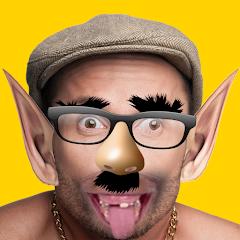
Funny Face Filters
Overview
Funny Face Filters, developed by RojaLab Studio under the title "Funny Face Filters," operates as a creative image manipulation utility. While many modern photography applications use server-side AI engines or automatic face trackers, Funny Face Filters uses a manual, client-side approach.
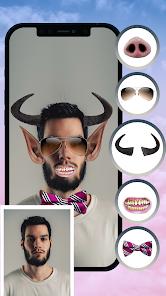
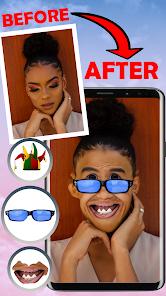
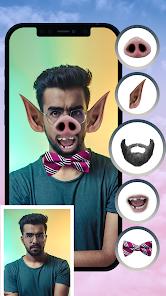
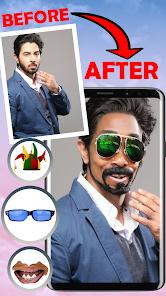
Users can capture a new portrait using the in-app camera view or import an existing photo from the device's storage. Once loaded, the application provides a catalog of pre-designed stickers, such as comical hats, custom glasses, and distorted facial features. Users position these stickers manually on the image canvas using multi-touch gestures to rotate, scale, and place each asset over the photo.
In addition to static graphic overlays, the application contains basic spatial warping tools. These allow users to distort localized pixel coordinates within the image, making it easy to create exaggerated caricature styles by stretching chin profiles, noses, or brow lines. Once edited, the combined image is saved to the local gallery or shared through system-level sharing intents.
It maintains a small installation package of approximately 26.65 megabytes. This lightweight footprint makes it highly compatible with older or lower-spec Android devices with limited processing power and memory. However, because the app lacks automated face-tracking or facial-landmark mapping, stickers do not auto-align to faces and must be positioned manually. Additionally, the app uses a standard ad-supported model that displays frequent advertisements during the editing and saving processes.
Pros & Cons
Low Hardware Overhead: The lightweight installation package works well on older or entry-level Android devices.
Offline Image Processing: Performs all image rendering and sticker composting locally on-device without requiring an internet connection.
Responsive Multi-Touch Controls: Simple touch gestures allow easy scaling, rotation, and alignment of graphic assets.
Integrated Warping Tools: Includes pixel warping options to manually distort facial features and create caricatures.
Account-Free Usability: Does not require user registration, email logins, or active accounts to edit images.
- ✕
No Automated Face Tracking: Lacks automated systems to detect facial landmarks, meaning stickers must be aligned manually.
- ✕
No Advanced AI Enhancements: Does not feature neural networks for age progression, facial reconstruction, or style transfer.
- ✕
High Ad Density: Regular full-screen advertisements interrupt editing actions and photo-saving workflows.
- ✕
Basic Filter Options: Graphic presets are primarily limited to static 2D images, lacking advanced color filters or 3D effects.
Download
 Get it on Google Play
  Get it on App Store
 FAQs
Does the application run without an active network connection?
Yes. Because all editing tools and graphic assets are stored locally, the app's features are fully functional when offline.
What system permissions does the application require?
It requires camera permissions to capture new images and storage access to load photos and save completed edits to the gallery.
Can stickers automatically snap to my face?
No. The app does not include automated facial landmark detection; all graphic elements must be positioned and scaled manually.
Does this photo editor upload user images to external servers?
No. All rendering and composition are processed locally on the mobile device, keeping photos within the local storage sandbox.
Can edited photos be exported as high-resolution images?
The output resolution depends on the original photo, though the app applies standard JPEG compression when saving to save storage space.
Hot Reviews
The drag-and-drop mechanics are very easy to use, allowing quick caricature edits without dealing with complex nested menus.
The regular advertisements that appear during editing and before saving files can interrupt the creative process.
Users coming from modern camera apps may find the manual sticker placement tedious, as there are no automated tracking tools to align items.