
Slack
Overview
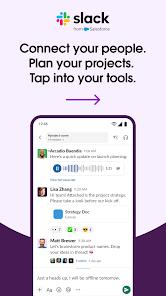
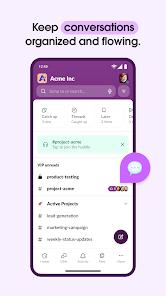
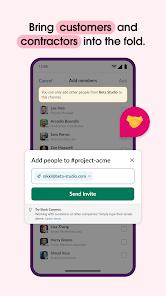
The enterprise communications ecosystem relies heavily on continuous collaboration tools that organize conversational noise into structured workflows. Slack is a leading platform in this space, used by organizations ranging from small startups to Fortune 100 enterprises. Rather than treating messaging as a simple stream of text, Slack's architecture is based on channelized collaboration, segregating conversations by specific topics, projects, or departments.
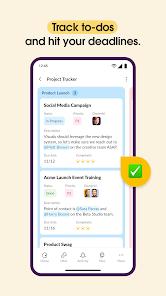
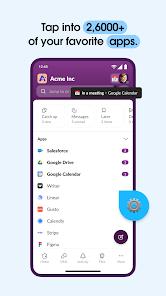
A core feature of the mobile application is its integration with an extensive directory of over 2,600 third-party applications, including Salesforce, Google Drive, Asana, and Jira. This ecosystem allows users to view automated alerts, approve expense requests, modify calendar invitations, and update project boards directly from the chat interface without switching apps.
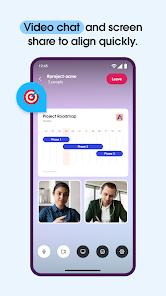
The application also includes high-performance communication features, such as "Huddles" (instant voice and video calls with real-time screen sharing) and asynchronous "Clips" (voice or video messages designed to explain complex ideas across time zones).
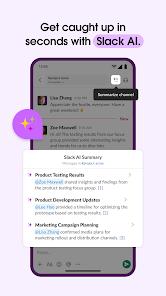
As enterprise workflows adopt more automation, Slack has integrated generative AI tools directly into its interface. These capabilities, such as Slack AI, allow users to generate rapid summaries of long channel threads, extract action items, and find information across historical message archives.
However, this reliance on AI-driven summaries has introduced some team friction. Some organizations report that team members may miss critical details by relying on automated summaries rather than reviewing direct discussions.
From a security perspective, Slack provides specialized configurations for enterprise environments. For companies using strict Mobile Application Management (MAM) policies, the "Slack for Intune" variant ensures that organizational data remains protected within an encrypted sandbox.
Pros & Cons
Channel-Based Conversation Design: Keeps team projects organized and reduces email volume.
Extensive Integration Ecosystem: Connects with over 2,600 SaaS platforms for automated workflows.
Low System Resource Impact: The mobile client is optimized to minimize battery drain during background sync.
Flexible Communication Formats: Supports instant Huddles and asynchronous video Clips.
Powerful Search Architecture: Automatically indexes historical messages, documents, and media.
- ✕
Potential Information Overload: The addition of AI summaries can lead to users missing nuanced details in complex threads.
- ✕
Mobile UI Extraction Limitations: The mobile interface can make it difficult to copy specific text strings, such as logs or code snippets.
- ✕
Feature Paywalling: Advanced project management templates and AI search capabilities require paid tier upgrades.
- ✕
Cross-Device Notification Latency: Users occasionally experience delayed or double notifications when active on both desktop and mobile clients.
Download

FAQs
What is the difference between Slack and standard email?
Slack organizes company communication into dedicated channels rather than siloed threads, allowing teams to search and collaborate transparently.
How does the "Huddle" feature work on mobile?
Huddles are lightweight, voice-first meetings that users can join with a single tap, with support for live screen sharing and video.
What is "Slack for Intune" and who should install it?
It is a specialized version of the app designed for companies that enforce corporate data protections using Microsoft Intune. Standard users should use the regular app.
How can a user retrieve a message that was sent several months ago?
The search bar uses modifiers like from: and with: to locate indexed messages and shared files across the workspace.
Is data shared with third parties through the Slack app?
According to privacy policies, the application collects app performance diagnostics and limits external data sharing.
Hot Reviews
Users commend the application's stability and low battery usage, noting that notifications arrive reliably without draining device resources.
Technical teams report frustration with the mobile UI, which often requires copying an entire block of text or log output to extract a single line or variable.
Some reviewers note that a growing reliance on automated channel summaries can lead team members to overlook detailed context or nuance.