
Lightroom Photo & Video Editor




Overview
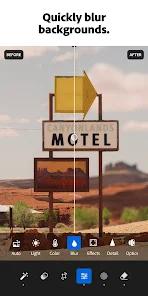
Adobe Lightroom Photo & Video Editor has successfully transitioned from a 'lite' companion to the desktop version into a standalone powerhouse for mobile photography. In 2026, the app is defined by its 'Generative AI' suite, powered by Adobe Firefly. Features like 'Generative Remove' allow users to erase complex background objects with a single tap, while 'AI Lens Blur' provides a sophisticated bokeh effect that mimics high-end glass, regardless of the smartphone camera used.
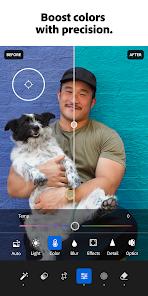
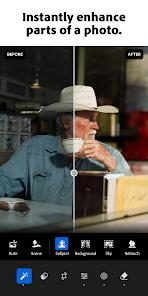
Lightroom has a professional ecosystem that is hard to beat. Its core strength is the 'Non-Destructive RAW Editing' workflow. It handles massive RAW files with ease, offering granular control over highlights, shadows, and color grading through the 'Color Mixer' and 'Color Grading' wheels. The 2026 update introduced 'Intelligent Masking,' which can automatically detect and separate the sky, subject, or even individual strands of hair for precise local adjustments.
The depth of the app is its seamless 'Creative Cloud' integration. A photo taken on a phone can be partially edited, synced to the cloud, and finished on a desktop without losing any adjustment data. For creators who demand professional-grade color science and a reliable library management system, Lightroom is the industry standard. It effectively brings the power of a professional darkroom to the palm of your hand, backed by the most advanced AI masking tools currently available.
Pros & Cons
Industry-leading AI masking and generative removal tools.
Full RAW file support for maximum editing flexibility.
Seamless cloud sync across mobile, tablet, and desktop.
Advanced color grading and professional preset system.
- ✕
The best features require a monthly Creative Cloud subscription.
- ✕
Can be resource-intensive on older mobile devices.
Download


FAQs
Is the free version worth it?
The free version offers basic editing, but you lose out on AI masking, cloud sync, and RAW editing.
What Is Generative Remove?
It uses AI to fill in the space after you remove an object, creating a seamless background.
Can I import presets?
Yes, you can import .DNG or .xmp presets easily to speed up your workflow.
Hot Reviews
The AI masking for the sky and subjects is better than anything else. I don't even use my laptop for basic edits anymore.
I removed a whole crowd from a beach photo and you can't even tell they were there. Truly revolutionary.
It's expensive, but the cloud sync alone saves me so much time between my phone and PC.