Prime Video
Overview
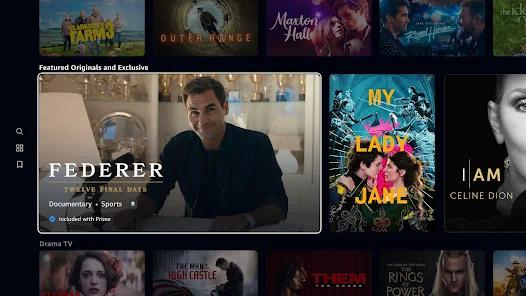
The Prime Video app represents the specialized deployment of Amazon Prime Video tailored for smart televisions, set-top boxes, and digital media stream receivers operating on the Android TV and Google TV operating systems. Unlike the standard mobile variant designed for touch interfaces, this version is structurally optimized to align with Google’s official leanback user interface guidelines. This optimization targets the "ten-foot user experience," wherein viewers navigate media catalogs using direction-pad (D-pad) remote controllers rather than physical touch screens.
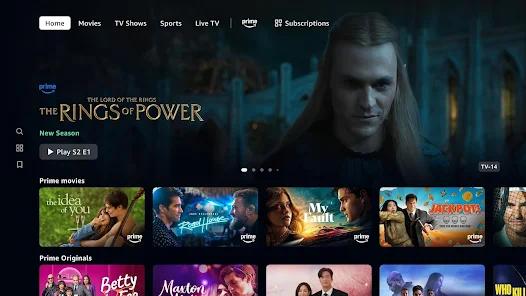
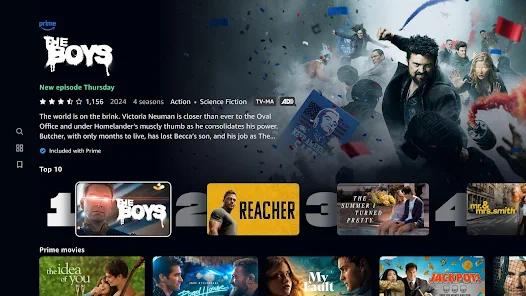
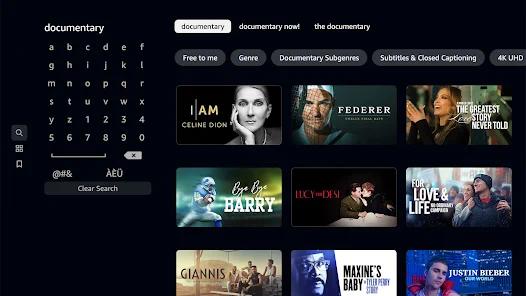
Through this television gateway, users can stream a diverse mix of subscription video-on-demand (SVOD) content, transactional video-on-demand (TVOD) rentals, and premium third-party add-on channels. However, the integration of these different pricing tiers has introduced operational friction. The layout of the primary dashboard frequently displays proprietary Prime-inclusive titles alongside transactional purchases and premium external channels. This design choice can confuse users, who must navigate through paid listings to find content included in their baseline subscription package.
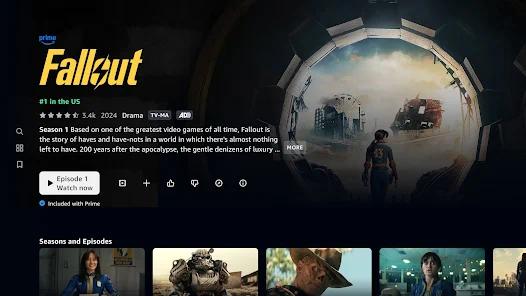
From an operational standpoint, the application relies on an active synchronization database that records and updates playback progress across different device form factors in real time. This enables users to pause a video on their mobile client and instantly resume from the identical millisecond coordinate on their television. It supports automatic 3-second credit-skipping countdown.
Despite these advanced cloud-sync features, the application's underlying code structure presents integration challenges for custom home automation configurations. Home integrators must implement custom intent overrides to launch the app directly into specific deep-linked media assets.
For security, the application uses strict regional licensing filters and actively blocks connections routed through virtual private networks (VPNs) or proxy servers. When corruption issues occur within pre-loaded system deployments, standard user-level clearing of cache and data may not suffice, necessitating advanced command-line interventions via the Android Debug Bridge (ADB) to fully purge and restore the package.
Pros & Cons
Cross-Device State Preservation: The application features highly reliable cloud database synchronization that immediately shares playback progress across mobile, web, and television versions of the service.
Support for High-Fidelity Streaming: The video-rendering engine supports ultra-high-definition (4K UHD) streams, high dynamic range (HDR) profiles, and Dolby surround-sound configurations on compatible hardware.
Unified Subscription Hub: The app aggregates base catalog streams, transactional digital movie rentals, and premium add-on channels within a single user portal, reducing the need to toggle between different apps.
Dedicated Leanback Optimization: The user interface features a simplified navigation tree designed for responsive directional-pad remote control inputs.
Comprehensive Multi-Profile Support: The system allows households to create and configure up to six distinct user profiles, each maintaining separate personal watchlists and recommendations.
Robust Diagnostic Recovery Options: The package supports standard Android TV system recovery features, including system-level cache clearing and programmatic data resets to resolve network lockups.
- ✕
Intrusive Post-Play Autoplay Mechanics: The application features an aggressive credit-bypass sequence that automatically starts the next episode after a brief three-second window, which cannot be disabled or customized in the settings.
- ✕
Cluttered Content Presentation Layout: The primary dashboard mixes subscription-eligible titles with transactional rentals and external channels, making navigation frustrating for standard users.
- ✕
Launcher Integration and Intent Failures: The software manifest lacks standard launcher flags, causing integration issues with custom third-party launchers and home automation systems.
- ✕
Strict Proxy and VPN Restrictions: The streaming system actively blocks connections using standard VPNs or proxy networks, which can disrupt playback for users with secure network configurations.
Download
 Get it on Google Play
  Get it on App Store
 FAQs
Why does the application fail to launch through custom Android TV launchers?
The package manifest does not expose a standard main launcher activity to the operating system's package manager, meaning custom interfaces must use explicit intent parameters targeting the app's internal main activity to launch it successfully.
Can the three-second autoplay countdown be disabled or lengthened?
No, the current version of the television-optimized client does not provide user settings to adjust the duration of the transition countdown or disable the automatic episode-forwarding function.
Why does a proxy or VPN error occur during stream initialization?
To enforce licensing terms and geographic distribution rules, the app's playback engine checks the network pathway for active proxies or VPN servers and blocks streams if masked routing is detected.
What are the recommended troubleshooting steps if the application crashes on a Sony or Google TV?
Users should navigate to the television's system settings to clear both the cache and application data for the package. If issues persist, a full uninstallation and reinstallation via the Google Play Store is recommended.
Does this application support offline downloads on Android TV devices?
No, while the mobile client supports offline caching, the television-optimized package is designed strictly for active network streaming and does not support local storage downloads.
Hot Reviews
The post-play transition logic is highly intrusive. It compresses the video frame to force-start the next episode with only a three-second countdown, leaving no time to view the credits or rate the show. It is frustrating that there is no toggle in the settings to disable this behavior.
The primary interface has become a confusing billboard for upsells. Free subscription content is deeply mixed with paid rentals and premium third-party channels, forcing users to click through multiple screens just to check if a title is actually included in their plan.
This application is highly sensitive to custom DNS setups and network configurations. It regularly fails to load streams or register user credentials on secure networks, requiring frequent cache resets or manual device reboots.