Bible App for Kids
Overview
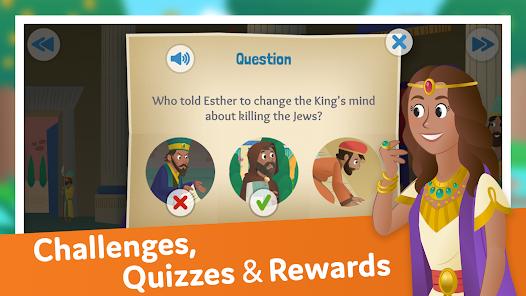
Bible App for Kids is a dedicated, interactive digital platform designed by Life.Church in partnership with OneHope. Tailored to early childhood developmental stages, the app introduces young children to biblical narratives through a combination of simplified storytelling, colorful illustrations, touch-responsive animations, and gamified challenges.
From an educational design perspective, the application aligns with early childhood learning principles (typically targeting ages two through eight). Rather than presenting long blocks of text, the app breaks narratives down into structured, interactive scenes. Each scene is accompanied by professional voice narration and synchronized text, helping early readers connect spoken words with written language. It also includes interactive sliding boards with audio.
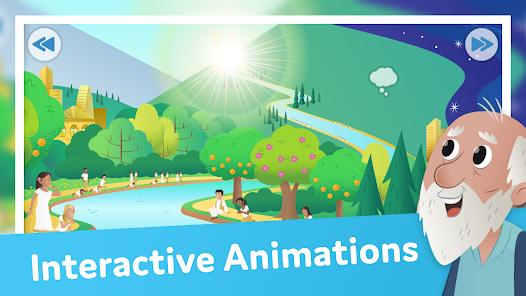
The core of the app's interactive design is its responsive touch zones. Every page contains hidden interactive elements—tapping a character might trigger a custom animation, activate a sound effect, or reveal a dialogue bubble. This design encourages active engagement, transforming reading from a passive activity into an exploratory experience.
To support learning retention, the platform integrates several kid-friendly gamification elements:
- The "Cloud Question" Drill: Simple reading comprehension checks that appear as interactive clouds, encouraging children to recall key details and discussing them with parents.
- Collectible Hidden Diamonds: Hidden items scattered across scenes that reward children for paying close attention to illustrations.
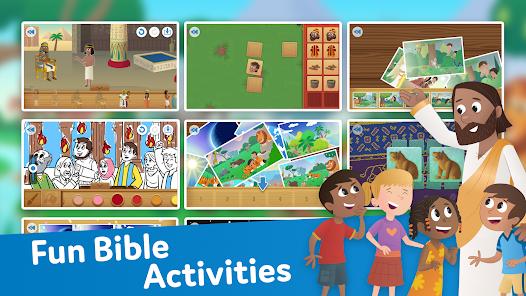
- Thematic Memory Match Games: Simple card-matching and sorting puzzles designed to reinforce the central themes of each story.
- Milestone Badges: A reward system that awards digital trophies for completing reading paths or maintaining consistent daily usage.
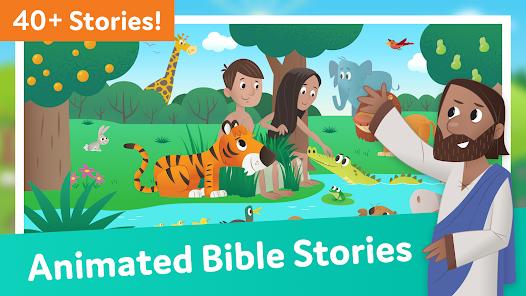
The library features over 40 major biblical stories, guiding children through both Old and New Testament narratives. Designed strictly for child safety, the application is entirely free, contains no third-party advertisements or in-app purchases, and fully complies with COPPA and Google's Play Families policies.
Pros & Cons
Completely Free and Ad-Free: Features zero cost barriers, premium subscriptions, or third-party ads, ensuring a safe digital environment for kids.
Touch-Responsive Animations: Engaging interactive elements help bring stories to life and reward children for exploring each scene.
Gamified Progress Tracking: Hidden collectibles and matching mini-games encourage active reading and help support comprehension.
COPPA and Family Policy Compliant: Built to meet high data privacy standards, ensuring no personal tracking or data sharing occurs.
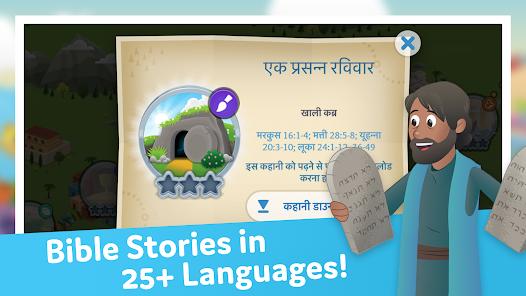
Robust Global Localization: Offers full audio translation and text support for dozens of languages, including Spanish, French, Chinese, and Arabic.
- ✕
Unified Master Volume Slider: The app lacks independent controls to mute background music while keeping narration and sound effects active, which can sometimes make the voiceover hard to hear.
- ✕
No Plain-Text Scripture View: Focuses entirely on simplified adaptations, offering no optional plain-text modes for older children ready to read standard scripture.
- ✕
Occasional Progress Sync Issues: Users can sometimes lose earned badges or collectible history when switching between different devices on a shared family account.
- ✕
Narrow Age Appeal: The visual and storytelling style is highly optimized for early childhood, meaning older children may quickly outgrow the content.
Download
 Get it on Google Play
  Get it on App Store
 FAQs
Does the app require a constant internet connection to read stories?
Once downloaded, individual story modules are stored locally on the device. This allows children to read and interact with the stories offline during travel or in areas with limited connectivity.
How do I pair devices to sync reading progress?
You can create a free YouVersion account in the app settings to sync collectibles, earned badges, and milestones across multiple phones and tablets.
Can I adjust the narration speed for early readers?
The voice narration is set to a fixed, comfortable pace designed for early language learners. If preferred, parents can mute the voice track entirely in the settings to read the text aloud themselves.
What personal data does the application collect?
The app collects limited, aggregated usage statistics (such as approximate location) for performance and localization analysis. No personal identifier data is sold or shared with third parties.
Are the interactive games suitable for toddlers under three?
Yes, the simple touch-and-drag interactions and memory-matching games are designed with early motor skill development in mind, making them highly accessible to younger toddlers.
Hot Reviews
The touch-activated animations and simple matching games are highly engaging. The app does a wonderful job of turning reading into an interactive journey that keeps young children excited to learn.
While the narration is excellent, the background music can sometimes be a bit too loud. It would be great to have separate volume sliders so we could turn down the music without losing the fun character sound effects.
The interactive storytelling is fantastic for toddlers and younger children, but there is no option to view the actual text of the verses. It would be helpful to have a transition mode for older kids ready to read standard scripture.
Finding high-quality, completely free children's apps with zero ads or hidden in-app purchases is rare. It provides a clean, safe learning environment that parents can trust.