
MeloTick
Overview
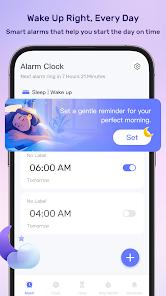
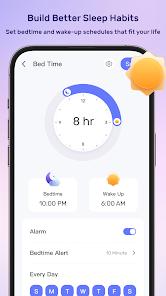
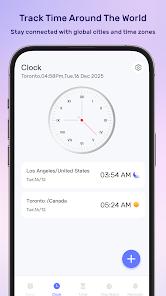
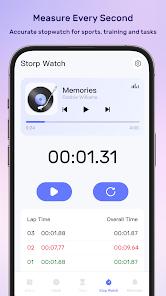
MeloTick developed by Dorothy Craigie, is a consolidated time management utility that has previously reached high rankings on productivity charts. The application is designed as an all-in-one timekeeper, integrating five key components into a single interface: a Smart Alarm Clock with customizable alerts, a World Clock with multi-time zone support, a Countdown Timer for daily activities, a high-precision Stopwatch, and a Smart Reminder scheduler.
A key technical feature of MeloTick is its integration of the Android Accessibility Service API. When enabled, this service temporarily monitors system UI interactions related to the device's hardware power menu when an alarm is active. This monitoring allows the app to detect and intercept physical shutdown attempts during a ringing alarm, ensuring that heavy sleepers cannot accidentally power off their devices to silence the wake-up prompts. According to the developer's data safety profile, this service operates entirely locally on the device, monitoring inputs without collecting, storing, or transmitting telemetry data.
Despite these innovative features, the app's overall usability is severely impacted by its monetization model. MeloTick relies on aggressive, high-frequency interstitial ads that trigger immediately upon launch. The loading processes for these ad networks regularly block the app's main rendering thread, causing severe screen freezes and preventing users from accessing core timekeeping functions.
Additionally, the app lacks transit data encryption protocols, which presents potential data safety risks.
Pros & Cons
Smart Accessibility Integration: The option to block hardware shutdown attempts prevents users from accidentally turning off alarms while asleep.
Consolidated Multi-Tool Design: Combines alarms, timers, stopwatches, reminders, and a world clock into a single lightweight app.
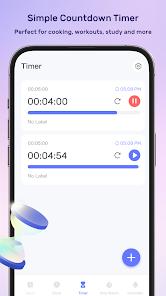
Simple Countdown Interface: Features an easy, one-tap timer setup that is highly useful for cooking, studying, and workouts.
Intuitive Time Zone Tracker: The world clock interface makes it easy to monitor and compare multiple global time zones.
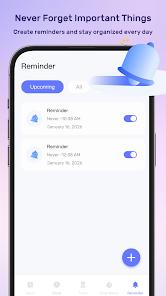
Custom Repeating Alerts: Supports highly customizable repeat intervals, making it easy to schedule daily routines and reminders.
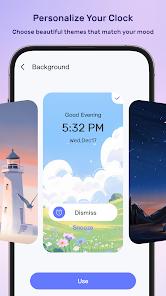
Clean Visual Design: Built with a simple, modern aesthetic that is easy to navigate when the application is operating correctly.
- ✕
Frequent Startup Ads: Displays long, non-skippable advertisements immediately upon opening, causing significant friction.
- ✕
Application Freezing: The ad-rendering scripts regularly freeze the app, making the interface unresponsive.
- ✕
Duplicate System Functionality: Offers features that are already natively built into most Android systems without providing premium assets.
- ✕
No Encrypted Transit Policies: The application’s data safety declarations indicate a lack of standardized transit encryption for telemetry data.
Download
 Get it on Google Play
  Get it on App Store
 FAQs
Why does MeloTick request Accessibility Permissions?
MeloTick uses accessibility services to intercept system power menu inputs during an active alarm, preventing accidental device shutdown.
Does the app collect any personal data?
The developer states that no personal details or accessibility interactions are stored or transmitted externally.
Can the power-menu block feature be disabled?
Yes, this feature is entirely optional and can be toggled on or off in the application settings at any time.
Why does the interface freeze when setting an alarm?
This is usually caused by delays in loading third-party ad networks, which can temporarily lock up the main interface thread.
Is there a premium ad-free version available?
The app is free with ad monetization; there is currently no option to pay for ad removal.
Hot Reviews
The alarm protection feature that blocks the phone from shutting down is highly innovative and works perfectly. However, the sheer volume of startup ads makes opening the app a frustrating experience.
Attempting to set a simple countdown timer often triggers a series of ad popups that freeze the app entirely, forcing a manual restart of the phone.
The application works well as a basic timer, but it offers almost the exact same features already built into standard Android clocks, while adding intrusive ads.
The app is simple and lightweight, but the ad loading process frequently fails on slower networks, leaving the screen permanently frozen on empty placeholders.