Google Classroom
Overview
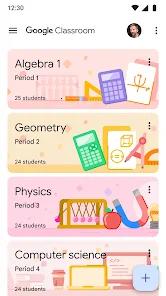
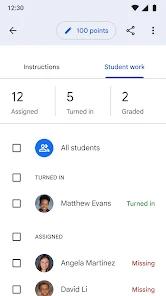
Google Classroom is a central educational tool developed by Google to streamline digital learning workflows. Positioned as a lightweight, cloud-based Learning Management System (LMS), it acts as an administrative hub where educators can establish virtual classrooms, distribute homework, grade submissions, and communicate with students. The platform is designed to transition smoothly between fully remote instruction and physical classrooms, operating as part of the broader Google Workspace for Education suite.
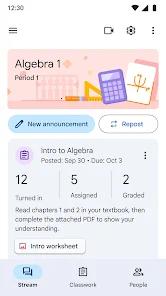
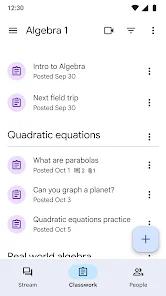
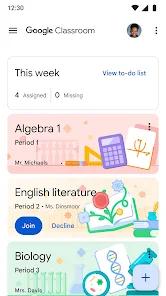
The app's design focuses on simplifying the paperless assignment workflow. Teachers can easily create courses, enroll students using email invites or unique access codes, and distribute structured assignments. The platform automatically organizes student templates, rubrics, and submission files into distinct folders within Google Drive, minimizing file management errors and saving administrative time.
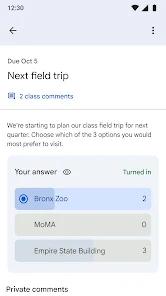
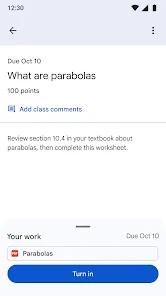
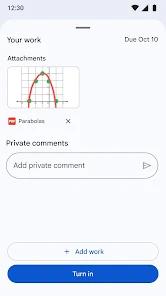
Students can track upcoming deadlines on a centralized assignment portal, complete and submit their work directly within the app, and receive real-time, annotated feedback.
At the school or district level, Google Classroom includes robust grading and Student Information System (SIS) synchronization. Through integrations with OneRoster-supported systems like PowerSchool, Infinite Campus, Skyward, and Follett Aspen, school districts can automatically sync class rosters and co-teachers. This integration allows educators to export grades directly from the Google Classroom gradebook to their district's master records, reducing manual entry errors.
Google Classroom has also introduced integrated Gemini AI tools to assist educators with lesson planning and content generation. This system helps teachers write rubrics, draft assignments, generate study guides, and address common learning misconceptions.
For older students, the Gemini tab provides study aids, exam prep tools, and writing feedback.
Additionally, the platform includes a native multimedia recorder that lets teachers and students capture and attach audio, video, or screen recordings directly inside assignments and announcements.
Privacy and security are fundamental to the platform's design. Google Classroom complies with major student privacy standards, including COPPA and the Google Play Families policies. It operates entirely without commercial advertising and does not scan student data for behavioral profiling or advertising purposes, providing a secure, enterprise-grade environment for school systems worldwide.
Pros & Cons
Deep Google Workspace Integration: Syncs natively with Google Drive, Docs, Sheets, and Slides, automatically organizing school files for easy access.
Integrated Gemini AI Tools: Helps educators save time by draft lesson plans, creating rubrics, and generating interactive quizzes.
Native Multimedia Recording: Includes built-in audio and video recorders that let teachers attach clear verbal instructions directly to coursework.
Efficient SIS and Gradebook Syncing: Streamlines administrative workflows by exporting grades directly to major Student Information Systems.
COPPA-Compliant Student Privacy: Adheres to strict privacy frameworks with zero commercial ads or behavioral tracking.
Flexible Offline Functionality: Allows students to review announcements, view assignments, and edit downloaded attachments without an active internet connection.
- ✕
Basic Gradebook Segmentation: Lacks advanced gradebook features, making it difficult to segment overall averages across multiple distinct subject areas.
- ✕
Heavy Reliance on External Apps: Fully utilizing the platform on mobile requires installing separate apps like Google Docs, Sheets, and Slides.
- ✕
Occasional Mobile Sync Issues: Android users report intermittent synchronization errors and application launch crashes, sometimes requiring a full reinstall.
- ✕
High Administrative Access Barriers: Advanced AI features and district-level integrations require specific institutional licenses and administrator-level permissions.
Download


FAQs
How does Google Classroom synchronize rosters with school databases?
Administrators use OneRoster-supported Student Information System (SIS) connectors to automatically sync student rosters, co-teachers, and class lists across school systems.
What can teachers do with the integrated Gemini AI tool?
The Gemini AI assistant helps educators write rubrics, draft lesson plans, generate interactive study guides, and create practice quizzes.
Can students work on assignments offline on mobile devices?
Yes, students can use offline mode to view active assignments, read announcements, and edit previously downloaded document attachments.
Is student information secure from commercial advertising?
Yes, Google Classroom does not show commercial ads, and student data is never scanned or used for advertising or marketing profiling.
What companion applications are required on mobile devices?
To create, view, or submit work, users must install companion apps like Google Docs, Google Sheets, and Google Slides on their mobile devices.
Hot Reviews
The automatic organization of student assignments within Google Drive is excellent. It simplifies file management and ensures both teachers and students can always locate their work.
The Android app occasionally runs into authentication loops and crashes during startup. Users sometimes have to reinstall the application to clear these errors.
The built-in communication tools make sharing updates and answering student questions highly efficient. It facilitates strong, direct communication outside the classroom.