
Google Messages
Overview
The mobile messaging landscape is undergoing a major transition, driven by the shift from traditional SMS/MMS to the Rich Communication Services (RCS) standard. Google Messages is Google’s official application leading this standard. The app is designed to replace legacy, carrier-dependent SMS platforms with a modern, internet-based communication network. This transition has been accelerated by the deprecation of proprietary manufacturer clients, such as Samsung Messages, establishing Google Messages as the default communication hub on modern Android devices.
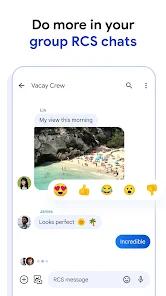
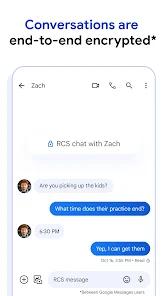
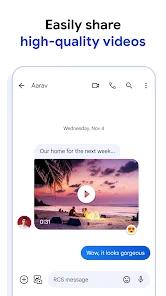
Architecturally, Google Messages uses the RCS universal profile to enable high-resolution media sharing, dynamic typing indicators, read receipts, and stable group chats over cellular data or Wi-Fi. A key security improvement is the implementation of end-to-end encryption (E2EE) for one-on-one and group RCS conversations, protecting user data from transit interception. Additionally, Apple's support for the RCS standard has helped bring functional parity, such as high-quality media sharing and typing indicators, to cross-platform messaging between Android and iOS users.
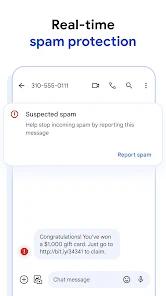
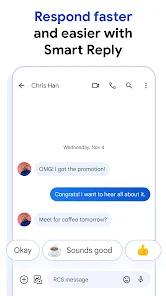
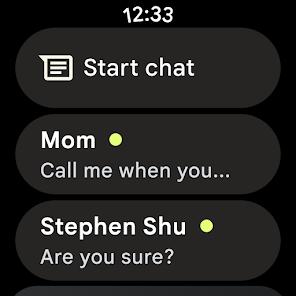
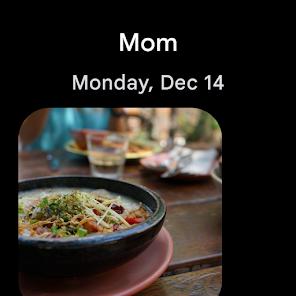
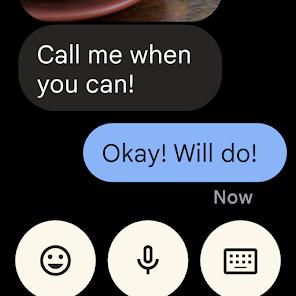
The application also integrates closely with Google's on-device intelligence and cloud systems, as well as Android Auto and Wear OS. The platform features Google Gemini AI, allowing users to draft messages, get smart response suggestions, and summarize conversational threads directly within the app. Local machine learning models also run in the background to scan links and verify sender information, helping to protect users from phishing and spam. The app is completely free and ad-free.
However, the dominance of Google Messages has highlighted limitations in third-party customization. Because Google keeps the Android RCS API proprietary, popular third-party SMS clients like Textra or Chomp SMS cannot natively support RCS. This leaves users with a difficult choice: they must either use Google Messages to enjoy RCS features, or use a third-party app for high visual customization but be restricted to traditional, unencrypted SMS/MMS.
Pros & Cons
Native, Out-of-the-Box RCS Support: Offers standard access to read receipts, typing indicators, and high-quality media sharing over Wi-Fi.
Completely Ad-Free Experience: Provides a clean interface free of display or video advertisements.
Robust Encryption Standards: Uses end-to-end encryption (E2EE) for RCS chats to protect conversational privacy.
Intelligent Spam Isolation: Automatically identifies and quarantines commercial spam, phishing links, and robocall texts.
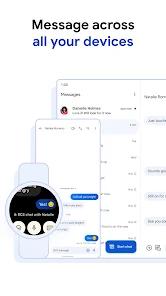
Seamless Cross-Device Synchronization: Allows users to easily send and receive messages from laptops, tablets, and smartwatches.
- ✕
Limited Interface Customization: Lacks granular options to modify chat bubbles, fonts, and individual conversation colors.
- ✕
No Secure Local Folders: Does not feature a password-protected partition to hide and encrypt sensitive conversations.
- ✕
Deep Dependency on Play Services: Requires active Google Play Services, making it incompatible with de-googled device ROMs.
- ✕
Unified Contact Indexing Issues: Lacks the ability to filter and display only contacts who have active mobile numbers.
Download


FAQs
Are messages encrypted when texting an iPhone user?
RCS enables high-quality media sharing with iOS devices, but end-to-end encryption is only active when both users are using RCS-compatible clients.
Can Google Messages operate without cellular network coverage?
Yes. When using the RCS protocol, the app can send messages, media, and voice notes over any active Wi-Fi connection.
Why can't other Android SMS apps use the RCS protocol?
Google currently restricts the system-level RCS APIs, preventing third-party clients from natively accessing the Android RCS engine.
How can a user access their messages from a computer?
Users can navigate to the Google Messages web portal on a browser and scan the displayed QR code using the Device Pairing menu in the mobile app.
How does on-device spam protection analyze messages?
The app uses local machine learning models to scan incoming texts for suspicious structures and phishing URLs, without uploading message contents.
Hot Reviews
The browser pairing feature works smoothly, keeping desktop and mobile messages perfectly synchronized without dropouts.
The forced transition from legacy manufacturer clients to Google Messages has left some users frustrated by the loss of granular font and notification settings.
While the app blocks standard SMS spam effectively, promotional messages from businesses using commercial RCS channels can occasionally bypass filters.