
YouTube Kids
Overview
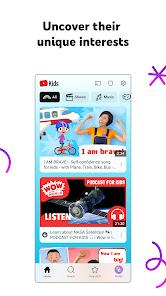
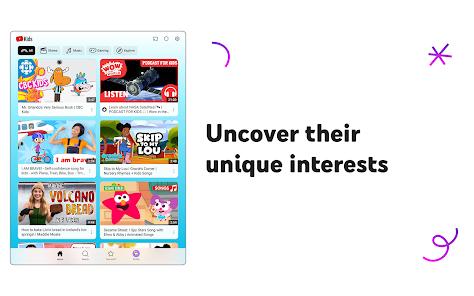
YouTube Kids developed by Google LLC is designed to offer a safe, age-appropriate video streaming environment for minors. The app uses automated algorithmic filtering systems combined with human oversight to screen out adult content, providing a safe space for children to explore educational topics, creative tutorials, and entertainment.
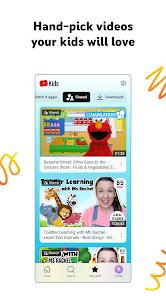
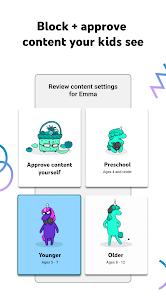
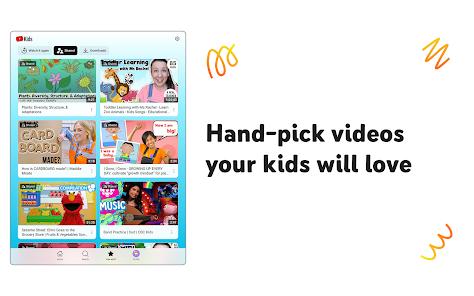
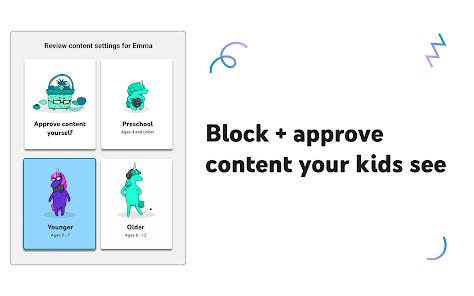
The user experience is highly customizable, featuring three distinct age-targeted modes: "Preschool" for children aged 4 and under (focusing on early learning, curiosity, and foundational concepts), "Younger" for ages 5-8 (highlighting interactive cartoons, music, and simple crafts), and "Older" for ages 9-12 (broadening search limits to include gaming videos, popular music, and educational science content). For parents who want maximum control, the platform offers an "Approved Content Only" mode, which restricts the app entirely to hand-selected channels and video collections approved by the parent.
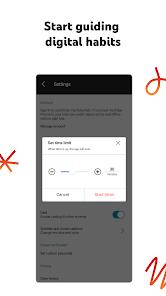
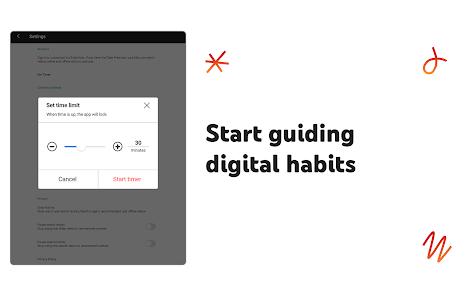
The platform features a simple, child-friendly user interface with large touch targets and voice-search tools to assist pre-literate children. To help manage screen time, the app includes a built-in timer that locks the interface when the designated viewing period expires, encouraging healthy habits.
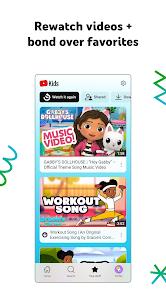
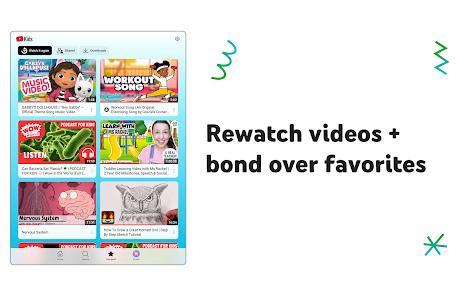
Additionally, a dedicated "Watch It Again" tab lets parents easily review their child’s viewing history and monitor content choices. Crucially, the platform complies with strict privacy standards (such as COPPA) and does not share tracking profile data, keeping the digital experience secure.
Pros & Cons
Multi-Tiered Age Customization: Tailors the interface to align with preschool, younger, and older childhood development stages.
Granular Parent Dashboards: Features robust blocking tools, channel selection filters, and viewing history logs.
Integrated Screen-Time Timers: Automates device downtime, locking the screen when the limit is reached.
Ad-filtering Systems: Curated ad streams exclude standard tracking, age-inappropriate product advertisements, and behavioral profiles.
COPPA and Family Link Integration: Adheres to international child privacy regulations, keeping child profiles separate from data brokers.
- ✕
Potential for Algorithmic Bypasses: Automated systems occasionally fail to block highly stylized, edge-case content that may be unsuitable.
- ✕
Limited Smart TV Controls: Lacks intuitive navigation features on smart TV interfaces, such as a quick "start from beginning" button.
- ✕
Commercial Influencing Beyond Paid Ads: Native product placements and creator-driven sponsorships bypass standard ad filters.
- ✕
Restrictive UI for Older Children: The simplified, colorful layout can feel overly infantile for pre-teens nearing age twelve.
Download


FAQs
How are specific channels or videos blocked permanently?
Parents can tap the menu button on any video and select "Block" to exclude either the specific video or the entire channel from their child's feed.
Can children access their parental-approved settings?
No, settings menus are protected by customizable mathematical challenges or custom passcodes to prevent unauthorized changes.
Are ads completely eliminated from the platform?
No, but ads are strictly filtered for child safety and do not feature behavioral tracking. Additionally, creators may include native product branding within videos.
Can multiple children share a single device with distinct profiles?
Yes, parents can set up multiple profiles on the same account, allowing each child to have a personalized home screen and history.
Is internet access required to use the application?
Yes, standard operation requires an internet connection, though offline viewing options may be available with premium platform subscriptions.
Hot Reviews
The customizable profile options make managing screen time much easier. The ability to lock the app down to hand-picked channels ensures kids only watch educational, high-quality content.
While the mobile version works beautifully, the smart TV app is frustrating to navigate. Simple features like restarting an ongoing episode are missing, making playback hard to control.
The app generally does a good job of filtering content, but occasional edge-case videos containing strange or inappropriate themes slip through the automated filters. This highlights the ongoing need for parental oversight.
The built-in timer is a fantastic feature. When the allotted time runs out, the screen locks automatically, taking the pressure off parents to enforce boundaries and ending screen time without a struggle.