
HIDIVE

Overview
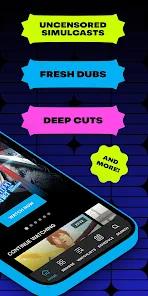
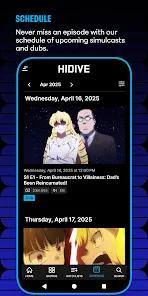
The HIDIVE app is the primary mobile gateway for HIDIVE, a subscription video-on-demand platform focused on the acquisition and streaming of Japanese anime. Designed for mobile, tablet, and Chromebook environments, the app caters to a passionate audience of enthusiasts seeking simulcasts, unedited cuts, uncensored releases, and exclusive localized dubs.
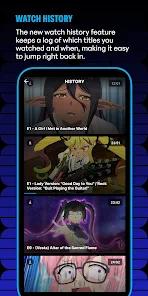
Despite the service's highly specialized catalog, the app's technical architecture exhibits notable limitations in usability and data management. This is particularly evident in the indexing and sorting systems. Additionally, the synchronization logic in the backend database frequently fails to update user progress. The user interface lacks clear visual cues, such as "watched" labels or progress bars on episode thumbnails. As a result, viewers must manually remember their current episode and timestamp, as the app regularly fails to save the resume point when an active session is interrupted.
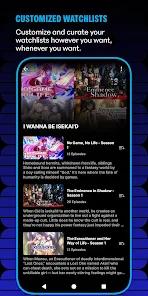
The app's layout also makes basic navigation difficult. For example, the user's personal watchlist is nested within the main settings menu rather than occupying a prominent spot on the main dashboard. The app's streaming protocol is similarly prone to errors, particularly when casting to external screens. Initiating a Google Chromecast stream from a mobile device to a smart TV often causes subtitle sync issues, occasionally dropping the translation layer entirely.
Pros & Cons
Uncensored and Unrated Content Options: The application offers mature audiences unedited cuts of animated series that are often unavailable on larger platforms.
Exclusive Seasonal Simulcast Catalog: Subscribers can access newly airing Japanese series shortly after their primary broadcast on overseas television.
Budget-Friendly Pricing: The platform maintains an accessible entry-level subscription cost compared to broader entertainment services.
Dedicated High-Quality Dubbing: The service hosts a diverse library of English audio tracks, appealing to users who prefer dubs.
Simple Media Player Controls: The basic video player provides clear options for choosing audio languages and subtitle styles.
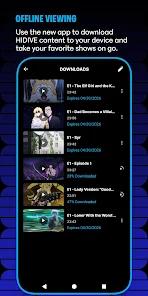
Basic Offline Video Storage: The application supports standard local caching, allowing users to download select episodes for offline viewing.
- ✕
Unconsolidated Search and Browse Indexing: Search queries return individual episodes mixed with series folders, making navigation frustrating.
- ✕
Unreliable Progress Tracking: The app lacks clear visual indicators for completed episodes and frequently fails to save the viewer's place during interrupted streams.
- ✕
Inconvenient Watchlist Placement: The watchlist is located inside the application's settings panel, requiring extra taps to access.
- ✕
Unstable Subtitle Casting: Casting video streams to a TV via Chromecast often breaks the subtitle layer, disrupting the experience for subbed content viewers.
Download
 Get it on Google Play
  Get it on App Store
 FAQs
Why does the application show individual episodes in search results?
The database architecture displays both singular episode files and overarching series entries in search results, rather than consolidating them into a unified show card.
Can I resume playback from where I left off across multiple devices?
While the app has basic cross-platform support, the synchronization engine is prone to errors and frequently fails to update playback progress.
How do I access my watchlist?
The user watchlist is located within the settings menu, rather than on the primary dashboard, requiring multiple navigation taps to access.
What should I do if subtitles fail to display while casting to Chromecast?
This is a known issue with the casting player's subtitle file rendering. Users should try disconnecting the cast session, restarting the mobile application, and re-initiating the stream.
Does this application offer a free viewing tier?
The service operates primarily on a paid subscription model, though it occasionally provides limited promotional access to select episodes with ad support.
Hot Reviews
The search system is highly unorganized. It shows random episodes in no logical order alongside the actual show folders, forcing users to click through multiple items just to locate a specific season.
The application does not remember my place in a video or mark which episodes I have already finished. Having to manually check and remember where I left off is an unnecessary chore.
Every time I try to cast a show to my TV, the subtitles fail to render. Since the app is meant for foreign-language programming, missing subtitle tracks make the casting feature virtually useless.