Anima Color - Paint by Number

Overview
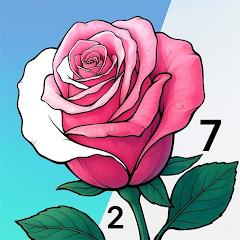
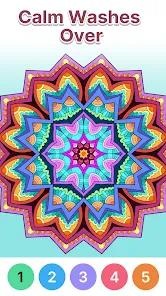
Anima Color, formerly known as Color Joy, is a digital paint-by-number coloring book designed specifically for mature adults and senior demographics. Published in partnership with developers like Candy Mobile, the application features an extensive library of over 20,000 distinct coloring patterns across 30 categories, including mandalas, realistic landscapes, wildlife, and floral designs. Structurally, the app functions as a form of art therapy, focusing on stress relief, anxiety reduction, and cognitive stimulation for populations with declining motor skills or visual acuity.
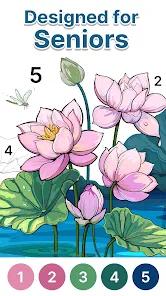
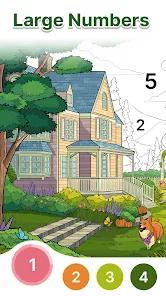
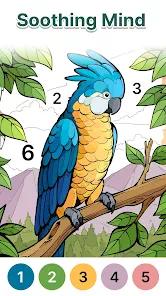
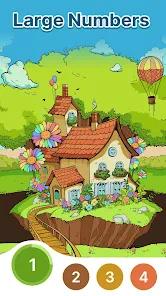
The user experience centers around accessibility. By utilizing oversized, high-contrast numbers and large button targets, Anima Color reduces the visual clutter and fine-motor precision required by typical digital coloring books. The canvas lines are high-contrast and easy to see, and the application includes a responsive zoom tool to help players manage highly detailed areas.
The game operates on a therapeutic model, designed to help users enter a relaxed "flow state" during play. To maintain a calm environment, the app does not use timers, penalizing scoring systems, or competitive mechanics. To improve convenience, a dedicated "Painter's Tray" tab tracks all incomplete, active coloring projects, allowing users to quickly resume past designs.
The game’s monetization relies on an ad-supported model, but it is less intrusive than competitive puzzle games, using short advertisements and optional premium subscriptions to remove ads and unlock unlimited hints. While optimized for accessibility, the app can still feature highly complex drawings where the remaining uncolored zones are hard to find, sometimes requiring hints even with the senior-friendly layout.
Pros & Cons
Targeted Senior Usability: Large-font numeric guides and oversized button layouts significantly reduce physical and visual strain.
Extensive Image Selection: Features over 20,000 professional drawings across 30 diverse categories.
Effective Therapeutic Loop: The slow, timer-free structure is designed to lower anxiety and encourage relaxation.
Convenient Progress Hub: The Painter's Tray organizes active work in progress, allowing for easy multi-session play.
Smooth Zooming and Scaling: The highly responsive zoom engine makes it simple to navigate intricate line art.
- ✕
Hidden Complexity Spikes: Certain advanced templates contain tiny, hard-to-find areas that can frustrate visually impaired users.
- ✕
Interrupted Engagement: Commercial video advertisements can disrupt the relaxing flow state during longer coloring sessions.
- ✕
High Premium Ad-Removal Fees: Subscriptions or outright ad-removal payments are relatively expensive compared to other casual applications.
- ✕
High Device Storage Demand: The large library of high-resolution images can quickly fill up storage space on older mobile devices.
Download


FAQs
How does Anima Color assist users with poor eyesight?
The application uses large-font numbers inside the coloring cells, high-contrast blue or gray border lines, and an enlarged gallery view to make images easy to see.
Where can players find their active, unfinished drawings?
All incomplete coloring pages are saved in the "Painter's Tray" tab, represented by a paint palette symbol at the bottom-right of the home screen.
Does this application require an active internet connection?
While downloading new images requires a network connection, downloaded pages can be colored offline, making it highly portable.
How do the coloring mechanics function?
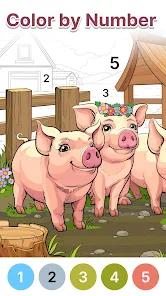
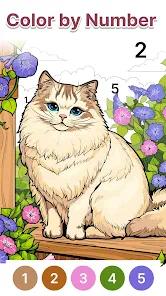
Each image is mapped with numbers that correspond to a colored paint palette at the bottom of the screen; tapping a numbered paint automatically highlights the matching areas on the canvas.
What are the subscription models for Anima Color?
The app offers weekly and monthly subscription tiers that remove banner and interstitial ads while granting unlimited hints.
Hot Reviews
The coloring process is highly relaxing, offering an effective way to lower daily stress and anxiety.
The large fonts and clear buttons are well-suited for older players, making image navigation easy and comfortable.
The category icons and Painter's Tray make it simple to organize work and switch between different projects.
Frequent commercial interruptions break the immersion of the game, distracting from the otherwise relaxing atmosphere.