
MobiOffice: Word, Sheets, PDF
Overview
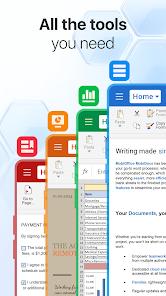
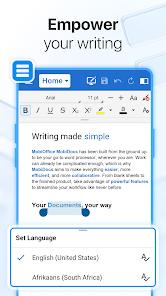
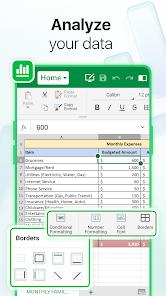
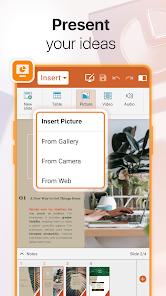
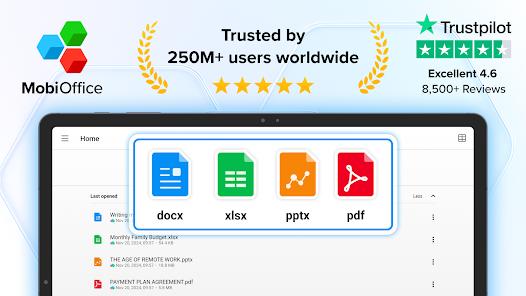
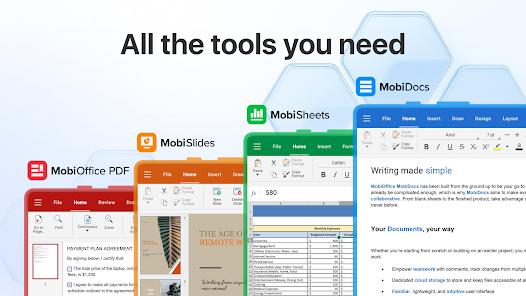
MobiOffice is an alternative to standard corporate document processors. The application provides a complete productivity engine, combining five modules: Documents (word processing), Sheets (spreadsheets), Slides (presentations), a dedicated PDF Editor, and Mail with Calendar integration. Architecturally, the software is optimized for cross-platform deployments. A single license supports simultaneous installations across Windows PCs, iOS, and Android platforms, allowing seamless document transitions without formatting loss.
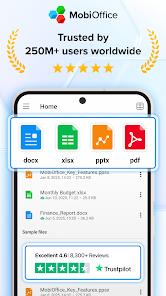
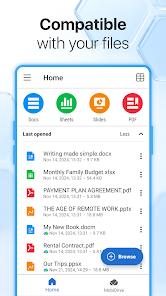
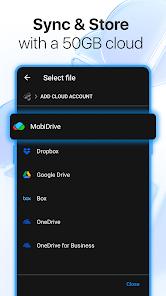
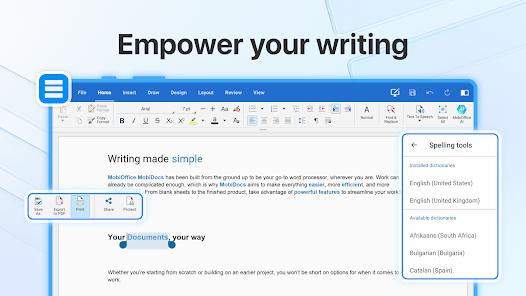
The system's compatibility engine is highly versatile, supporting formats from Microsoft Office (DOCX, XLSX, PPTX), Google Workspace, OpenOffice, Apple's iWork, and LibreOffice. Advanced formatting tools such as format painters, track changes, conditional logic, formulas, and slide animations are fully integrated. Files can be stored directly within the proprietary MobiDrive cloud (which offers 5GB of free storage to basic accounts and 50GB to premium tiers) or synchronized with major third-party cloud engines like Google Drive, OneDrive for Business, Box, and Dropbox.
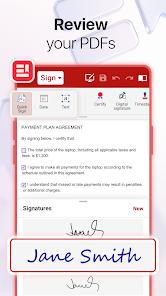
A major competitive advantage of MobiOffice is its dedicated PDF management module. Rather than acting as a simple file viewer, the PDF system allows users to actively edit text, annotate documents, fill out complex forms, digitally sign contracts, and manage access permissions. Furthermore, it features a bidirectional converter that can export PDFs into fully editable Word, Excel, or ePub files. This robust handling of corporate paperwork removes the need for separate standalone scanning and PDF-editing programs.
Although MobiOffice is free to install for basic file viewing, advanced editing capabilities are gated behind subscription models. The free version is heavily monetized with ads, and many advanced tools—such as unlimited PDF conversions, 50GB of storage via MobiDrive, Dual mobile connections plus one desktop PC, ad-free editing environment, and layout controls—require upgrading to premium, annual, or monthly packages. Despite these paywalls, the application is highly regarded for its familiar desktop-style interface, which is optimized for the latest Android operating systems. This familiarity reduces the learning curve, making it a reliable solution for business professionals working on the go.
Pros & Cons
Comprehensive Office Suite: Combines word processing, spreadsheet formulas, presentation slides, an email client, and PDF editing under a single environment.
Broad Format Compatibility: Supports major office document extensions, including Microsoft Office formats, OpenOffice files, and Apple iWork documents.
Dedicated PDF Editor with Bidirectional Conversion: Enables users to edit text, fill interactive forms, apply digital signatures, and manage document permissions.
Flexible Cloud Integrations: Offers 5GB of free MobiDrive storage and supports direct connections to OneDrive, Google Drive, Box, and Dropbox.
Unified Cross-Platform Licensing: Premium plans allow a single license to cover a Windows PC and two mobile devices concurrently.
- ✕
Intrusive Advertisements: The free version contains frequent advertisements that can disrupt workflows.
- ✕
Gated Editing Capabilities: Essential tools, including document editing and PDF formatting, are locked behind premium subscription tiers.
- ✕
Limited Cloud Storage in Free Tier: The basic plan offers 5GB of storage, which may prove insufficient for extensive corporate archives.
- ✕
Subscription Inflation: Unlocking advanced features and cross-platform access requires ongoing monthly or annual subscription fees.
Download
 Get it on Google Play
  Get it on App Store
 FAQs
Can users edit Microsoft Word and Excel documents without a paid subscription?
No, the free version is limited to viewing files; editing, formatting, and saving documents require active premium plans.
Does the application allow offline access to documents stored in third-party clouds?
Yes, files can be downloaded to local storage for offline editing, with changes syncing back once a connection is re-established.
How many devices are supported under a single personal subscription?
A personal subscription supports one Windows PC and two mobile devices (iOS or Android) simultaneously.
Can the PDF module convert documents back into editable Word or Excel files?
Yes, the app features a bidirectional PDF converter that exports PDFs to Word, Excel, or ePub formats.
Does the email module support offline access to user calendars?
Yes, the integrated Mail client allows users to manage their inbox and review schedule details without an active internet connection.
Hot Reviews
The application layout closely mirrors traditional desktop software, making it straightforward to build presentations and write text documents on mobile screens.
The integrated PDF tools simplify document workflows by allowing users to fill out forms and apply digital signatures directly from their phones.
The free version's heavy ad load and locked editing tools make upgrading to a paid subscription nearly essential for productive business use.