
PocketBook reader - any books
Overview
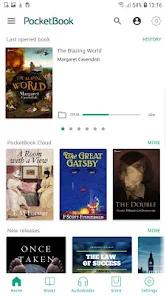
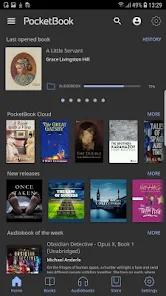
PocketBook Reader, developed by Obreey Products, represents a highly sophisticated, format-agnostic document rendering engine within the Android digital publishing ecosystem. Unlike platform-locked e-reading solutions that tether users to a specific proprietary retail storefront, this application functions as a decentralized, highly versatile personal library manager and document viewer. The foundational architectural philosophy of the application is centered on broad format compatibility, cross-platform synchronization, and an extensive array of typesetting controls designed for power users.
The core rendering engine of the application is uniquely robust, supporting twenty-six distinct file formats. This includes nineteen textual and document formats—such as EPUB, FB2, MOBI, PDF, DJVU, DOCX, RTF, TXT, HTML—along alongside comic book formats (CBR and CBZ) and audio formats like MP3 and M4B for audiobooks. The application also natively handles Digital Rights Management (DRM) protocols, enabling users to seamlessly open EPUB and PDF files protected by Adobe DRM. For fixed-layout documents such as PDFs and scanned DJVU files, which are traditionally difficult to navigate on mobile screen dimensions, the application incorporates a highly efficient PDF Reflow mechanism. This utility dynamically extracts textual structures and repackages them into a flowing, screen-optimized layout while preserving core formatting and embedded elements.
The database architecture is designed for multi-device coordination, linking local directory structures with remote cloud platforms. Through native integrations with PocketBook Cloud, Google Drive, Google Books, and Dropbox, the application allows users to sync their reading positions, highlight databases, bookmarks, and physical files across their hardware ecosystem. For users of E Ink PocketBook e-readers, this synchronization is simplified through a QR-code scanning process that instantly binds accounts.
Furthermore, the native support for OPDS (Open Publication Distribution System) catalogs allows academic and professional readers to connect directly to decentralized public-domain libraries and network-based corporate repositories. By decoupling rendering capabilities from commercial storefronts, the application addresses the specific requirements of users managing large, self-sourced digital archives.
Pros & Cons
Unmatched Format Versatility: Native support for twenty-six diverse file formats, easily rendering complex academic DJVU files, comic book archives, and Adobe DRM-protected titles.
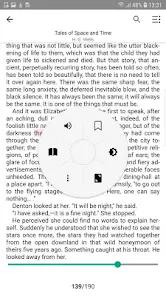
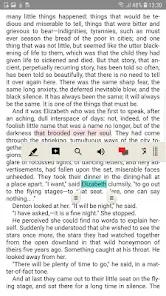
Granular Typesetting Adjustments: Comprehensive control over typesetting parameters, allowing users to modify line spacing, margins, font styles, page-turn animations, and custom font uploads.
Highly Responsive Layout Reflow: Advanced PDF Reflow and manual margin-cropping tools that make double-column academic papers readable on small screens.
Decentralized Cloud Connectivity: Seamless background synchronization across diverse personal storage platforms like Dropbox, Google Drive, and PocketBook Cloud.
Vocalized Text-to-Speech Engine: A built-in Text-to-Speech system that converts standard textual documents into spoken audio, with support for third-party vocal engines.
Integrated ISBN Barcode Scanner: A practical tool that allows users to scan physical book barcodes to quickly search for matching electronic versions online.
- ✕
Elevated Background Battery Consumption: Persistent background synchronization loops and deep file indexing can lead to increased power draw.
- ✕
Complex UI Configuration: The density of advanced typesetting and directory options can present a steep learning curve for non-technical users.
- ✕
Delayed Storage Indexing: Large directories containing thousands of deeply nested folders can experience performance lags during initial system scans.
- ✕
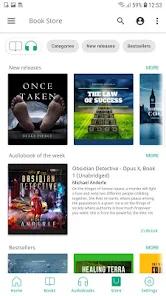
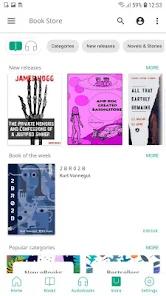
Absence of a Native Storefront: Lacks a fully integrated, localized commercial bookstore for direct mainstream title acquisitions in certain territories.
Download

FAQs
How does the Text-to-Speech (TTS) feature function within PocketBook Reader?
The application utilizes an integrated vocalization engine to parse written text files into spoken audio. Users can customize playback speed, adjust localized dialects, and replace the pre-installed system with any compatible TTS engine available on Google Play.
Can I open library books protected by DRM in this application?
Yes, the application natively supports Adobe Digital Rights Management (DRM) for both PDF and EPUB files. Users must configure their Adobe ID credentials within the application settings to authorize and open these files.
Does the application support synchronization with non-PocketBook hardware?
Yes, the PocketBook Cloud service and standard cloud integrations (Google Drive, Dropbox) allow users to sync reading progress, highlights, and book files across any Android, iOS, or web-based platform running the service.
What is an OPDS catalog, and how can it be utilized?
OPDS stands for Open Publication Distribution System, an XML-based syndication format. Users can manually add custom OPDS URLs in the network section of the app to browse, search, and download books directly from external digital repositories.
Is it possible to edit metadata or customize book covers in the library view?
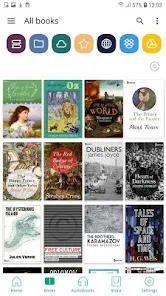
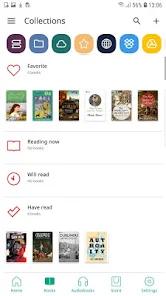
Yes, the application features an integrated library manager. Users can edit metadata fields, organize books into custom collections, filter files, and manually assign or update book covers.
Hot Reviews
This application provides outstanding utility by allowing the aggregation of directories from multiple clouds like Google Drive and Dropbox without forcing users into a proprietary ecosystem.
The margin-cropping and PDF reflow tools are indispensable for reading scanned double-column research articles on mobile devices, allowing for comfortable layout adjustments.
The ability to turn any standard EPUB file into a vocalized audiobook using high-quality TTS engines makes it a highly valuable tool during commutes or chores.