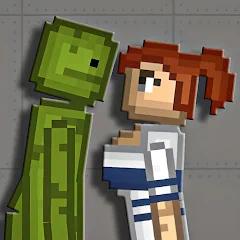
Mod skins for melon PG
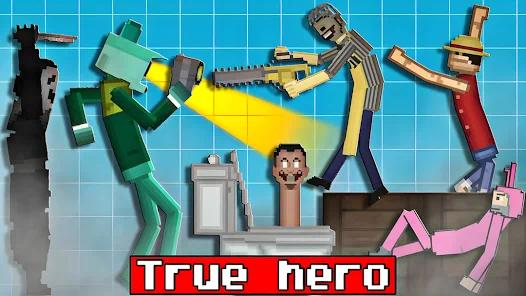
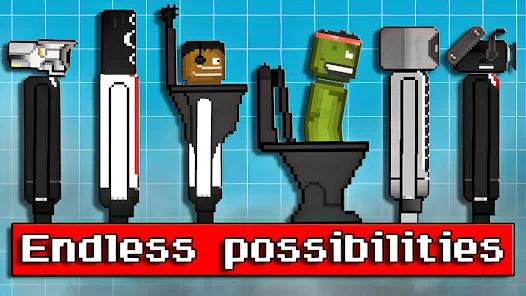
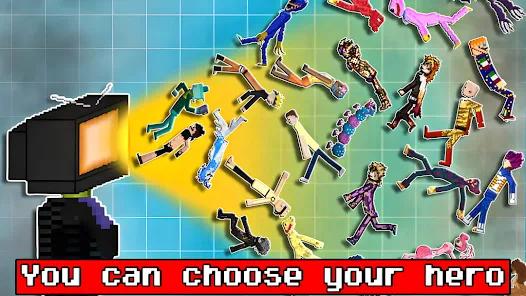

Overview
The rapid evolution of user-generated content within sandbox physics simulators has fostered a distinct secondary market for utility applications designed to streamline asset integration. Within the Android gaming ecosystem, the platform Mod skins for melon PG represents a highly popular hub for ragdoll physics experimentation, vehicle assemblies, and customized battle animations. The application functions as an unofficial, third-party modding companion and asset installer developed to bypass the complexities associated with manual file management.
Traditionally, adding custom assets such as character models, vehicle frameworks, or advanced weaponry required players to manually download compressed files from external forums, extract the files, and locate specific deep-system directories. The primary mechanics of the app simplify this process. It serves as a visual wrapper for a remote asset database, allowing players to browse through curated mod catalogs directly on their mobile device. The application facilitates the download of .melmod (object configurations) and .melsave (pre-built structures and scenarios) files, executing background extraction scripts to place these items directly within the local directory of the base game.
The software's architecture must navigate the strict directory access limitations imposed by Google's modern Scoped Storage framework (Android 11 and above). To address this, the developers have integrated dedicated on-screen instructions that walk users through the process of authorizing directory-specific document provider permissions. This guided manual authorization allows the companion app to securely write custom assets directly into the game’s local folders.
Mod skins for melon PG focuses on delivering a lightweight, visual library. It is highly optimized for casual users and content creators who want to quickly assemble scenarios for cinematic gameplay videos without having to manage complex file systems or code behaviors.
Pros & Cons
Guided Storage Authorization: Simplifies the configuration of Scoped Storage paths on newer Android releases through clear, visual instructions.
Low System Resource Overhead: Operates with minimal background memory consumption, making it highly compatible with budget Android devices.
Pre-Extraction Integrity Checks: Ensures downloaded files are verified and unzipped securely before being placed into the game folder, preventing file corruption.
Streamlined Visual Browsing: Features clear thumbnail previews that show mods active in game environments before any download is started.
Direct Integration Model: Automatically places downloaded modifications into the designated sandbox game folders, reducing manual user effort.
- ✕
Heavy Advertisement Insertion: Relies on frequent, full-screen interstitial ads that interrupt navigation and degrade the user experience.
- ✕
Total Game Dependency: Operates exclusively as a companion tool, requiring the base sandbox game to be installed on the device.
- ✕
No Built-In Editing Tools: Lacks custom editing tools, preventing users from altering sprite textures or physics properties inside the app.
- ✕
Vulnerability to File Path Changes: Updates to the base game’s folder structure can occasionally break the companion application's target directories.
Download
 Get it on Google Play
  Get it on App Store
 FAQs
Is this application an official release from the developer of Melon Playground?
No, this is an unofficial, third-party utility designed to help players locate, download, and install community-created modifications.
How does the application bypass Scoped Storage security limits on Android 11+?
The app guides users through the system Document Provider interface to grant direct file permissions to the game's folder.
Can I customize my own skins inside this companion app?
No, this application serves as a catalog and installer. It does not contain direct drawing or physics editing toolsets.
Do downloaded files remain active if the base sandbox game is uninstalled?
No, the modification files are dependent on the core physics engine of the parent game to render and operate.
What should I do if a mod fails to show up in the base game after a download?
Verify that the app has been granted correct directory permissions, clear the cache, and ensure the game is fully updated.
Hot Reviews
The application provides a straightforward catalog experience. Users can browse, click, and watch their chosen assets automatically move into the game folder with minimal manual file management.
The overall experience is significantly hampered by the sheer frequency of advertisements. Users are forced to sit through multiple video ads just to download a single asset.
While the instructions are helpful, system storage changes in newer Android versions can cause the directory linkage to fail, requiring a manual reset of permissions.