
Square Point of Sale: Payment



Overview
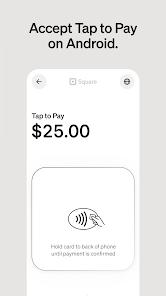
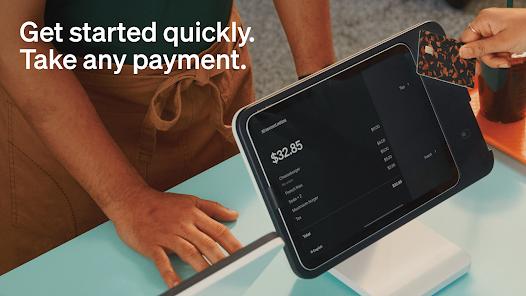
Square Point of Sale, developed by Block, Inc., is an all-in-one payment processing and business management platform. The app is designed to run on tablets and smartphones, allowing merchants to accept credit cards, mobile wallets, and gift cards with no long-term contracts.
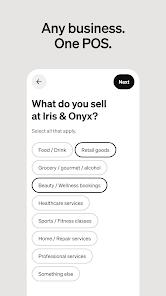
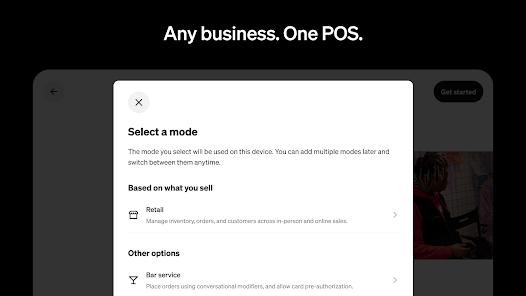
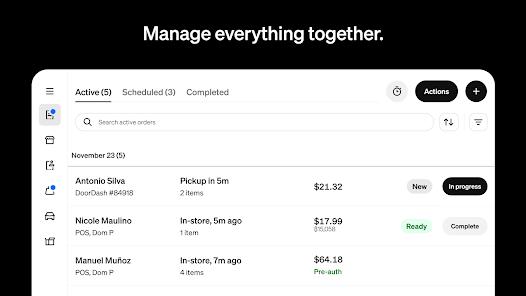
To support different industries, the app includes specialized operational modes. Retailers can synchronize their physical stock with their e-commerce storefronts in real time. Restaurants can manage floor tables, apply order modifiers, and print to kitchen ticket machines. Service-based businesses can generate and send digital estimates and invoices with e-signature options, while beauty salons can set up automatic appointment booking and no-show protection rules. It has built-in custom professional templates and supports full offline transaction processing. Square also integrates with sister apps like Square Dashboard and Square Team to help merchants manage employee schedules, monitor real-time sales reports, and run payroll.
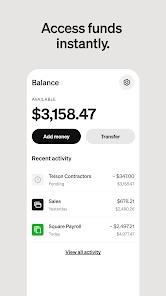
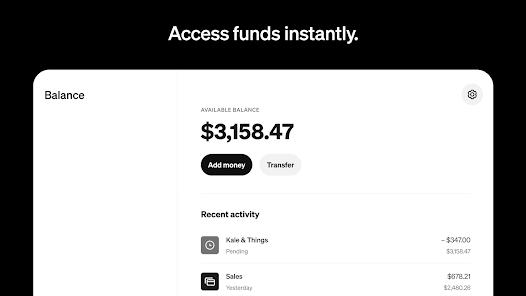
Standard deposits are processed in 1–2 business days, with instant payouts available to help merchants maintain healthy cash flow. However, the cost of scaling a business on Square has raised concerns among some merchants. While the basic POS tools are free, advanced business tools and industry-specific modes require expensive monthly subscriptions. Merchants also report rising transaction processing fees and billing issues where subscription charges continue even after canceling auxiliary services.
Pros & Cons
Tailored Specialized Modes: Features optimized checkout interfaces for retail, food and beverage, beauty, and services.
Flexible Payment Methods: Accepts tap-to-pay, card insertions, digital wallets, and Cash App Pay.
Real-Time Inventory Synchronization: Syncs in-store and online catalog stock levels automatically to prevent accidental overselling.
Integrated Employee Scheduling: Works with the Square Team app to let employees clock in and out and check shifts directly on their phones.
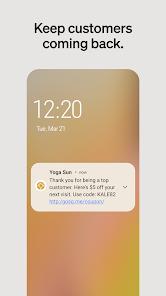
Robust Customer Management: Builds detailed buyer profiles, records order histories, and manages reward programs.
No Long-Term Contracts: Offers a pay-as-you-go processing structure with no early termination penalties.
- ✕
Rising Transaction Processing Fees: Incremental rate increases can squeeze profits for small businesses operating on tight margins.
- ✕
Costly Subscriptions: Accessing advanced features like team shift tracking and appointment scheduling requires expensive premium plans.
- ✕
Complex Cancellation Processes: Merchants report billing friction where they continue to be charged after canceling auxiliary plans.
- ✕
Rigid Authentication Policies: Strict biometrics expiration rules can lock users out of the system during busy service shifts.
Download


FAQs
What is the standard processing fee for credit card swipes on Square POS?
The standard transaction fee in the United States is flat-rated at $2.6\% + 10\text{c}$ per swipe, tap, or chip insertion.
Can a merchant process transactions without an active internet connection?
Yes, the app includes an offline mode that securely stores payment details and processes them once internet connectivity is restored.
How does inventory synchronization work across channels?
Square Online automatically connects with the mobile POS database, updating catalog stock levels in real time across physical and digital storefronts.
Does the app support employee scheduling and payroll management?
Yes, integrating the Square Team app lets managers schedule shifts, track timecards, and run payroll.
Are there fees for standard bank deposits?
Standard deposits are processed for free within 1–2 business days, while immediate cash outs require a minor percentage-based fee.
Hot Reviews
Users praise how easily the app manages client appointments, processes card payments, and syncs calendar schedules.
Small business owners express frustration over increasing transaction fees and the high cost of premium add-ons.
Some reviews note that large inventories can make product screens feel cluttered, making it difficult for staff to find items quickly.