
CloudLibrary
Overview
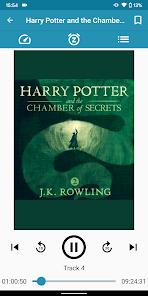
The mobile application CloudLibrary is a digital lending platform developed by Bibliotheca Ltd and managed by OCLC. The software serves as a bridge between public library systems and their cardholders, allowing patrons to borrow and consume eBooks and Audiobooks on their personal devices. Unlike retail digital book software, cloudLibrary integrates directly with municipal library catalogs, utilizing regional subscriptions to provide free materials.
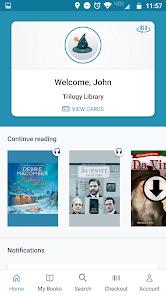
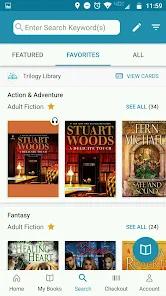
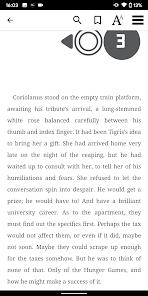
The software features a dual-purpose design, supporting both digital borrowing and physical library activities. On the digital side, users can browse their local library’s collections, apply filters for language and availability, and stream or download books for offline reading. The e-reader interface is highly customizable, allowing users to adjust font sizes, margins, and background colors, as well as search for specific phrases within eBooks.
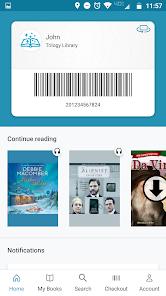
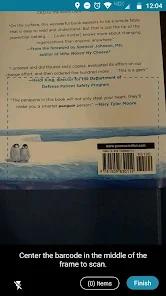
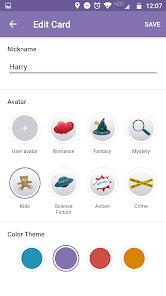
On the physical side, the app acts as a digital wallet, storing and displaying the user's library card when they are near a physical branch. It also supports multiple cards, allowing parents to manage their children's accounts from a single device. Patrons can track their physical checkouts, receive due-date notifications, and use their device's camera to check out physical items directly at the library.
Despite its useful features, cloudLibrary faces challenges common to library aggregation software. Because digital licenses are managed locally, book availability is tied directly to each library's budget and catalog. Additionally, due to proprietary formatting and digital rights management (DRM) restrictions, the app does not support standard Amazon Kindle Paperwhite devices, which can frustrate users who prefer traditional e-ink screens.
Pros & Cons
The app integrates both digital borrowing and physical branch services, including mobile checkout of print books and automatic library card display.
It supports multiple library cards, letting users manage account details for several family members on one device.
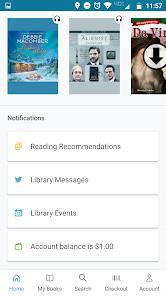
The notification system helps users stay organized by sending clear due-date reminders, hold alerts, and digital checkout receipts.
Its customizable e-reader interface lets users adjust fonts, margins, and backgrounds, and includes a handy phrase-search feature.
It offers a hassle-free return process, allowing users to return digital books early so other patrons can borrow them.
- ✕
Catalog size and wait times are determined entirely by the user's local library, which can lead to limited book choices in smaller regions.
- ✕
It is incompatible with Amazon Kindle Paperwhite e-readers due to proprietary DRM restrictions.
- ✕
The audiobook player can be unstable, occasionally freezing or losing the user's playback position.
- ✕
Offline downloads sometimes fail to open if the application experiences a synchronization error with the library's host database.
Download
 Get it on Google Play
  Get it on App Store
 FAQs
How do I log into the cloudLibrary application?
Open the app, select your country, state, and local library system, and enter your library card number and PIN.
Can I read cloudLibrary books on an Amazon Kindle?
The app works on Kindle Fire tablets, but it is not compatible with Kindle Paperwhite e-readers due to proprietary formatting restrictions.
Is there a charge for borrowing books through the app?
No. The service is entirely free to use as long as your local public library has an active subscription to the cloudLibrary platform.
Can I link multiple library cards to a single account?
Yes. The app is designed to manage multiple cards, allowing users to switch profiles quickly to handle checkouts for the whole family.
What happens when a book's borrowing period ends?
The digital book is automatically returned and removed from your device, preventing late fees. Users can also return books early if they finish them ahead of schedule.
Hot Reviews
Users appreciate the app's convenience, especially the digital library card and the ability to download eBooks and audiobooks directly to their phones.
A common complaint is that books downloaded for offline use occasionally fail to open during travel, or the app logs the user out when they lose internet access.
Several reviews highlight bugs in the audiobook player, noting that the app regularly freezes and loses the user's place, forcing them to manually search for where they left off.
Many families appreciate the app's ability to store several library cards simultaneously. This feature allows parents to quickly check out physical books for children without carrying multiple plastic cards.