
Ghost Talker – Spirit Chat Box
Overview
Ghost Talker: Spirit Voice Box, developed by Weasel, represents a highly focused design within this niche market. While many modern entertainment apps rely on continuous, algorithmic streams to keep users scrolling, Ghost Talker uses a minimalist "Instrumental User Interface" (IUI). This framework is built around a single manual interaction point: the "Scan" button. This design choice is meant to mimic the operation of physical paranormal equipment rather than a standard consumer application, emphasizing a slower, more deliberate pace of investigation.
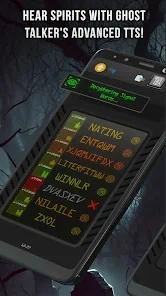
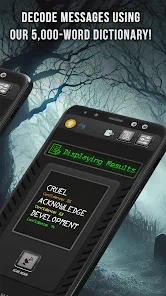
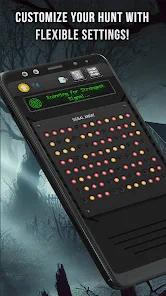
When a user initiates a scan, the software renders cycling, scrambled characters across the screen, mimicking the visual feedback of classic analog sweeps. Within several seconds, the system's decryption algorithm selects two or three words from a localized 5,000-word dictionary. A localized text-to-speech (TTS) engine then reads these words aloud.
This design differs significantly from continuous word-generation systems, which automatically stream terms in the background. By requiring manual scans, Ghost Talker aims to reduce the risk of apophenia (the tendency to perceive meaningful connections in random data) and give investigators time to note environmental readings between scans.
At the system level, Ghost Talker runs its database queries and text-to-speech synthesis locally on the device. This ensures reliable offline operation, which is critical for field research in remote areas, historic buildings, or underground settings where internet access is unavailable.
By running entirely on local device resources, the application also maintains strong privacy standards; it does not collect or transmit tracking identifiers to external advertising networks. For more comprehensive investigations, researchers often use Ghost Talker alongside physical EMF meters and thermal scanners, using its quiet interface to complement their broader data-collection setups.
Pros & Cons
High data privacy standards are maintained by collecting zero third-party tracking identifiers.
Smooth character-scrambling animations effectively simulate the visual style of traditional physical analog sweeps.
The minimalist design avoids screen clutter, making it easy to operate during low-light field investigations.
Local database lookups and text-to-speech synthesis ensure full functionality in areas without cellular reception.
Requiring manual scans helps prevent cognitive fatigue and limits the frequency of false-positive patterns.
- ✕
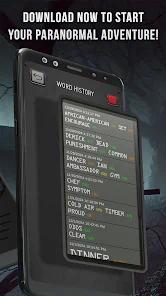
The lack of an integrated session log makes manual transcription or external screen recording necessary to preserve data.
- ✕
The localized dictionary customization feature within the premium upgrade exhibits saving errors on specific Android runtime environments.
- ✕
The absence of a continuous background scanning toggle limits its usefulness in hands-free monitoring scenarios.
Download
 Get it on Google Play
  Get it on App Store
 FAQs
How does the word decryption algorithm select specific outputs?
The algorithm processes randomized inputs from the device's internal software timers, using them as seeds to select words from a localized 5,000-word dictionary.
Is active network access required to use the text-to-speech engine?
No, the audio engine runs entirely on the device's native offline text-to-speech services, allowing for complete functionality in remote field environments.
Does Ghost Talker share location coordinates or other device telemetry?
No, the application does not share data with third-party networks, keeping all telemetry and scan activity completely private to the device.
What does the tumbling character animation on the screen represent?
The visual display simulates a signal processing sweep, acting as a graphic representation of the word selection process.
Can users export their decrypted word history directly from the app?
No, the basic interface does not store a historical log; users must manually document or record the words as they appear on screen.
Hot Reviews
The visual display simulates a vintage physical signal analyzer, and waiting for the scrambled letters to resolve into words provides an engaging, tactile user experience.
The application runs smoothly and provides compelling responses, but adding a built-in session recording tool is essential to prevent users from having to manually write down words during active sweeps.
While the core software performs as advertised, purchasing the premium license to edit the vocabulary dictionary does not always unlock the corresponding menu on modern Android releases.