
WhatsApp Messenger


Overview
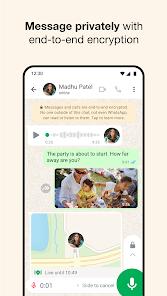
WhatsApp Messenger represents the foundational pillar of modern over-the-top (OTT) communication, having effectively marginalized traditional Short Message Service (SMS) through a robust, internet-protocol-based architecture. Managed by Meta, the application's primary value proposition is its provision of high-fidelity messaging and calling services without the per-unit costs traditionally associated with cellular telephony. Technically, the platform is built upon a modified version of the Extensible Messaging and Presence Protocol (XMPP), but its most significant architectural achievement is the mandatory integration of the Signal Protocol for end-to-end encryption (E2E). This cryptographic framework ensures that the contents of all text, voice, and video communications are accessible only to the endpoints—the sender and the recipient—thereby precluding even the platform provider from intercepting user data.
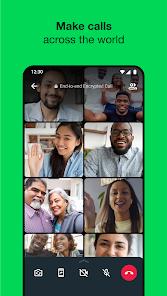
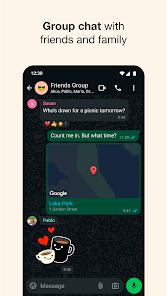
The application's feature set has expanded from basic text exchange into a multi-modal productivity and social tool. WhatsApp supports group communications for up to 1,024 participants, alongside high-definition video conferencing that accommodates up to 32 concurrent users. A critical observation regarding its UX design is the deliberate focus on low-bandwidth optimization; the application is engineered to maintain connection stability even in environments limited to 2G or 3G speeds, which has facilitated its dominance in developing digital markets. Furthermore, the introduction of the "Status" feature has integrated ephemeral social media mechanics into a traditionally utility-focused interface, allowing users to share updates that expire after 24 hours. Recent developments also include the integration of Meta AI, which provides users with the ability to summarize long conversation threads and generate real-time translations, signaling a shift toward artificial intelligence as a core service within the messaging stack. Moreover, it also supports independent synchronization of up to 4 linked devices.
Pros & Cons
The application’s universal adoption creates a powerful "network effect," ensuring that users can reach virtually any contact without necessitating the download of secondary platforms.
Security remains a primary advantage, as the mandatory E2E encryption provides a level of privacy that is superior to standard SMS or unencrypted messengers.
The platform's commitment to a zero-subscription-fee model and the absence of third-party banner advertising significantly enhances the user experience compared to ad-supported alternatives.
The cross-platform nature of the app—supporting Android, iOS, Windows, and macOS—ensures that communication is not tethered to a single device.
The recent addition of "Communities" allows for the logical grouping of disparate chat threads, making it a viable tool for larger organizations or schools.
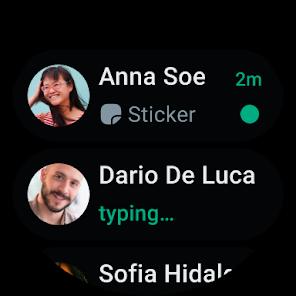
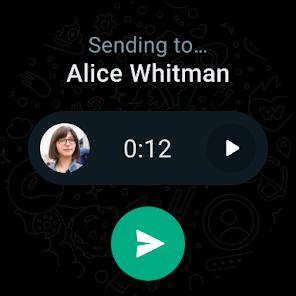
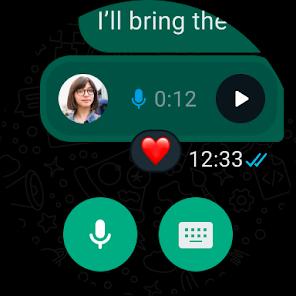
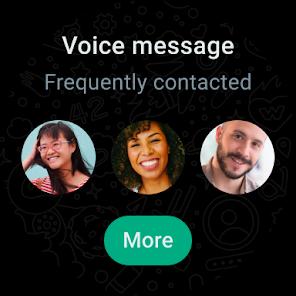
The app’s integration with Wear OS allows for a seamless transition to wearable devices, permitting voice-to-text replies and call management directly from the wrist.
- ✕
Despite its robust security, the requirement for a valid phone number for account creation limits user anonymity.
- ✕
The application is also known for its significant impact on device storage; if media auto-download is enabled, the accumulation of high-resolution images and videos can rapidly deplete available memory.
- ✕
The lack of a background audio overlay during active calls prevents users from interacting with educational or audio-intensive apps, such as language learning tools, without interrupting the audio stream of the call.
Download


FAQs
Is my data stored on WhatsApp servers?
Messages are typically stored on your device and not on WhatsApp's servers once delivered; backups are stored in your private cloud (Google Drive or iCloud) and can be end-to-end encrypted.
How do I use WhatsApp on my computer?
Users can utilize WhatsApp Web or download the dedicated desktop application, which requires a one-time QR code scan from the mobile device to link the accounts.
What happens if I change my phone number?
WhatsApp includes a "Change Number" feature that migrates your account info, groups, and settings from your old number to the new one.
Does WhatsApp share data with Facebook?
While WhatsApp shares some account information (like phone numbers and metadata) with Meta for security and infrastructure purposes, the content of your messages remains private due to encryption.
Can I recover deleted messages?
Messages can only be recovered if a backup was performed prior to the deletion; since the app is encrypted, WhatsApp cannot retrieve messages for you.
Hot Reviews
Users frequently cite the app as the most reliable method for international communication, noting that the ability to make high-quality video calls over weak Wi-Fi has replaced traditional international calling plans.
Feedback often highlights the convenience of the "Media, Links, and Docs" search filter, which allows users to find a specific file buried in years of conversation without manual scrolling.
Some users express reservations about Meta’s ownership but conclude that the mandatory encryption and the sheer number of active contacts make the app indispensable for daily life.