
Xumo Play: Stream TV & Movies



Overview
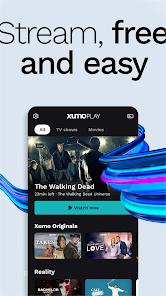
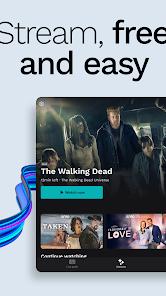
Xumo Play: Stream TV & Movies, managed by XUMO LLC (a joint venture of Comcast and Charter Communications), is a free ad-supported streaming television (FAST) platform. Positioned alongside competitors like Tubi and Pluto TV, Xumo Play utilizes dynamic ad insertions to offer premium content without requiring subscriptions, fees, or user logins.
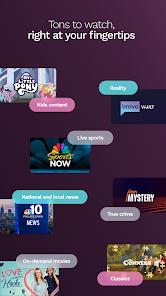
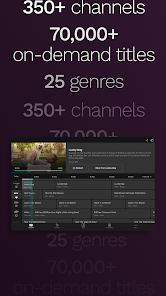
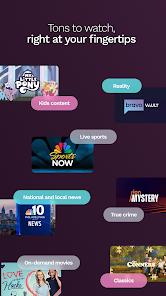
Programmatically, Xumo Play integrates linear live streaming channels and video-on-demand (VOD) resources. The platform hosts over 350 virtual channels and an on-demand library containing more than 15,000 titles across 26 genres, including local news, entertainment, weather, sports, and family programming. Each virtual channel acts as a continuous stream, serving media segments using standard HTTP Live Streaming (HLS) or MPEG-DASH protocols.
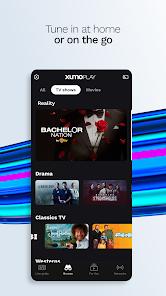
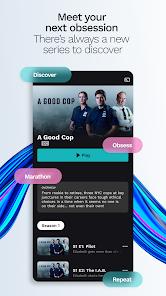
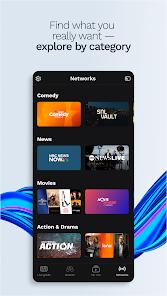
The user interface utilizes an electronic programming guide (EPG) grid to display active schedules, allowing users to browse linear broadcasts. To enhance discoverability, the app analyzes local viewing habits to generate personalized recommendations on the home screen. On mobile devices, the app supports simultaneous multi-screen playback, allowing users to cast content to a Smart TV while maintaining play controls on their smartphone. It also features split Bluetooth audio routing, enabling users to play a video on the device screen while outputting audio to external wireless speakers.
However, the mobile client has a significant functional limitation: it lacks a global text-based search tool. This requires users to manually scroll through category lists or channel guides to find specific movies or series, which can make it harder to quickly locate content. Furthermore, streaming access is restricted outside designated North American territories, requiring the use of a Virtual Private Network (VPN) for international connections. Some recent updates have also caused playback freezes or looping segments on select smart television and streaming devices.
Pros & Cons
No-Cost Access Model: Provides immediate streaming of live networks and movies without requiring registration or fees.
Large Content Directory: Features over 350 virtual linear channels and a library of 15,000 on-demand titles.
Simultaneous Multi-Screen Casting: Supports streaming on mobile screens and TVs at the same time using casting protocols.
Split Bluetooth Audio Support: Allows users to play video on a device screen while routing audio to a separate Bluetooth speaker.
Personalized On-Device Recommendations: Suggests content on the home screen based on local viewing metadata.
- ✕
No Search Bar: Lacks an integrated search field, requiring manual scrolling to locate specific titles.
- ✕
Strict Regional Geoblocks: Access is restricted outside specific regions, requiring a VPN for international use.
- ✕
No Ad-Free Option: Users cannot pay to remove ads, which are inserted on fixed schedules.
- ✕
Device Playback Glitches: Select streaming devices and Smart TVs experience occasional caching freezes or repeating streams.
Download
 Get it on Google Play
  Get it on App Store
 FAQs
Is an account required to stream movies on Xumo Play?
No. The application does not require any registrations, email logins, or profiles.
Why does the mobile application lack a text-search tool?
The interface is designed to simulate a traditional linear cable box, prioritizing channel surfing and category browsing over direct searches.
Can major live sports matches be streamed on the platform?
Yes. While Xumo Play has sports channels like CBS Sports, live coverage of major professional leagues (such as NFL or Premier League) is generally limited.
Does Xumo Play support offline video downloads?
No. All content is delivered via live streaming and cannot be saved locally due to licensing and digital rights management.
How can a user stream content from their phone to a television?
Users can tap the integrated casting icon in the video player to connect and stream to compatible Smart TVs on the same network.
Hot Reviews
The ability to immediately launch the app and stream live content without a login wall makes it a convenient option for quick entertainment.
The lack of a search bar is a significant omission, forcing users to browse category lists manually to find specific movies.
On devices like streaming boxes and Smart TVs, the video feeds occasionally freeze or enter repetitive loop cycles, requiring an app restart.