ibis Paint X
Overview
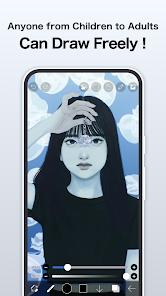
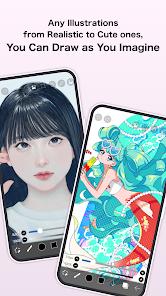
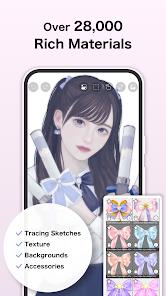
ibis Paint X is defined by its massive community and its "social drawing" philosophy. With over 460 million downloads, it has become the primary gateway for digital artists, offering a professional suite of tools that are optimized for smartphone-sized screens and social media sharing.
Technical Mechanism and Feature Breakdown
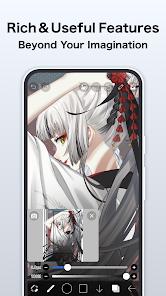
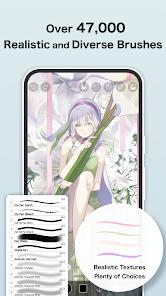
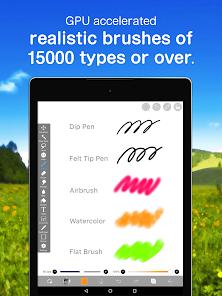
The application is built on high-performance OpenGL technology, which facilitates a smooth, lag-free drawing experience at up to 60 frames per second. It offers an unparalleled selection of over 47,000 brushes, ranging from traditional dip pens and felt-tip markers to complex stamps and textures. A key technical differentiator is the "Drawing Process Recording" feature, which automatically captures every stroke to generate a time-lapse video of the artwork’s creation.
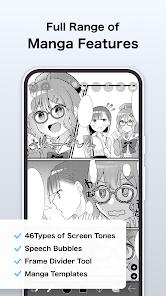
For manga and comic artists, the app includes "Screentone" filters, advanced text tools, and a "Stroke Stabilization" tool that effectively eliminates the shakiness often associated with drawing with a finger on a small screen. It also features 84 filters and 27 blending modes, rivaling the capabilities of desktop software like Adobe Photoshop. The "SNS" feature integrated into the app allows users to upload their drawing processes to the ibisPaint gallery, where others can learn techniques by watching the "playback" of how the artwork was constructed.
The "Prime Membership" is a subscription tier that provides 20 GB of cloud storage, removes advertisements, and unlocks "Prime" materials such as high-end fonts and specific filter tools like the "Tone Curve" and "Gradation Map".
Pros & Cons
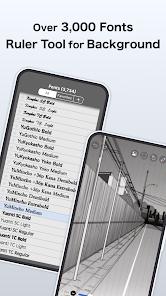
Incredible selection of brushes (47,000+) and fonts (2,100+), many of which are free to use after watching a short ad.
Native time-lapse recording makes it easy for artists to share their process on platforms like TikTok and Instagram.
The mobile-first UI is highly intuitive and easy to navigate on small smartphone screens compared to desktop ports.
Powerful layer management with an unlimited number of layers, limited only by the device's hardware.
Strong community features allow for learning and inspiration directly within the application's gallery.
Stroke stabilization is among the best in the mobile industry, making professional art possible with just a finger.
Regular updates consistently add new AI-powered tools and adjustment filters.
- ✕
The free version is heavily ad-supported, requiring users to watch commercials to unlock premium brushes for 18-hour windows.
- ✕
Social media moderation in the in-app gallery is reportedly lacking, making it less suitable for unsupervised younger users.
- ✕
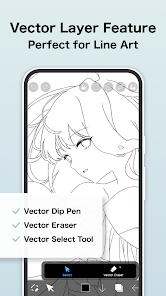
Advanced features like vector tools and specific adjustment filters are strictly locked behind the Prime subscription.
Download


FAQs
Is ibis Paint X completely free?
Yes, most features are free. You can unlock all brushes for 18 hours by watching a single advertisement.
What is the difference between ibis Paint X and the paid "ibis Paint"?
The paid version is identical but has no advertisements. The Prime Membership is a separate subscription for extra materials.
Can I import my own fonts?
Yes, the app allows you to download and install custom fonts for use in your designs.
How much cloud storage do I get?
Free users get a small amount for syncing; Prime members receive 20 GB.
Does it support pressure-sensitive pens?
Yes, it is fully compatible with Wacom styluses, Apple Pencil, and Samsung S-Pen.
Hot Reviews
The process recording is the best feature. I can draw a character and immediately export a high-speed video for my social media. It has actually helped me grow my following.
I’ve been using this on an old tablet for 3 years without a single crash. The stabilization makes my lines look professional even when my hands are shaky.
While I understand the free model, having to watch an ad every time you want to switch to a specific brush can break your creative flow. I recommend just buying the ad-removal tool.