BIG Launcher
Overview
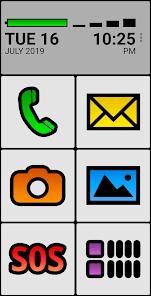
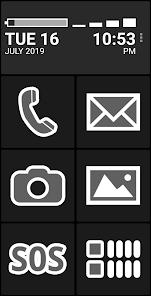
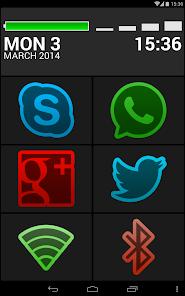
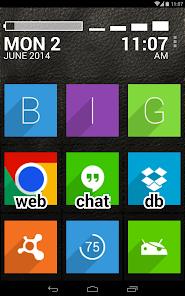
The modern mobile device ecosystem is increasingly characterized by dense, complex user interfaces, gesture-driven navigation, and small touch targets. While these design paradigms benefit tech-savvy users, they present severe physical, cognitive, and sensory barriers to senior citizens, those with age-related cognitive decline, and individuals with visual or motor skill impairments. The application professionally marketed as BIG Launcher for Seniors, acts as an essential assistive interface overlay. It completely replaces the standard Android home screen layout with a simplified, grid-based, high-contrast system featuring oversized buttons, simplified visual elements, and single-tap actions designed to maximize usability and safety.
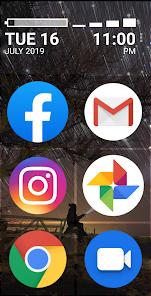
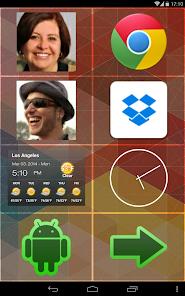
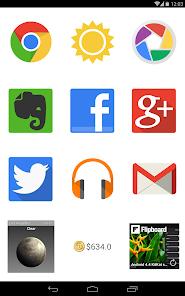
From an architectural perspective, BIG Launcher is built on a design philosophy of mistake-resilient user interaction. Standard Android launchers rely on multi-step navigation, swiping gestures, and abstract iconography, which frequently cause senior users to accidentally delete home screen icons, trigger unintended system settings, or become lost in nested configuration menus. This launcher mitigates these risks by locking the primary interface into a rigid, easily readable grid. Caregivers and administrators can customize this grid to display only vital shortcuts—such as direct calling to primary contacts, active messaging systems, or specific websites—while hiding complex system settings and unused background apps. This architectural approach divides device usage into two roles: an administrative setup phase handled by a caregiver, and a simple, stress-free daily usage phase for the senior user. It also has a premium version that offers more features and convenience, such as full, unrestricted editing of all home screen tiles, unlimited screen creation and organization, caregiver password protection to lock the layout, completely ad-free experience, and more.
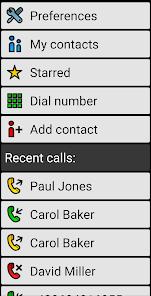
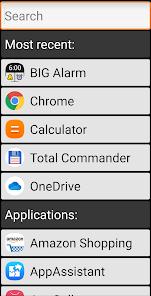
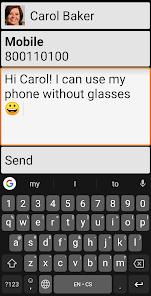
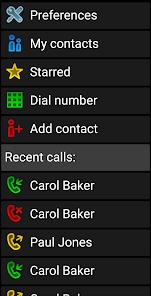
To preserve system resources and avoid the overhead of a bloated, single launcher app, the developer utilizes a modular suite of companion tools. The core launcher integrates with the BIG Apps Suite, which contains dedicated, standalone tools including BIG Phone for oversized dialing, BIG SMS for large-font messaging, BIG Alarm, and BIG Notifications to enlarge standard system status alerts. This modularity ensures that the core launcher remains lightweight and responsive, running smoothly on legacy Android operating systems down to version 2.2. This backward compatibility allows families to repurpose older, depreciated smartphones into dedicated accessibility devices without requiring expensive hardware upgrades.
Pros & Cons
The interface features large high-contrast themes, oversized buttons, and clear typography to reduce visual strain and input errors.
Native integration with accessibility services including Android TalkBack, physical hardware keyboards, and the Tecla wheelchair switch interface ensures universal usability.
Caregivers can lock settings screens with a secure password, preventing seniors from accidentally misconfiguring the device.
Outstanding backward compatibility allows the application to run smoothly on older devices using legacy Android operating systems down to version 2.2.
A dedicated, configurable SOS button on the home screen immediately triggers predefined emergency contacts or location alerts.
- ✕
The free demo version restricts grid customization options, allowing layout edits only in the right-hand column.
- ✕
The caregiver password protection feature, which is vital for preventing accidental layout changes, requires a paid upgrade.
- ✕
Recent software updates have caused minor rendering bugs and stability issues when applying custom third-party icon packs.
Download
 Get it on Google Play
  Get it on App Store
 FAQs
Is the free version of BIG Launcher time-limited?
No, the free version is not time-limited and can be used indefinitely. However, it does feature several structural limitations, such as restricting layout changes to the right column and displaying occasional purchase reminders.
How can a caregiver prevent a senior user from altering the home screen?
In the premium version of the launcher, caregivers can set up a secure password to lock down the interface configuration. This blocks access to the settings panel and prevents accidental deletion of shortcuts or contacts.
What companion utilities are available in the launcher's suite?
The developer provides the BIG Apps Suite, which contains dedicated, standalone tools including BIG Phone, BIG SMS, BIG Alarm, and BIG Notifications, all designed with the same accessibility principles.
Does the launcher support emergency calling and location sharing?
Yes, the application features a built-in SOS button that can be pinned to the home screen. When pressed, it can dial emergency numbers or send pre-configured messages with GPS coordinates.
Can this launcher be used with alternative physical input devices?
Yes, the application is built on accessibility standards and officially supports physical hardware keyboards as well as the Tecla wheelchair control system.
Hot Reviews
The application is highly effective at stripping away the confusing clutter of modern Android screens, replacing them with a fast, reliable, and logical button layout that allows users with low vision to navigate their phones with confidence.
This launcher is a lifesaver for families managing devices for relatives experiencing cognitive decline, as the password-locked settings screen prevents accidental changes and ensures the phone remains functional at all times.
While the core system is incredibly stable, recent updates have introduced rendering issues where custom third-party icon packs fail to load properly or display blank tiles, requiring manual app restarts.