PDF Reader, All PDF Editor
Overview
The "PDF Reader, All PDF Editor" application, is a feature-rich utility designed for efficient document management. Developed by Techverse LTD, the app prioritizes core functionalities like document scanning, merging, and annotation, catering specifically to students and office professionals. An insightful observation regarding this app is its focus on "frictionless" speed; the software is engineered for rapid document loading, ensuring that even large, image-heavy PDFs open instantly.
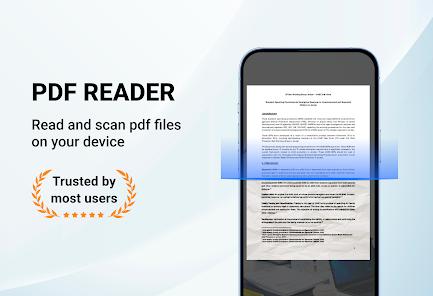
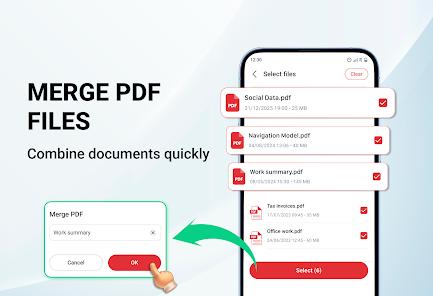
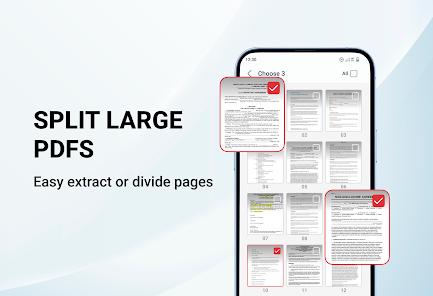
The technical breakdown for this application highlights its comprehensive PDF management tools. It includes a built-in scanner that turns physical notes and contracts into high-quality PDFs using the phone's camera. It also provides advanced tools for merging multiple files into a single document or splitting specific pages for better organization—a critical feature for managing disparate research materials. For reading, the app incorporates a dark mode to reduce visual fatigue and a direct "Go to Page" feature for navigating lengthy manuals or textbooks.
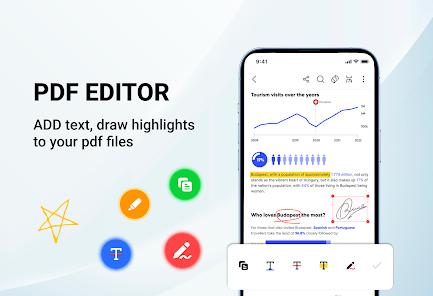
Unlike its AI-driven counterparts, this app focuses on traditional productivity. It offers robust annotation tools—allowing users to underline, highlight, and draw shapes on documents—and features direct printing capabilities for Wi-Fi-connected printers. While the app is free, it utilizes an ad-supported monetization model. Some user feedback has pointed toward the intrusiveness of these advertisements, and there have been reports of difficulties uninstalling the application on certain devices, indicating a need for careful system management.
Pros & Cons
Superior Merging and Splitting: Highly efficient tools for combining multiple documents or extracting specific pages.
Rapid Loading Speed: Optimized for "lightning-fast" opening of large PDF files, minimizing wait times.
High-Quality Document Scanner: Turns physical paperwork into professional-grade digital PDFs instantly.
Robust Annotation Suite: Features a full set of tools for marking up and commenting on textbooks and reports.
Direct Wi-Fi Printing: Allows for instant printing of any document directly from the mobile interface.
User-Centric Dark Mode: Effectively reduces eye strain during long reading sessions in low-light environments.
- ✕
Highly Intrusive Ads: Users report frequent advertisements that can appear on the home screen or interrupt workflows.
- ✕
Uninstallation Concerns: Some users have reported issues when trying to remove the app from their devices.
- ✕
No AI-Powered Analysis: Lacks the sophisticated summary and translation tools found in more modern "AI" competitors.
Download
 Get it on Google Play
  Get it on App Store
 FAQs
Who is this app best for?
The app is specifically designed for students, educators, office workers, and freelancers who need a reliable tool for scanning and managing daily paperwork.
Can I search for specific words in a large PDF?
Yes, the app includes an instant text search feature that allows you to find words or phrases throughout your documents.
Is it possible to convert images to PDF?
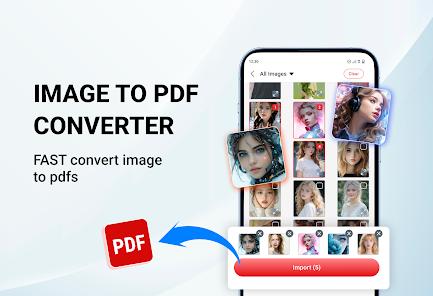
Yes, the application features an "Image to PDF Converter" that transforms your photos into high-quality documents.
How safe is my data in this app?
The developer states that no data is shared with third parties, but the app may collect "App activity" data. Information is encrypted during transit.
How do I share my edited PDFs?
You can share documents via email, popular chat apps, or through direct links directly from the app’s file manager.
Hot Reviews
Users have praised the app for combining scanning, merging, and editing into a single interface, noting that it saves them from having to download multiple specialized tools.
A major point of criticism involves the frequency of ads. Some reviewers have called the app "terrible" due to the volume of ads that interfere with their work.
Performance-focused users appreciate how quickly the app opens complex files, noting that it is much more responsive than standard system PDF viewers.