
Screen Recorder - XRecorder
Overview
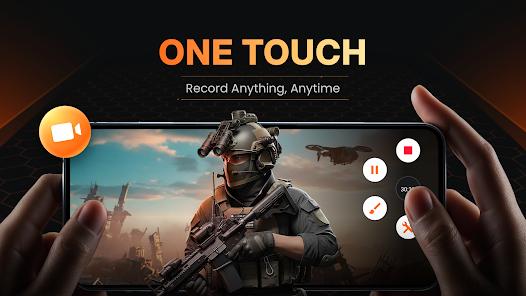
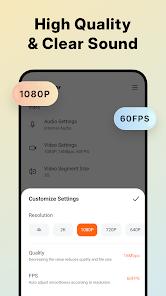
Screen Recorder - XRecorder has established itself as the premier utility for mobile content creators, educators, and gamers. With a staggering 4.8-star rating from over 7.5 million reviews, it is the most downloaded screen capture tool in the Android ecosystem. Its primary mission is to provide high-quality, 1080p video capture (up to 120FPS) without the need for root access or a computer, effectively bypassing the historical technical barriers of the Android OS.
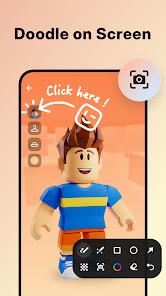
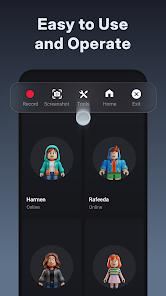
Technically, XRecorder's most significant breakthrough is its support for internal audio recording. Since Android 10, the app has utilized the system's media APIs to capture in-game sound without external noise, a feature that was previously impossible for non-rooted devices. The app also incorporates a "Floating Ball" UI—a semi-transparent control hub that stays on the screen, allowing users to pause, resume, and annotate their recordings with "Brush Tools" in real-time. This makes it an invaluable tool for mobile gaming walkthroughs and technical tutorials.
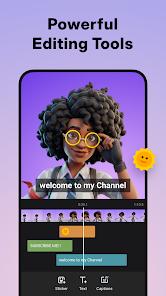
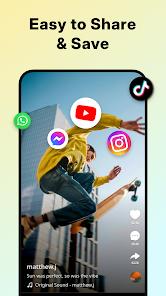
Beyond recording, XRecorder includes a surprisingly robust post-production suite. Users can trim, cut, and split videos, adjust speed, add music, and apply filters like "Vintage" or "Lomo" directly within the app. It also supports RTMP live streaming to YouTube and Facebook, catering to the growing "mobile-first" broadcasting market. While the app is free and does not impose watermarks, it does monetize through discrete ads and a pro subscription that unlocks 120FPS exports and advanced editing tools.
Pros & Cons
Allows for high-definition screen recording (1080p, 60-120FPS) without watermarks or time limits on the free version.
Successfully records internal audio without background noise on all devices running Android 10 or higher.
The "Floating Ball" and "Brush Tools" provide an exceptionally intuitive way to control and annotate recordings in real-time.
Includes a comprehensive video editing suite, allowing users to go from recording to final production in a single app.
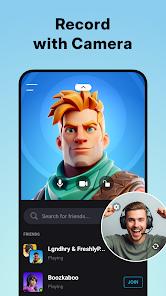
Supports Facecam reactions, enabling creators to record their face in a small overlay window while capturing the screen.
Live streaming capabilities for YouTube and RTMP make it a complete broadcasting tool for mobile influencers.
Features a "Trash Bin" that allows for the recovery of accidentally deleted videos within a three-day window.
- ✕
The free version contains advertisements, which occasionally appear when opening the app or finishing a recording.
- ✕
Some users have reported stability issues where the app stops recording automatically during long sessions or high-intensity gaming.
- ✕
Advanced features, such as 120FPS recording and specific pro-filters, are locked behind a premium paywall.
Download
 Get it on Google Play
  Get it on App Store
 FAQs
Can I record internal audio on Android 9 or lower?
No, due to Android system restrictions, internal audio recording is only supported for apps on Android 10 and above.
Does XRecorder show my clicks?
Yes, you can enable the "Show Touches" option in the settings, which adds a visual highlight wherever you tap the screen during a recording.
Can I save my videos to an SD card?
Yes, XRecorder allows you to choose between internal storage and an external SD card for saving large video files.
Does it work with apps like Netflix or Disney+?
No, these apps use DRM (Digital Rights Management) which prevents screen recording software from capturing their content; you will usually see a black screen.
How do I use the Brush Tool?
During a recording, you can tap the brush icon on the floating ball to draw arrows, circles, or text directly onto your screen to highlight specific areas.
Is there a limit to how long I can record?
There is no time limit, but your recording will stop if your device runs out of storage space or the battery dies.
Hot Reviews
Users on the Play Store frequently praise the app for its "smooth and clear" capture of high-intensity games like PUBG and Genshin Impact, noting that it doesn't cause significant lag.
Many reviewers highlight that the built-in editor is "beautiful and exceptional," particularly appreciating the "one-tap" controls that make it easy for beginners to use.
A small number of critical reviews mention disappointment when the app failed to record an important event or when the output quality was lower than the original screen resolution.