
GoDaddy: Websites & Marketing






Overview
GoDaddy Studio has evolved into an integrated business and content creation platform. Rather than focusing solely on static image editing, GoDaddy Studio connects visual design with core business operations, allowing users to build a complete online brand from a mobile device.
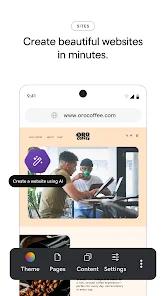
The application contains design editors, templates, and font libraries, but its main differentiator is its integration with the GoDaddy ecosystem. Users can search and register custom domains, configure professional business email addresses, and create websites within the app.
Additionally, GoDaddy Conversations unifies customer interactions by bringing together messages from email, social media channels, and website contact forms into a single workspace.
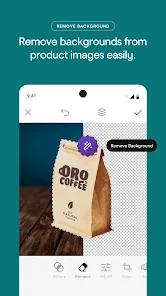
In terms of design features, GoDaddy Studio includes an automated background remover, a logo maker, and an AI-driven social media scheduling assistant that generates captions and hashtags.
However, its focus on business tools impacts its depth as a standalone graphic program. For example, Canva’s library contains thousands of times more pre-designed templates than GoDaddy Studio’s collection.
Furthermore, some design tools like custom brush engines or advanced masking controls are limited, requiring professional designers to use separate software for more complex tasks.
Pros & Cons
Integrated Small Business Suite: Unifies domain registration, website hosting, professional email setup, and graphic design.
Combined Communications Inbox: GoDaddy Conversations consolidates messages from social media, email, and web chat.
Advanced AI Background Remover: Automatically isolates photo subjects to quickly generate professional product listings.
AI Copywriting Assistant: Automatically generates relevant hashtags and captions for scheduled social media posts.
Mobile Website Builder: Allows users to build, edit, and publish responsive websites directly from a phone.
Simple Brand Identity Tools: The built-in logo maker helps users establish consistent brand designs.
- ✕
Smaller Template Selection: Contains fewer design templates and graphic assets.
- ✕
Navigation Interface Friction: Finding specific elements in the font and graphic asset libraries can be slow.
- ✕
Basic Masking Tools: The background eraser lacks options to manually restore parts of an image that were automatically deleted.
Download


FAQs
Can I purchase and configure a domain in GoDaddy Studio?
Yes. The application includes a domain search engine to find, register, and link domains to your built-in website.
What is GoDaddy Conversations?
It is a built-in messaging center that compiles customer emails, social media messages, and live website chats into a single inbox.
Was this application originally called Over?
Yes. GoDaddy acquired the popular photo overlay and typography app "Over" and rebuilt it as an integrated business platform.
Can I schedule social media posts directly from the app?
Yes. GoDaddy Studio features a social media manager that lets users write, generate captions for, and schedule posts.
Do the website templates support online store operations?
Yes. The website builder supports e-commerce layouts, allowing users to build and update product collections.
Hot Reviews
Reviews indicate that finding particular icons or fonts requires excessive manual scrolling, which slows down the design workflow.
The automated background remover is praised for its accuracy on complex product images, though some users note the lack of manual restore brushes.
Users find the app highly efficient for creating quick promotional graphics when inspiration strikes, citing its clean mobile interface.