Draw Anime Sketch : AR Drawing





Overview
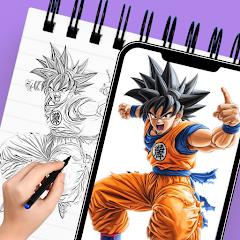
Draw Anime Sketch: AR Drawing, published by the developer Cards, is an augmented reality drawing utility designed to assist users in physical sketching. The application utilizes an optical-projection model to help users learn traditional drawing techniques. Rather than acting as a standard digital drawing pad, the application uses the device’s camera to project a virtual template onto real-world surfaces, such as a physical sheet of paper. Looking through their phone screen, users trace the superimposed digital outline onto their physical canvas, which helps them learn correct anatomical proportions and perspective scaling.
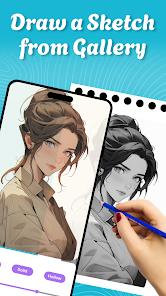
The app's tracing engine is built around real-time image adjustment tools. A key feature is the adjustable opacity filter, which allows users to change the transparency of the digital overlay so they can see both the guide lines and their physical pencil strokes clearly. The software also includes tools to scale, rotate, mirror, and lock the image position to prevent alignment shifts. To help users sketch in varied lighting conditions, the app includes built-in flashlight controls for better workspace visibility. The application's content catalog focuses heavily on popular anime and cartoon aesthetics, offering dedicated stencils for popular series like Naruto, as well as general categories like chibi figures, animals, landscapes, and portraits.
A major benefit of this system is that it helps beginners build muscle memory and learn correct proportions without needing expensive tracing tables or light boxes. The software also includes step-by-step drawing lessons that break down complex character designs into progressive, traceable steps. However, the tracing process is highly dependent on physical stability. Any movement of the mobile device relative to the drawing paper shifts the projected image, requiring manual re-alignment. Consequently, users need to secure their phone on a physical stand, tripod, or elevated flat surface to trace accurately.
Pros & Cons
Uses an AR camera projection engine to display digital tracing guides onto physical paper surfaces.
Provides real-time opacity controls to balance the visibility of the digital template and the physical pencil.
Includes an extensive library of popular anime, chibi, manga, and cartoon drawing templates.
Offers step-by-step drawing lessons that break down complex character outlines into simple tracing paths.
Includes built-in flashlight support to maintain tracing accuracy in low-light conditions.
- ✕
Demands stable device placement, requiring a physical stand or tripod to prevent tracing alignment shifts.
- ✕
Features frequent ad interruptions that can break the user's concentration during active drawing sessions.
- ✕
Camera auto-focus adjustments can occasionally cause minor scale shifts relative to the paper below.
- ✕
Requires the user to keep their hands positioned within the camera's field of view, which can feel restrictive during long sessions.
- ✕
Demands stable device placement, requiring a physical stand or tripod to prevent tracing alignment shifts.
- ✕
Features frequent ad interruptions that can break the user's concentration during active drawing sessions.
- ✕
Camera auto-focus adjustments can occasionally cause minor scale shifts relative to the paper below.
- ✕
Requires the user to keep their hands positioned within the camera's field of view, which can feel restrictive during long sessions.
Download
 Get it on Google Play
  Get it on App Store
 FAQs
How does the AR tracing functionality display on physical paper?
The application projects the template overlay onto the live camera view of the workspace, allowing the user to trace by looking through their phone screen while drawing.
Is a physical stand or tripod required to use the application?
While not strictly mandatory, using a stable phone stand is highly recommended to keep the phone steady and prevent alignment shifts.
Can personal photos be converted into tracing stencils?
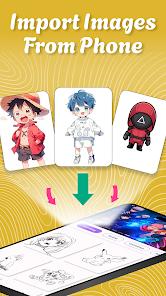
Yes, the app allows users to import images from their device's gallery and convert them into transparent, traceable outlines.
Does the application support offline tracing?
The core projection, tracing, and camera functions can be used offline, though downloading new template packs requires internet connectivity.
Does the tracing system automatically analyze drawing accuracy?
No, the app does not evaluate drawing accuracy; it serves strictly as an optical alignment and scaling guide.
Hot Reviews
This tool is highly effective for beginners who struggle with scale and proportions, helping them transition safely from digital references to physical paper.
The curated manga and anime galleries, especially the detailed character outlines, are highly appreciated by hobbyists learning line art.
The high frequency of ad pop-ups during active drawing sessions is a common point of criticism, as it interrupts the continuous focus required for sketching.