
Fresha for business



Overview
Fresha for business is an appointment scheduling, Point of Sale (POS), and business management platform designed for salons, spas, and wellness centers. It is built to coordinate booking management across a global marketplace that includes over 40,000 businesses and 150,000 stylists.
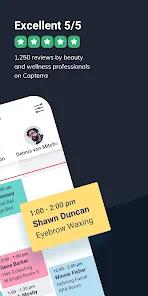
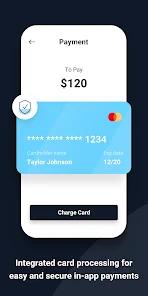
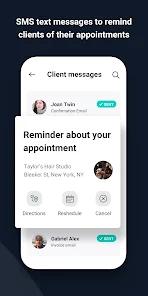
The platform features a multi-staff calendar optimized for salon environments. It includes a fully functional POS system for managing retail inventory, tracking product consumption, and routing supplier orders. Marketing tools integrate direct booking links into social media channels like Instagram, Facebook, and Google. This is supported by an automated messaging system that sends out appointment reminders to help reduce no-shows. Payment options include integrated card processing and built-in protection against late cancellations and missed appointments.
Fresha built its user base by offering its core SaaS features without a recurring monthly subscription. However, its recent shift to a paid subscription model and the introduction of various transaction fees have created friction for some users.
A major point of concern is the fee structure. While direct booking links remain free, new customer bookings made through the Fresha consumer marketplace are subject to commission fees. Some users have reported being charged these "new client fees" for existing, returning customers.
Others have noted that flat-plus-percentage transaction charges on credit card processing can impact profit margins. Additionally, recent software updates have introduced interface glitches, such as calendar views failing to display customer details or search results failing to return active profiles. This instability, combined with slow email support for lower-tier members, can disrupt daily operations in fast-paced salon environments.
Pros & Cons
Multi-Staff Calendar Management: Simplifies scheduling with an intuitive, color-coded calendar designed for busy salon environments.
Multi-Channel Booking Integration: Embeds direct booking options across Google, Facebook, Instagram, and custom business websites.
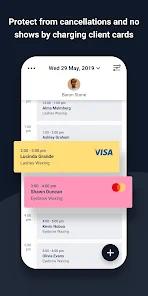
Automated No-Show Protection: Saves credit card details during booking, allowing salons to automatically enforce cancellation policies.
Integrated POS and Inventory System: Combines front-desk payment collection with stock level tracking and automated supplier ordering.
Fresha Marketplace Positioning: Increases business visibility by listing salons on the global consumer booking platform.
- ✕
Opaque Subscription Model Shifts: Long-term users have experienced sudden transitions from free tools to recurring subscription fees.
- ✕
High Marketplace Commissions: Charges "new client" fees for bookings made through the Fresha marketplace, sometimes affecting existing customers.
- ✕
Recurring Calendar and Interface Glitches: Recent updates have caused calendar issues, such as client names and appointment details failing to load.
- ✕
Slow Email-Only Support: Customer support can be slow, with priority responses and faster turnaround times limited to premium tiers.
Download


FAQs
Are commission fees applied to all customer bookings?
No, commission fees only apply to new clients who find and book the business through the Fresha marketplace; direct links remain commission-free.
Can the application operate without active internet access?
No, the calendar synchronization, POS functions, and customer database are cloud-based and require a continuous internet connection.
How are cancellation policies enforced in the app?
Salons collect customer card details at booking, allowing them to automatically charge a fee for late cancellations or missed appointments.
Does the inventory module support automated ordering?
Yes, the application tracks product usage, alerts staff to low stock levels, and generates orders for registered suppliers.
Can multiple employee schedules be configured concurrently?
Yes, the system is designed to display and manage separate schedules and custom permissions for multiple service providers.
Hot Reviews
Recent updates have introduced bugs where clicking an appointment block fails to load client details. Users must manually search client lists to find appointment information, which slows down daily scheduling.
While the core platform was originally free, the shift to a paid subscription model has caused frustration. High commission fees on marketplace bookings can also affect profits, especially when applied to returning clients.
Basic-tier users report slow response times from email support. Additionally, flat-plus-percentage credit card fees can make payment processing expensive for high-volume salons.