
NextivaONE

Overview
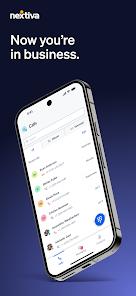
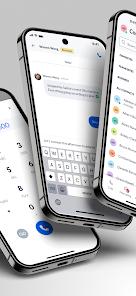
NextivaONE is an enterprise-grade Unified Communications as a Service (UCaaS) application developed by Nextiva Communications to integrate multiple communication channels into a single, mobile-accessible workspace. Designed primarily to help businesses separate professional communications from employees' personal cell numbers, the application unifies voice calling, SMS messaging, video conferencing, team collaboration, and contact directories within a single workspace.
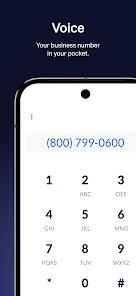
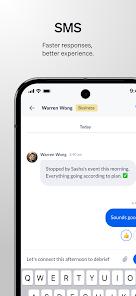
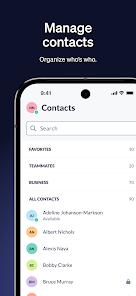
It transmits high-definition voice and video calls. The app includes unlimited voice calling within the United States and Canada, alongside business SMS and MMS text services. Additionally, NextivaONE integrates with enterprise contact databases (such as Microsoft Outlook and Google Contacts) and can display rich profile notes and previous interaction logs directly inside the communication window, ensuring team members have contextual customer data readily available. Plus, it also supports free number porting
The application also features an AI-driven voicemail transcription engine that automatically converts audio messages into readable text. This allows team members to quickly review customer queries in environments where listening to audio is impractical. For team collaboration, the app includes "Rooms," which are dedicated chat spaces where employees can exchange files, launch video meetings, share screens, and direct-message colleagues.
However, the application faces some notable real-world performance issues, particularly regarding background processes on the Android operating system. Users frequently note that Android’s native battery optimization and Doze mode can interfere with NextivaONE's background sockets. This can lead to missed incoming calls, delayed rings, and instances where the app fails to notify the user of an active call until it is opened manually. Additionally, Bluetooth integration issues can cause audio routing errors when switching between wireless headsets, automotive media units, and the device's internal speaker.
Pros & Cons
Effective Professional Identity Separation: Assigns a dedicated business number to personal devices, keeping private personal numbers confidential.
Fully Unified Communication Stream: Merges voice calls, business text messages, and team chat rooms into a single mobile dashboard.
AI-Powered Voicemail Transcription: Automatically transcribes incoming audio messages to text, allowing swift, silent reviews of customer issues.
Seamless Calendar and Contact Sync: Integrates directly with enterprise directories and calendars, helping teams quickly coordinate meetings.
Comprehensive Multi-Device Syncing: Automatically synchronizes messages, call histories, and visual notes across desktop and mobile devices.
- ✕
Unreliable Incoming Call Ringing: Android battery-saver settings can occasionally put background sockets to sleep, causing missed incoming calls.
- ✕
Inconsistent Bluetooth Audio Handshakes: Users frequently report connection dropouts or audio routing issues when pairing with automotive systems or Bluetooth headsets.
- ✕
Delayed Contact History Loading: Performance glitches can occasionally prevent real-time call log updates, delaying call-backs to clients.
- ✕
Highly Demanding Device Permissions: Requires access to personal contacts, media files, and active network settings to support basic VoIP functions.
Download


FAQs
Can an employee make international calls using NextivaONE?
Unlimited voice calling is primarily provided for the US and Canada. International calling typically requires specific corporate plan configurations and credit allocations.
Does NextivaONE require a physical handset to operate?
No, the application is designed to act as a softphone, letting teams manage all business communications directly from their mobile devices.
How are team chat rooms organized within the app?
Users can create dedicated collaborative spaces called "Rooms" to organize group chats, share files, and quickly launch video meetings.
Why does the application occasionally fail to ring on incoming calls?
This is typically due to Android’s aggressive battery management putting the app’s background notification services to sleep. Setting the app's battery permission to "Unrestricted" can help resolve this.
Is there support for automated call routing in the mobile app?
Yes, NextivaONE supports automated call routing and scheduling rules, directing clients to the appropriate extensions based on predetermined business hours.
Hot Reviews
The softphone client is highly effective for remote work. The ability to quickly check team availability, direct dial colleagues, and manage business text messages from anywhere has significantly streamlined team communication.
The application functions well for text chat, but its Bluetooth compatibility needs improvement. It frequently fails to route call audio through wireless headsets or car infotainment systems, forcing users to use the phone speaker instead.
The app can sometimes stop ringing during background execution, which has led to missed customer calls. For time-sensitive business operations, this background notification delay presents a notable risk.