
Steam Link
Overview
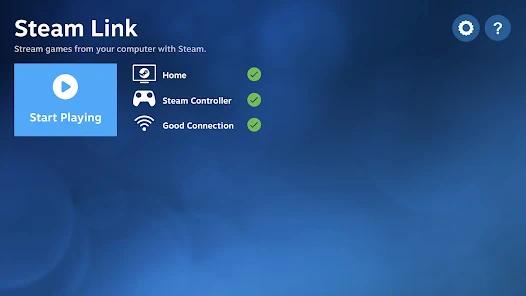
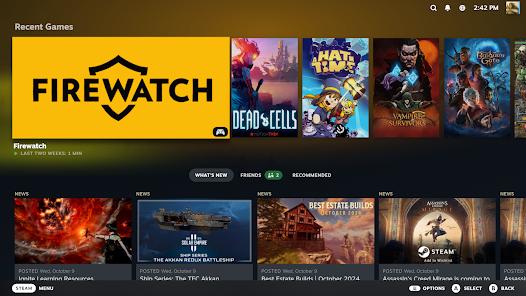
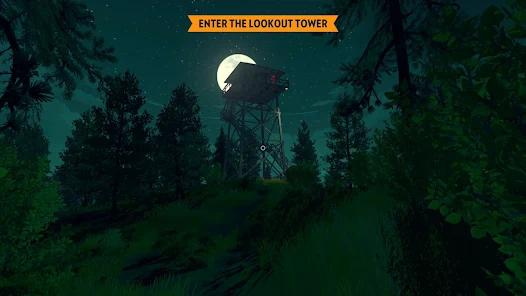
The emergence of remote desktop streaming has changed how desktop video games are consumed on mobile devices. Developed directly by Valve Corporation, the Steam Link app allows users to stream their existing Steam library from a host PC directly to Android phones, tablets, and Android TV systems. This solution utilizes localized network streaming, relying on the host computer's GPU to execute the intensive rendering pipeline while streaming the resulting video and audio directly to the client device over the local network.
On the client side, the application maps input from connected Bluetooth gamepads (such as PlayStation DualSense, Xbox Series controllers, or the Steam Controller) and routes the input coordinates back to the host machine. This system allows demanding AAA titles with advanced visual effects to run at up to 4K resolution and 120 FPS on standard mobile screens, provided the local network maintains low jitter and packet loss. It has a Remote Play Together hosting feature.
While highly effective, Steam Link can be complex to configure. Achieving optimal performance requires a robust local network setup, and the app's standard interface controls are not always perfectly adapted for smaller mobile touchscreens. The app is 100% free with zero advertisements.
Pros & Cons
High-Fidelity Virtual Rendering: Allows lightweight mobile hardware to play demanding PC games by leveraging the rendering power of a host desktop.
Completely Free to Operate: The software is completely free of charge, with no in-app purchases, advertisements, or monthly platform fees.
Extensive Controller Integration: Offers plug-and-play support for a wide variety of USB and Bluetooth controllers, including DualSense gyro mapping.
Remote Play Together Support: Permits users to host multiplayer games, allowing friends to join on their mobile devices even if they do not own the game.
Non-Steam Game Capability: Enables users to stream non-Steam games or even their entire desktop by manually adding executables to the host client.
High-Bandwidth Data Pipeline: Supports high-speed data transmission up to 250 Mbps, resulting in clean visual quality with minimal compression artifacts.
- ✕
High Network Sensitivity: Connection quality is highly dependent on local network stability, making it prone to frame stutter and audio desync on congested Wi-Fi.
- ✕
Poor Mobile UI Optimization: Navigation elements in Big Picture mode and virtual keyboards can feel cramped and difficult to navigate on smaller phone screens.
- ✕
Significant Thermal and Battery Strain: Continuous video decoding and network traffic cause accelerated battery drain and noticeable device heating.
- ✕
Complex External Connections: Remote streaming outside the local network is highly complex, often requiring manual port forwarding or a VPN.
Download
 Get it on Google Play
  Get it on App Store
 FAQs
Does Steam Link execute the game calculations directly on the phone?
No, the game runs entirely on your host computer; the phone simply receives the encoded video stream and transmits input commands back to the PC.
Can the app be used to play games when away from home?
Yes, but it requires a high-speed, stable internet connection on both ends. Setting up remote access can also be complex compared to local streaming.
What hardware is recommended for optimal streaming?
It is highly recommended to connect the host PC via Ethernet, use a 5GHz Wi-Fi router for the client, and pair a dedicated physical Bluetooth controller.
Is it possible to navigate the host PC's full desktop using the app?
Yes, by minimizing Steam's Big Picture mode, the application functions as a low-latency remote desktop viewer with mouse-emulation support.
Why does the stream show a blank screen while game audio plays?
This issue typically occurs due to display scaling mismatches on the host PC, administrative permission prompts blocking access, or graphics API conflicts.
Hot Reviews
When connected to a high-speed local 5GHz Wi-Fi network, the input latency is virtually unnoticeable. Playing heavy AAA titles in bed on a mobile screen feels like using a portable console.
While launching games is straightforward, navigating submenus and using the on-screen keyboard is frustrating. The interface scales poorly to small phone displays, making precise touch inputs difficult.
Recent client updates have introduced bugs where the display can freeze or turn completely black. The host PC continues to run normally, but the mobile stream disconnects or suffers from severe audio stuttering.
The Remote Play Together feature works exceptionally well. It allows friends on mobile devices to easily join co-op sessions for free, even without owning a gaming PC.