
Vivaldi Browser - Fast & Safe
Overview
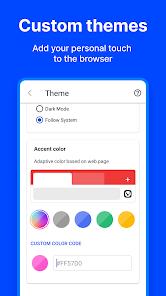
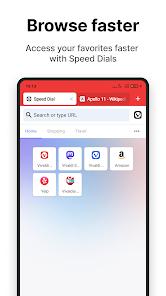
The modern mobile web browser market is heavily consolidated, with a majority of platforms relying on default data-harvesting configurations and rigid interface layouts. Vivaldi Browser, developed by Vivaldi Technologies, presents a highly customizable, privacy-first alternative built on the robust Chromium rendering engine. Vivaldi is designed around the core philosophy that the software must adapt entirely to the user, offering desktop-grade features, comprehensive interface personalization, and integrated tracking and advertisement blocking without requiring external extensions.
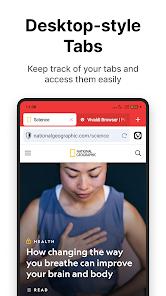
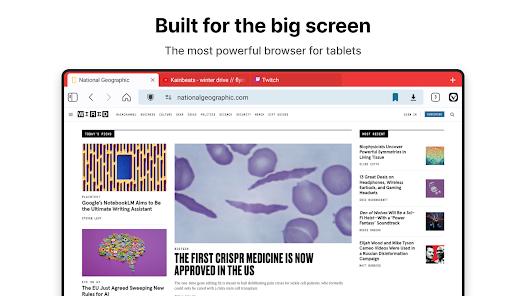
At the center of Vivaldi's mobile innovation is its tab management system. It is the first Android web browser to introduce a two-level tab bar, allowing users to organize multiple browsing sessions into distinct tab stacks. This mimics a desktop browsing environment, which is highly beneficial for tablets and large-screen folding devices where horizontal screen space is abundant. Users can switch between a standard tab switcher grid and the double-row tab bar dynamically, maximizing productivity during intensive research or multi-tasking sessions.
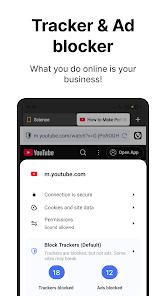
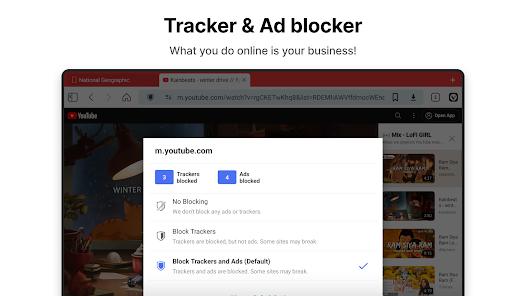
Privacy is natively woven into Vivaldi's architecture. The browser does not track user behavior, and its built-in tracker blocker cuts off data-gathering telemetry from third-party networks. Its integrated ad blocker accelerates page loading times and conserves battery by preventing resource-intensive scripts and pop-ups from executing. For highly confidential sessions, the browser offers Private Tabs, ensuring that history, temporary cache files, cookies, and search queries are completely wiped from the device memory immediately upon closing the session.
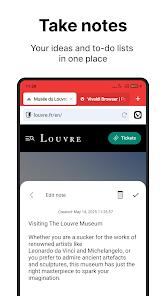
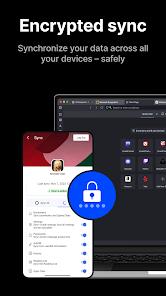
To facilitate productivity, Vivaldi integrates a suite of native tools. This includes a rich text notes manager that syncs securely across devices, a full-page screen capture tool, a built-in QR code scanner, and a private translator powered by Lingvanex. Data synchronization across platforms (including Windows, Mac, Linux, and Android Automotive systems) is secured using end-to-end encryption, requiring a master encryption password that keeps data entirely inaccessible to third parties and the browser developers themselves.
Pros & Cons
It features a unique, highly advanced two-level tab bar that provides unmatched web organization on mobile and tablet screens.
The robust privacy engine blocks tracking scripts, intrusive advertisements, and cookie consent banners natively.
Built-in productivity features—such as rich text notes, full-page screenshots, and private translation—eliminate the need to jump between apps.
Safe and secure cross-platform synchronization of bookmarks, login credentials, and history is achieved via end-to-end encryption.
Search engine nicknames allow rapid, on-the-fly search redirects by simply typing short prefixes in the address bar.
- ✕
The vast number of menus, layouts, and setting configurations may create a steep learning curve for users seeking a simple browser.
- ✕
The web browser does not support external web extensions on its Android version, restricting custom plugin integration.
- ✕
Due to its massive suite of built-in features, Vivaldi can exhibit high RAM and system resource usage under heavy multi-tab loads.
Download


FAQs
Does Vivaldi sell user browsing data?
No, Vivaldi operates under a strict privacy-first policy. The browser does not track user behavior or collect telemetry, and all synced data is encrypted end-to-end, meaning even the developers cannot read it.
How do I create a Tab Stack in the mobile interface?
To organize tabs, long-press the "New Tab" button in the browser interface and select "New Tab Stack". This activates the double-row tab layout, grouping associated web pages together.
What is the function of Search Engine Nicknames?
Users can switch search providers instantly by typing a designated single letter before their query in the address bar. For example, typing "d text" searches DuckDuckGo, while "w text" queries Wikipedia directly.
Is the translation tool private?
Yes, Vivaldi Translate is powered by the Lingvanex engine, which processes web page translations privately without sharing data with external profiling networks.
Can Vivaldi be used in automobiles?
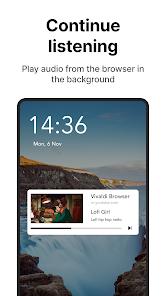
Yes, Vivaldi is the first full-scale browser designed specifically for Android Automotive OS, allowing users to sync their tabs and stream media safely while parked.
Hot Reviews
Vivaldi bridges the gap between desktop and mobile browsing with its brilliant dual-row tab bar and customizable panels, making complex research tasks highly manageable on mobile devices.
Many users highly appreciate Vivaldi's decision to avoid stuffing intrusive AI search helpers into the core interface, preserving a clean, private, and traditional web environment.
While the performance is generally fast, keeping multiple tab stacks and background operations active can result in elevated memory utilization, occasionally causing background apps to restart on mid-range devices.