VIZIO | WatchFree+

Overview
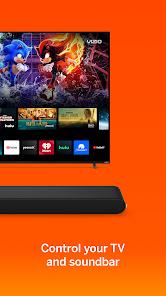
VIZIO | WatchFree+ is a dual-purpose control and streaming application designed to integrate into VIZIO’s smart hardware ecosystem. The app serves as a digital companion that consolidates hardware control—including SmartCast TVs and VIZIO soundbars—with a mobile-first, ad-supported streaming TV (FAST) experience. This combination allows users to transition between managing home theater equipment and streaming entertainment directly on their mobile devices.
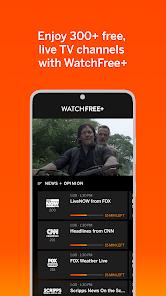
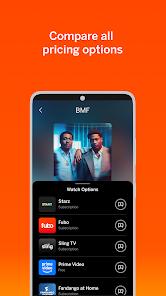
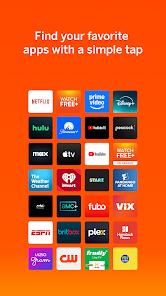
As a streaming service, the app offers standalone access to the WatchFree+ library, which features over 300 live, ad-supported linear channels and an extensive catalog of on-demand movies and TV shows. Crucially, users do not need to own a VIZIO television to stream this content; downloading the app and creating a free account enables viewing on any compatible Android device. The platform includes standard streaming features, such as personalized recommendations, customizable favorites lists, a universal content search across multiple streaming services, and a "pick up where you left off" feature that syncs progress between mobile devices and VIZIO TVs.
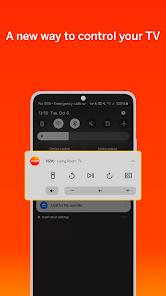
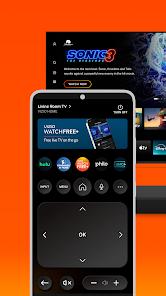
As a hardware utility, the app acts as a remote control, utilizing local Wi-Fi to auto-discover and pair with VIZIO devices. Beyond basic navigation, input switching, and power controls, it features a smart keyboard that simplifies typing passwords and search terms on the TV screen. For VIZIO soundbars, the app functions as an acoustic control panel, allowing users to adjust volume, bass, and treble, switch sound presets, and configure advanced audio modes like ClearDialog and Night Mode. It supports dynamic Wi-Fi scanning with automated local device pairing. It also includes VIZIOgram, a casting protocol that lets users cast high-resolution photos and videos from their mobile gallery to their TV screen. However, recent updates have drawn user feedback due to the removal of certain dynamic on-screen menus in favor of a simpler layout, which has changed how some users interact with their TV settings.
Pros & Cons
Integrated Remote and Streaming: Combines local hardware control and standalone mobile streaming within a single, free application.
Free Streaming Catalog: Provides access to over 300 free live channels and on-demand content without requiring specialized TV hardware.
Detailed Soundbar Control: Allows precise, real-time adjustments to bass, treble, and acoustic enhancement modes on connected soundbars.
Universal Search Engine: Locates shows and movies across multiple major streaming services simultaneously.
Lossless Image Casting: The integrated VIZIOgram feature allows users to cast personal photos and videos to VIZIO TVs without loss of resolution.
- ✕
Restricted TV Settings Mirroring: Recent updates replaced detailed on-screen settings menus with simplified buttons, requiring users to look at their TV to navigate menus.
- ✕
High Playback Buffering: Free linear channels are prone to noticeable buffering and latency compared to other major FAST platforms.
- ✕
Enforced Update Gating: Legacy versions are systematically blocked by mandatory update prompts, forcing updates even if older layouts are preferred.
- ✕
Complex Multi-Device Audio Limitations: The app does not support streaming distinct music streams to multiple separate speakers simultaneously from a single device.
Download
 Get it on Google Play
  Get it on App Store
 FAQs
Is a VIZIO television required to use the streaming feature?
No. Standalone mobile streaming is fully supported; users only need to download the app and register a free account to watch the live channels.
How does the application pair with VIZIO devices?
The mobile device and TV must be connected to the same local Wi-Fi network. Once launched, the app automatically scans the network to find and pair with compatible devices.
Can VIZIO Crave speakers output TV audio through the app?
No. VIZIO Crave speakers cannot play television audio or be used as extra rear channels for a soundbar through this application.
Why can't users access the detailed TV settings on their mobile screen?
Recent updates simplified the user interface by removing the on-screen settings menu mirror, focusing instead on standard remote button control.
Does the application support hands-free control?
Yes. The remote interface includes built-in voice search functionality, allowing users to launch apps and find content using voice commands.
Hot Reviews
The free streaming library is excellent. Having access to over 300 free channels on a mobile device without requiring a subscription is highly convenient.
Removing the detailed settings mirror from the phone screen is a disappointing step backward. Users are now forced to look back and forth between their phone and the TV just to adjust basic screen settings.
While the remote functions are useful, the streaming player experiences significant buffering compared to other free services, even on high-speed home Wi-Fi.