
Easy Homescreen
Overview
Most Android phones come packed with apps you never asked for, cluttered widgets, and icons so tiny you need a magnifying glass. It's overwhelming, especially if you just want to do simple things like call Mom or check the weather. That's exactly where Easy Homescreen steps in.
With over 10 million downloads and a 3.9-star rating from more than 275,000 reviews, Easy Homescreen has become one of the top free personalization apps on the Google Play Store. Developed by Homescreen Apps, it promises to turn your chaotic phone into a clean, calming space — and for the most part, it delivers on that promise.
What Is Easy Homescreen?
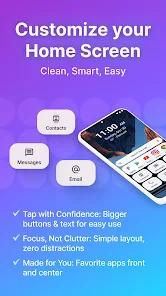
Easy Homescreen is a custom Android launcher — basically, it's the app that controls what you see when you press your home button. Unlike your phone's default launcher, Easy Homescreen strips away the clutter and puts simplicity front and center.
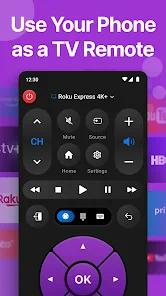
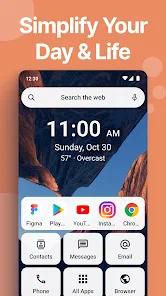
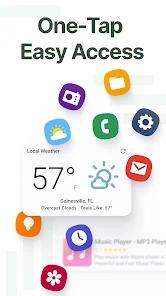
The app shows only the apps you actually use, hides the rest, and makes everything big enough to tap without squinting. It includes built-in features like a weather widget, a universal remote, and a large on-screen keyboard — all designed to reduce the mental load of using a smartphone.
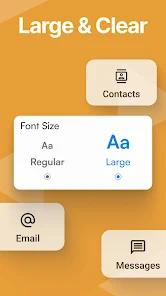
The biggest selling point of Easy Homescreen is its accessibility-first approach. Buttons are significantly larger than standard Android icons — some users report them being up to 70% bigger.
Over time, it adapts to your habits. The more you use it, the more helpful it becomes. This "it adapts to you, not the other way around" philosophy is baked into the entire experience.
The app also supports customizable fonts, themes, and app icons, so you're not stuck with a boring look.
Easy Homescreen is a genuinely useful tool for anyone who finds standard Android launchers too cluttered or overwhelming. It's especially well-suited for seniors, beginners, or anyone craving a calmer phone experience. The accessibility features — large buttons, clear text, adaptive organization — set it apart from most competitors.
Pros & Cons
Designed with Real People in Mind - Buttons are significantly larger and text is clear and easy to read.
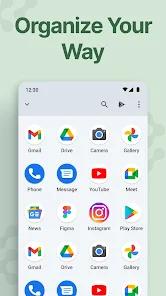
Smart Organization That Learns From You - Instead of throwing every app at you at once, Easy Homescreen shows your most-used apps first and hides the rest.
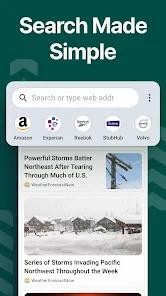
Built-In Extras You Don't Have to Hunt For - You get a weather widget, screen time tracking, recent apps list, and even an integrated web search.
Lightweight Performance - Even on older or budget Android phones, Easy Homescreen runs smoothly.
Customizable Without Being Complicated - You can adjust font sizes, pick a theme, hide bloatware apps, and add widgets.
- ✕
When you install Easy Homescreen, it changes your default search engine to Yahoo. If you're a Google devotee, this is going to feel annoying.
- ✕
A notable number of reviewers — and this is worth flagging — report difficulty uninstalling Easy Homescreen.
- ✕
Some users report that when tapping on an app, they're prompted to choose between different apps (e.g., Samsung's native app vs. Google's version) every single time — with no way to set a default and skip the extra taps.
Download
 Get it on Google Play
  Get it on App Store
 FAQs
Is Easy Homescreen free to use?
Yes, the base app is free. It does contain ads, and there may be in-app purchases for additional themes or features.
Will Easy Homescreen work on my old Android phone?
The app requires Android 6.0 or higher and runs well on older devices. It's designed to be lightweight, so it doesn't demand the latest hardware.
How do I switch back to my original launcher?
Open Easy Homescreen's settings, find the uninstall option, or go directly to the Google Play Store to remove it. If you can't find the app on your phone, search "Easy Homescreen" in the Play Store and uninstall from there.
Does Easy Homescreen collect my personal data?
According to the app's data safety page, it may collect personal info, app activity, and app performance data. It uses an Accessibility API for a coupon-finding feature in Chrome, but the developer states no personal data is shared. If this concerns you, review the full privacy policy before installing.
Can I hide apps I don't want to see?
Yes — one of Easy Homescreen's features is the ability to hide apps you don't use. This is especially useful for bloatware you can't actually uninstall from your phone.
Hot Reviews
Many reviewers express deep gratitude for the app, noting that it allowed their aging parents to use a smartphone without constant assistance.
It's just a few presses to organize your apps! The apps get divided into groups. You don't even need to look for Google or Chrome — it has an automated website searcher for you. It also shows your screen time and recent apps.
When user tap on the MESSAGE app, he has to choose between the Samsung app and Google every single time.