
Firefox Focus: No Fuss Browser

Overview
Firefox Focus represents a highly specialized mobile browsing architecture developed by Mozilla. While mainstream mobile browsers are designed to optimize the user experience by maintaining persistent cache files, extensive historical databases, cookie parameters, and autofill inputs, Firefox Focus is built on a transient session paradigm. The application acts as an ephemeral sandbox, isolating each web request session and immediately discarding the local storage state upon termination.
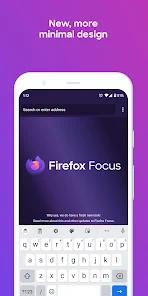
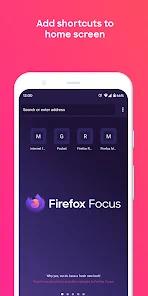
The user interface of Firefox Focus utilizes a distraction-free layout. Upon launching the application, the system presents only the address bar—internally designated as the "awesome bar"—and the system keyboard. Traditional web browser overhead, such as open tab grids, bookmarks, and extensive settings menus, is omitted to minimize the local footprint and prevent unintended data leaks.
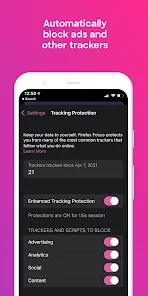
It utilizes Mozilla's GeckoView, a modern, independent browser engine developed to replace the default Android System WebView framework. GeckoView provides the application with complete control over network activities, enabling the default execution of Enhanced Tracking Protection (ETP). Rather than relying on post-render DOM filtering, Firefox Focus intercepts network requests at the connection layer, blocking analytic trackers, social media widgets, and ad networks using the Disconnect blocklist. This mechanism reduces network data usage and improves page-load speeds by preventing resource-heavy script files and tracking pixels from downloading.
This ephemeral memory design interacts directly with the Android platform's memory management. On Android, when an application is sent to the background, the OS retains its state in RAM. However, if the operating system runs low on memory, it initiates background process termination.
Because Firefox Focus does not write session data to persistent flash storage, an OS-level background process termination will clear the active session. This design choice prioritizes local security over session persistence, though it can interfere with login workflows that require switching to separate authenticator or email apps.
Pros & Cons
Automatic Tracker and Ad Suppression: The integrated Enhanced Tracking Protection (ETP) actively blocks tracking scripts and advertisement payloads at the network layer.
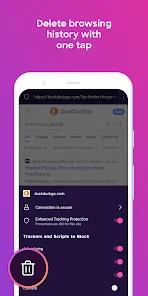
Single-Tap Session Clearance: A prominent trash icon allows users to immediately purge memory buffers, cookies, passwords, and history files.
No-Clutter Interface Layout: Eliminates tab lists and bookmarks, presenting a clean layout that optimizes quick search tasks.
Independent GeckoView Framework: Built on Mozilla's GeckoView rather than System WebView, ensuring independent security configurations.
Non-Profit Privacy Backing: Developed by Mozilla, a non-profit organization free of the data-monetization pressures common to commercial ad-supported browsers.
Granular Network Controls: Provides toggles to independently enable or disable analytic, social, content, or cookie trackers.
- ✕
No Multi-Tab Support: Restricting users to a single active page makes it difficult to compare information across multiple sites.
- ✕
Authentication Session Instability: Switching away from the app during multi-factor authentication (MFA) prompts can trigger process resets that break login flows.
- ✕
Limited Autoplay Media Suppression: Integrated media controls occasionally fail to prevent autoplay videos and audio files on modern sites.
- ✕
No External Extension Support: To maintain security and performance, the browser does not allow the installation of third-party add-ons.
Download


FAQs
Does Firefox Focus store user passwords, credentials, or cookies across sessions?
No. The application does not store login details, autofill data, search terms, or cookie variables. All active session data is purged when the application is closed or when the trash icon is tapped.
Can Firefox Focus be selected as the default system browser on Android?
Yes. Users can configure the application as their default system browser via the Android default apps menu, ensuring external links open in a secure, sandboxed environment.
How does Firefox Focus optimize page load speeds?
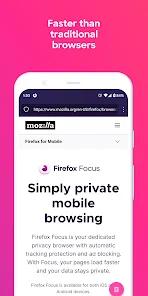
By blocking resource-heavy tracking scripts, analytic frameworks, and ad networks at the network layer before they download, the browser reduces data usage and improves load speeds.
What engine handles page rendering in Firefox Focus?
The browser uses Mozilla's independent GeckoView engine, which offers customized security features and separates rendering from the system's default WebView.
Are custom search engines supported in Firefox Focus?
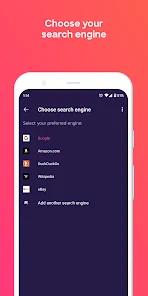
Yes. Users can manually add and configure their preferred search engines through the system configuration menu, alongside built-in options.
Hot Reviews
Users highlight the application's utility when opening links shared from social media or communication apps, noting that it quickly loads clean, readable articles by stripping out intrusive ads.
Critical feedback focuses on the browser's aggressive memory management, reporting that switching apps to retrieve an MFA passkey or authentication link often resets the browser state and requires starting the login process over.
Some users report that despite enabling the browser's autoplay block settings, media elements on certain modern websites still bypass the restrictions and play automatically.