AR Drawing: Sketch & Paint


Overview
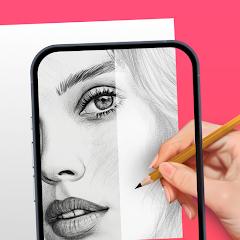
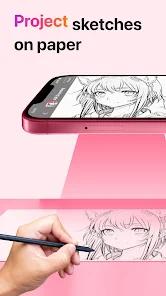
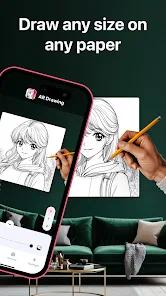
The rapid evolution of consumer-grade mobile hardware has catalyzed a transition from traditional physical drawing aids to digital utility platforms. AR Drawing: Sketch & Paint represents a key development in this space, acting as a modern, digital camera lucida. Instead of relying on glass panels and physical mirror prisms to project an image onto paper, this application uses a mobile device's camera sensor to overlay a transparent digital image onto the physical world as viewed through the device's display. By mounting the smartphone above physical paper via a stand or tripod, a creator can simultaneously observe their hand, the writing utensil, and the projected guidelines. This technique allows for highly accurate tracing and layout before completing final colors and textures.
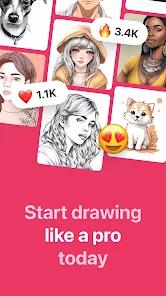
The app features a wide range of functions designed to assist both beginner and intermediate artists. The primary tracing workspace is supported by a large template database containing over 700 guides across themes such as Anime, portraits, landscapes, architecture, animals, and vehicle outlines. Beyond static templates, the platform offers over 200 progressive, step-by-step drawing lessons designed to help users transition from tracing basic lines to drawing freehand proportions.
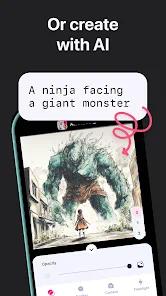
A central element of its appeal is its integrated artificial intelligence-driven photo-to-sketch pipeline. This tool processes user-uploaded photos from their device's gallery and applies custom edge-detection filters. This reduces complex shadows and color gradients into clean, high-contrast monochrome line outlines that are optimized for tracing.
The application offers two distinct modes for different drawing environments. The classic Camera Projection mode relies on a physical mount to trace projected images. The "Draw with Screen" mode, introduced in version 4.9.5, turns the device's screen into a lightbox. This allows users to place thin physical tracing paper directly over the phone screen to trace guidelines, offering a simpler option that does not require an external mount.
To support low-light drawing environments, the tracing interface includes a built-in flashlight toggle. Additionally, a screen-lock toggle disables accidental touch inputs while tracing. The app also includes a video recording module that lets users capture their workspace process as a high-speed time-lapse video, which can be exported directly to social media networks.
Despite these functional strengths, the app uses an aggressive premium monetization model. The onboarding experience frequently presents immediate subscription prompts and premium trial requirements. This paywall structure, combined with frequent full-screen interstitial ads on the free tier, can introduce significant user friction before a creator can fully test the camera calibration tools.
Pros & Cons
Dual tracing modes provide flexibility, supporting both camera projection and direct screen-lightbox overlay tracing.
Uses a high-performance on-device AI engine to quickly convert custom gallery photos into clean line-art outlines.
Provides an extensive educational database featuring over 200 progressive, step-by-step drawing lessons.
Features a large database of over 700 structured templates covering major genres like Anime, architecture, and portraits.
Includes built-in time-lapse video recording, allowing users to document and share their drawing progress.
Includes helpful interface tools like native flashlight controls and screen locks to prevent accidental inputs.
- ✕
Camera-projection tracing requires a highly stable physical mount, as minor movements can misalign the image.
- ✕
Lacks built-in digital illustration tools, such as digital brushes or vector layers, for purely on-screen drawing.
- ✕
Aggressive paywalls restrict key features, including importing custom gallery images, to paid subscribers.
- ✕
Frequent, unskippable full-screen video ads on the free tier can disrupt the drawing flow.
Download


FAQs
How does the camera-projection tracing feature work?
The application utilizes the mobile device's camera to display a live feed of the physical workspace. It superimposes a selected digital template over this feed as a semi-transparent layer. By positioning the phone parallel to the paper on a stand, users look at the screen to guide their hand and trace the projected lines onto the physical paper.
Can I use this application to trace personal photos for free?
While the app offers a library of free template outlines, converting custom gallery photos into traceable sketches typically requires an active premium subscription or starting a free trial.
What is the "Draw with Screen" function?
Added in version 4.9.5, this mode turns off the camera feed and locks a high-contrast template directly onto the screen. Users can place thin paper over their phone or tablet display and trace the lines directly against the screen's backlighting.
How do I adjust the transparency of the template image?
The drawing interface features an opacity slider. Dragging the slider adjusts how visible the template is relative to your physical hand and paper, helping maintain a clear view of both.
What are the recommended setup requirements for camera tracing?
For best results, users should secure their phone on a stable tripod or mounting arm parallel to their paper. Consistent, bright ambient lighting is recommended, though the app's built-in flashlight utility can assist in low-light environments.
Hot Reviews
The app's structured outlines are highly praised by beginner artists for helping them understand human proportions and complex designs. Users note that the visual guides make sketching a highly approachable and rewarding hobby.
Many users express disappointment with the app's monetization, noting that they are prompted to pay for a premium subscription immediately upon opening the app before they can test its basic features.
Frequent complaints focus on the high volume of full-screen video ads on the free tier. Users find that ads trigger after simple menu selections, disrupting their concentration during drawing sessions.