
Tattoo Simulator Tattoo Maker
Overview
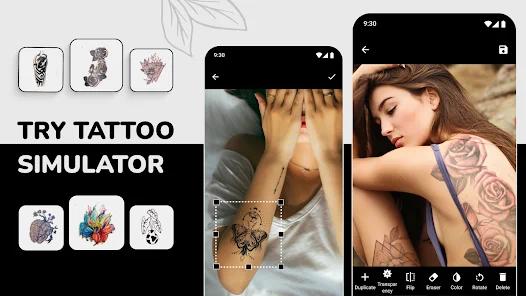
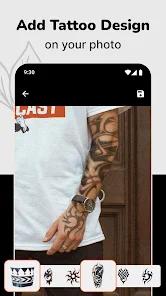
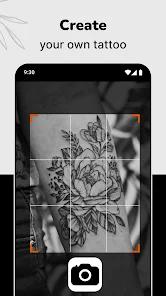
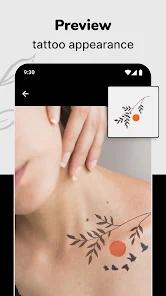
Tattoo Simulator Tattoo Maker is a niche photo editing utility designed to act as a virtual try-on application for body art. This app targets individuals planning to get inked by allowing them to preview designs on their skin before making a permanent commitment. The core mechanics of the software center on overlaying a pre-loaded library of digital tattoo assets directly onto static photographs uploaded from the user's gallery.
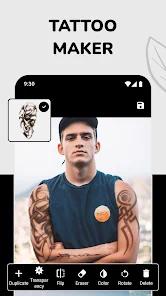
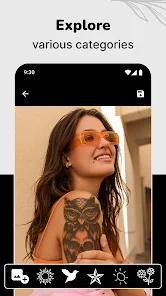
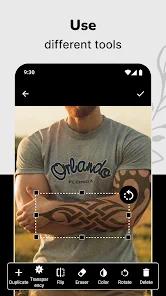
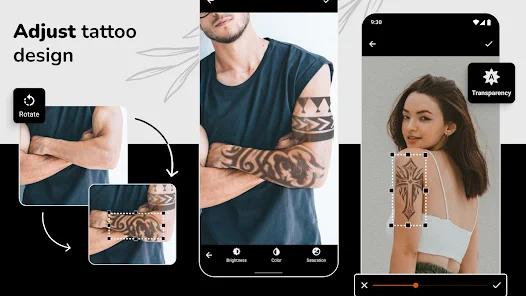
The app includes a diverse pre-installed library of tattoo designs covering various styles, including minimalist geometric shapes, traditional symbols, and tribal patterns. To help users match designs to their natural body curves, the application provides editing sliders to adjust opacity, modify brightness, fine-tune color saturation, and rotate or scale the digital assets. This manual alignment process helps users visualize how a design's placement, size, and coloring will look on their body.
However, the user experience is frequently disrupted by heavy advertisement placement and monetization tactics. Users must navigate frequent full-screen video ads and complex data privacy screens that share device identifiers and performance data with third-party advertising companies. Additionally, technical bugs can cause the application to freeze or fail to save coordinate data when users attempt to place multiple overlapping designs onto a photo. While useful for quick placement planning, the application lacks advanced features like real-time 3D camera tracking or AI-driven skin contour mapping.
Pros & Cons
Comprehensive gallery of pre-installed digital tattoo designs across multiple styles.
"Tattoo My Photo" feature provides a risk-free virtual try-on for static photos.
Flexible adjustment sliders for opacity, color saturation, and brightness.
Simple, touch-friendly handles make positioning, scaling, and rotating easy.
Useful, low-stakes tool for planning tattoo placement and size before visiting a studio.
- ✕
Aggressive, full-screen advertisements frequently interrupt tool adjustments and navigation.
- ✕
Extensive third-party data tracking and sharing policies raise privacy concerns.
- ✕
Interface can freeze and fail to save coordinates when managing multiple design layers.
- ✕
Lacks active 3D camera tracking for live augmented reality try-ons.
Download
 Get it on Google Play
  Get it on App Store
 FAQs
Can I import my own custom drawings to preview?
Yes, users can upload transparent PNG sketches from their device to overlay them onto body photos.
Does the app support real-time previewing through the camera?
No, this application works by editing static photographs rather than using live 3D AR camera tracking.
What data does the app collect?
The app collects and shares device identifiers and performance data with third-party advertising companies.
Can I place multiple tattoo designs on one photo?
Yes, though managing multiple overlapping layers can sometimes cause performance lag or coordinate saving bugs.
How can I make the virtual tattoo look more realistic?
Users can use the built-in sliders to lower the opacity and adjust the brightness and saturation to match the lighting of the photo.
Hot Reviews
The application is highly helpful for testing where to put a design, allowing users to quickly see how a tattoo would look on their forearm or ankle.
The free version is heavily saturated with full-screen video ads that trigger after almost every click, making the editing process tedious.
The application can become highly unstable when users try to add more than one design, frequently freezing or failing to save the coordinates of the edits.
The setup requires navigating lengthy privacy opt-out screens to manage data harvesting, which can be off-putting for privacy-conscious users.