VistaCreate: Graphic Design


Overview
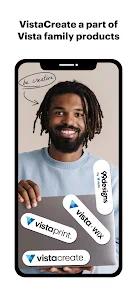
In the highly competitive market for mobile and cloud-based graphic design tools, VistaCreate, originally known as Crello, is a highly effective resource for non-designers, content teams, and small marketing operations. Following its acquisition by the print and marketing firm Vista, the platform was rebranded to integrate digital layout workflows directly with physical print production pipelines.
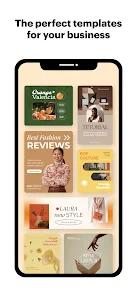
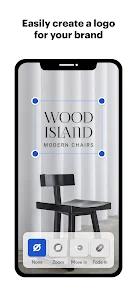
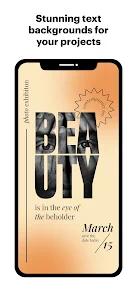
VistaCreate is built on an intuitive drag-and-drop hierarchy designed to eliminate the steep learning curve of professional desktop suites. The application includes a database of over 200,000 professional templates optimized for popular social formats (Instagram Stories, TikTok layouts, Facebook banners), as well as physical print formats (flyers, business cards, posters).
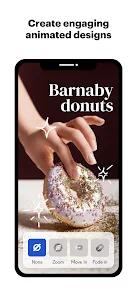
A key strength of VistaCreate is its focus on motion graphics and dynamic layouts. While many competing platforms treat video as a secondary priority, VistaCreate provides built-in transition mechanics, pre-animated visual elements, and music synchronization tools, helping social media managers produce engaging video content quickly.
For corporate environments, the platform features a Brand Kit utility, allowing creators to lock in visual elements like hex color schemes, logos, and custom typography. The Pro version expands this workflow with AI-driven background removal, instant cross-platform design resizing, and collaborative team workspaces, allowing multiple users to review and edit designs concurrently.
Pros & Cons
Robust Pre-animated Asset Support: The application excels at delivering high-quality motion templates and animated graphics optimized for social stories and reels.
Intuitive Drag-and-Drop Workflow: The interface is clean and streamlined, allowing non-designers to produce professional marketing assets in minutes.
Integrated Brand Kit Management: Stores specific corporate asset structures, ensuring consistent use of color schemes, typography, and logos across campaigns.
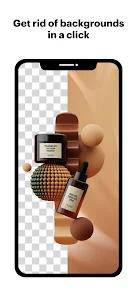
AI-Powered Background Remover: The precise background removal tool delivers clean cutouts, which is highly useful for product photography and ad design.
Generous Free-Tier Asset Access: The standard free plan provides access to a large selection of templates, static illustrations, and fonts.
- ✕
Paywalled Formatting and Resizing tools: The single-click "Smart Resize" tool, which formats a design across multiple dimensions simultaneously, is restricted to the Pro plan.
- ✕
Mobile Screen Real Estate Constraints: Complex, multi-layered layouts can feel cramped and difficult to adjust on smaller Android displays.
- ✕
Less Mature Team Collaboration Options: Multi-user permissions and shared review loops are less advanced than those found in larger enterprise design suites.
- ✕
Occasional Rendering Latency: Exporting large vector files or high-definition animations can cause processing delays on older Android hardware.
Download


FAQs
What is the connection between VistaCreate and Crello?
VistaCreate is the direct successor to Crello, having undergone a complete rebranding after its acquisition by the print and marketing company Vista. All user profiles and templates were transitioned to the unified VistaCreate platform.
Can designs created in the app be prepped directly for physical print?
Yes, VistaCreate templates support both digital output sizes and high-resolution print exports, allowing users to generate files formatted for professional physical production.
What capabilities are unlocked in the Pro tier of VistaCreate?
The Pro tier introduces AI copy generators, automated image resizing tools, premium asset libraries, background removal, and collaborative team workspaces.
Can the app post directly to business social media channels?
Yes, VistaCreate integrates directly with the Meta ecosystem, allowing users to schedule and publish posts directly to Facebook and Instagram accounts.
Is there a way to upload custom brand fonts to the editor?
Yes, the Brand Kit feature allows Pro users to import custom files (such as.TTF or.OTF formats) to maintain consistent brand identity across all designs.
Hot Reviews
Marketing managers consistently praise VistaCreate for its template variety, noting that it allows them to produce professional promotional collateral without extensive graphic design experience.
Users frequently highlight the animation tools, noting that creating engaging stories and moving ads is faster and more intuitive than on competing platforms.
Several reviews express disappointment that the automated resizing tool is locked behind the paid subscription, as manual template rebuilding is time-consuming for multi-channel campaigns.