VRidge
Overview
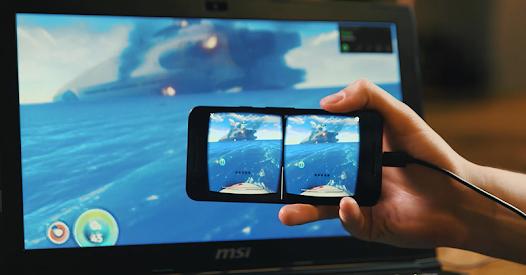
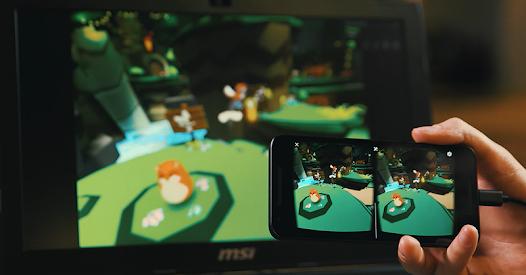
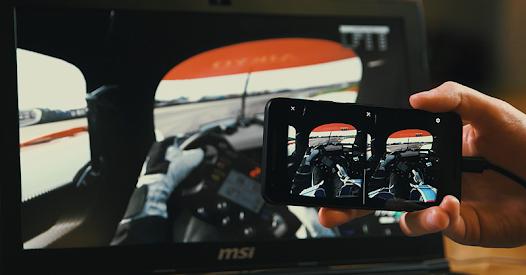
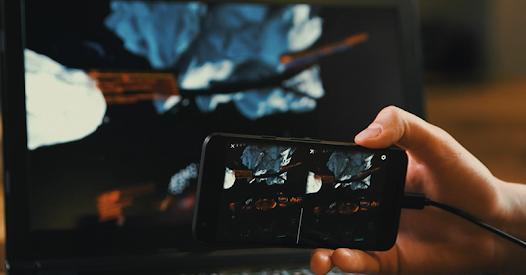
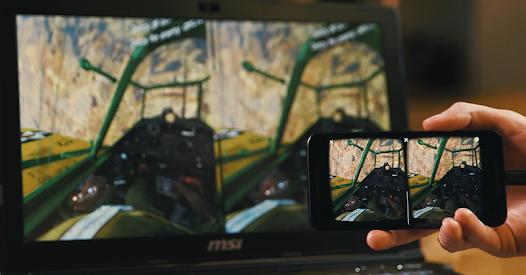
VRidge represents a specialized software solution designed to democratize high-end PC virtual reality experiences by leveraging the computing power of a user's desktop computer and transmitting the rendered output directly to an Android mobile device. By executing the virtual reality environment on the computer's host GPU and streaming the visual data over a high-bandwidth local area network, the application effectively transforms a standard smartphone into a highly functional head-mounted display. This client-server architecture allows budget-conscious enthusiasts to bypass the substantial financial barrier associated with dedicated PC VR hardware, utilizing inexpensive mobile headset frameworks like Google Cardboard, Gear VR, or Oculus Go.
To handle the latency and network jitter inherent in wireless data transmission, VRidge implements sophisticated reprojection techniques. These include synchronous reprojection and asynchronous reprojection, the latter of which decouples the host game’s rendering loop from the mobile client's display loop. If network packets are dropped or delayed, the mobile client warps the last successfully received frame based on the latest gyroscopic orientation data, maintaining a smooth visual flow. On compatible devices, the application can bypass the standard Android Surface Flinger composting step via direct front-buffer rendering, reducing display latency to approximately 8 milliseconds on a standard 60Hz display. The application also features a "GameWarp" extension, which translates mouse, keyboard, or controller inputs to head-tracking movements, enabling non-VR desktop games to be viewed in a simulated cinematic 2D environment. Free trial (10-min sessions is available with $15 Unlimited Purchase.
Pros & Cons
Substantial Cost Savings: Negates the necessity of purchasing premium, dedicated virtual reality hardware by utilizing existing mobile phones.
Advanced Reprojection Mechanics: Incorporates asynchronous reprojection options that successfully stabilize framerates and preserve visual comfort even when frames are dropped.
Ultra-Low Latency Direct Mode: Skips the Android Surface Flinger composition step to render directly to the front buffer, minimizing display lag down to 8ms on supported devices.
Dynamic Local Connectivity: Offers both high-bandwidth 5GHz wireless connectivity and highly stable wired USB tethering options.
Extensible Spatial Tracking: Interoperates smoothly with third-party tracking sensors, including LeapMotion hand controllers and NOLO tracking kits.
- ✕
Complex Network and Software Configuration: Demands significant manual setup on both the mobile device and host computer, which can frustrate non-technical users.
- ✕
High Connection Instability on Standard Networks: Operates poorly over standard 2.4GHz wireless bands, resulting in high packet loss and rapid stream disconnects.
- ✕
Bandwidth-Related Compression Artifacts: Lower data bitrates lead to noticeable color-blocking and pixelation, particularly in high-motion scenes.
- ✕
Restricted Native 3D Conversion: The GameWarp feature provides a flat cinematic 2D projection rather than calculating stereoscopic depth.
Download


FAQs
What are the minimal host computer requirements for using VRidge?
The host computer must run Windows 7 or newer. It must also possess a processor and graphics card capable of meeting the minimum hardware requirements of the specific virtual reality games or applications the user intends to launch through SteamVR or Oculus Home.
Can VRidge operate over a cellular data network or standard 2.4GHz WiFi?
While technically possible, streaming VR content requires high bandwidth and low latency. It is highly recommended to use a 5GHz wireless access point with a line-of-sight connection, or a direct wired USB connection to prevent frame drops, high latency, and sensory discomfort.
How does the unlimited purchase license function across multiple operating platforms?
Purchases made through the Google Play Store are tied exclusively to the user's Google Play credentials. They will not transfer to other platforms, such as iOS, or Steam-specific listings, which operate under their own independent account systems.
Why does the VRidge application display a persistent black screen on startup on newer Android devices?
This is typically caused by rendering engine conflicts introduced in Android 11 and newer operating system versions. Users can resolve this issue by ensuring the mobile app is updated to version 2.7.8 or higher, which introduced specific patches to bypass these rendering backend errors.
Is there a time limit on the free edition of VRidge?
Yes, the free evaluation version limits gameplay to short, continuous sessions of approximately 10 minutes. After this period expires, the session will disconnect, requiring users to manually restart the desktop client and mobile application to continue testing.
Hot Reviews
The application's ability to interface with external hardware transforms a standard phone into an immersive platform. By mounting a LeapMotion camera to the front of a Google Cardboard, hand gestures are translated into interactive controls with surprising precision.
For users willing to read setup guides, this application functions flawlessly. Streaming demanding titles like Skyrim VR over a wired USB connection with an Xbox controller provides a stable, enjoyable experience at a minimal cost.
The streaming pipeline handles head rotations beautifully, but locating configuration parameters to resolve buffering issues is difficult. The GameWarp addon is a great conceptual addition, though it would benefit from native stereoscopic 3D rendering.
The application struggles with modern, high-resolution screens. On devices running resolutions above 1080p, the image frequently scales incorrectly, leaving massive black borders and making the stereoscopic projection unusable.