Cardboard
Overview
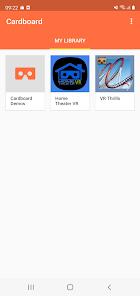
Google Cardboard is a historic and highly influential application that revolutionized the virtual reality industry by proving that a modern smartphone could function as a high-quality VR headset. The application serves as the central hub for the Cardboard ecosystem, allowing users to launch immersive VR experiences, discover new compatible software, and configure their specific viewer via a QR code calibration system. Recently, Google transitioned the project to an open-source software (OSS) SDK, ensuring that developers worldwide can continue to build and maintain the platform independently of Google's internal priorities.
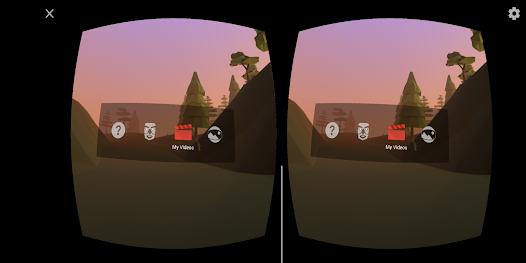
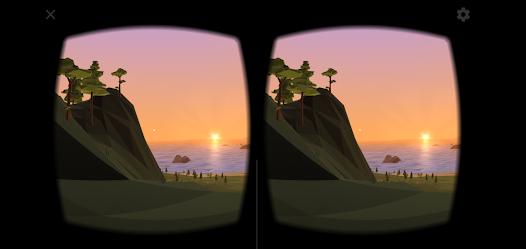
The application features several classic immersive demonstrations. "Earth" allows users to fly through high-resolution 360-degree landscapes from Google Earth, while "Tour Guide" provides an immersive educational walk-through of historical sites. The app also includes a "360 Photo" viewer that turns standard panoramic images into spherical environments, and a "Windy Day" animation that showcases the platform's ability to handle interactive spatial graphics. Despite its age, Cardboard remains the primary entry point for millions of users due to its extremely low cost—requiring only a simple cardboard viewer and a smartphone.
Strategically, Google Cardboard represents a shift toward open-standard spatial computing. By open-sourcing the SDK, Google has allowed for the creation of thousands of VR applications for education, gaming, and professional training that work on nearly any modern smartphone. While the platform is now considered "legacy" compared to dedicated hardware, it continues to be a staple in educational settings where large-scale, low-cost VR deployment is necessary to take students on "virtual field trips" across the globe.
Pros & Cons
Provides the world's most accessible and lowest-cost entry point into high-quality virtual reality.
The open-source SDK ensures that the platform is not controlled by a single vendor and will continue to function on future devices.
QR-code-based calibration allows for a perfect visual setup across thousands of different third-party cardboard viewers.
Integrated "Earth" and "Tour Guide" features provide immediate, high-quality educational value.
The application is fully cross-platform, supporting both Android and iOS devices.
High levels of privacy, with the developer declaring no data sharing with third-party entities.
A lightweight design ensures that the app can run on older smartphones without causing significant lag or battery drain.
- ✕
Modern smartphone hardware (like the Samsung S25) has begun to lose support for specific legacy features like 360-degree sound recording.
- ✕
The platform lacks advanced external tracking and controllers, limiting user interaction to "gaze-based" selection.
- ✕
The optical quality is limited by the physical lenses of the cardboard viewer, which can cause eye strain during long sessions.
Download


FAQs
Do I need a Google-branded viewer to use this app?
No, the app works with any viewer that meets the "Works with Google Cardboard" (WWGC) standards.
How do I calibrate my viewer?
Simply tap the "settings" icon in the app and scan the QR code located on your cardboard viewer.
Where can I find the open-source code for this app?
The Cardboard OSS project is hosted on GitHub at googlevr/cardboard.
Can I play any VR game in the Cardboard app?
You can launch any app that was built with the Cardboard SDK; however, it does not support Daydream or Quest-specific games.
Is it safe for children?
VR should be used in short intervals by children, and parental supervision is recommended to prevent dizziness or physical collisions with objects.
Hot Reviews
This app was my first introduction to virtual reality, and it still holds up today. The "Earth" demo is absolutely mind-blowing, and I love that it’s now open-source.
I use this app primarily to view old 360-degree photos I took on previous phones. It's the best way to "re-live" a vacation or a family gathering.
I’m very disappointed that I can no longer record new 360 pictures with sound on my Samsung S25. It seems like the newer OS versions are slowly killing off these legacy features.