
Mirror Plus - HD Mirror app
Overview
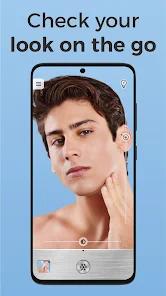
Mirror Plus - HD Mirror App is a highly versatile and feature-rich utility developed by Digitalchemy, LLC. This software is designed to replace physical compact mirrors by optimizing the device's front-facing camera for high-definition personal grooming and diagnostics.
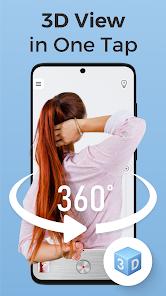
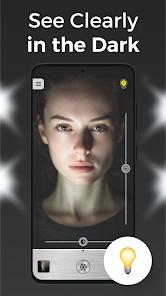
The application stands out for its "3D picture" feature. While standard mirrors only display a flat, two-dimensional reflection, this feature uses sequential multi-frame capture to record a panoramic sweep as the user rotates their head. This creates an interactive spatial map of the user's head, which can be scrubbed horizontally to check hard-to-see profiles, such as a hairstyle. Additionally, the app includes a "before-and-after" collage creator, which is excellent for tracking styling changes, makeup applications, or skincare progress over time. To support low-light use, the integrated light border mimics natural vanity light rather than using a harsh camera flash.
The application also features a highly responsive frame-freezing tool. Because it operates with minimal lag, users can freeze a frame and zoom in close to check details. Processing-heavy tasks like image stabilization, noise filtering, and auto-exposure can introduce a slight microsecond input lag, requiring minor hand-eye adjustment during use. However, this speed and stability make the app useful for technical tasks as well, such as reading obscured serial numbers on the back of electronics or appliances.
Pros & Cons
Immersive 3D Profile Picture Capture: The 3D picture feature records a sequential frame sequence, allowing users to rotate and inspect their head profile from various angles.
Interactive Before-and-After Comparison Collage: Features an integrated layout tool to compare side-by-side progress photos of makeup or styling.
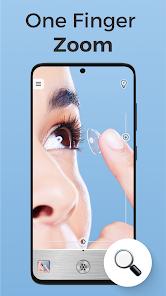
High-Definition Macro Zoom Rendering: The digital magnification system maintains impressive clarity, making it useful for close-up grooming tasks like checking eyelashes.
Real-Time Unflipped Projection Toggle: Includes a non-inverted display option, showing the reflection as it appears to other people.
Highly Stable Image-Freezing Performance: The lag-free freeze tool is highly effective for technical tasks, such as reading model numbers in tight spaces.
- ✕
Slight Microsecond Rendering Input Lag: The live video feed can exhibit a very slight processing delay, requiring minor hand-eye adjustment during active grooming.
- ✕
Inability to Export Interactive 3D Images: While the 3D capture is excellent for active viewing, saved 3D images cannot be exported to external storage or shared.
- ✕
Intrusive Ad Banners: The free version contains regular, high-frequency ads that can disrupt the clean aesthetic of the main screen.
- ✕
High Battery Drain: Running processing-heavy features like panoramic 3D captures alongside high screen brightness can deplete battery life quickly.
Download
 Get it on Google Play
  Get it on App Store
 FAQs
How does the 3D picture feature operate?
The tool captures a fast sequence of photos as the user turns their head, compiling them into an interactive file that can be swiped to rotate the view.
Why does the real-time video feed show a minor lag?
This microsecond delay occurs because the app processes and stabilizes the video stream in real-time to maintain optimal exposure and zoom quality.
Can the 3D captures be shared on social media?
No, the 3D files are processed and viewed locally within the application; they cannot be saved as standard GIFs or interactive files to external storage.
What is the primary benefit of the unflipped mirror feature?
Standard mirrors reverse the image horizontally. The unflipped mode reverses this view, showing the face exactly as it appears to another person.
Does the before-and-after tool require saving photos permanently?
Yes, the tool compares saved photos from the device's storage directory to generate the comparative collages.
Hot Reviews
The application works exceptionally well as a diagnostic tool, allowing users to freeze and read model numbers on the back of electronics in tight spaces.
The digital zoom is incredibly sharp, providing the detailed, close-up view needed for tasks like applying eyeliner or checking eyelashes.
The 3D capture tool is highly innovative and useful, though the inability to save or export the final captures is a notable limitation.
The video feed can exhibit a microsecond lag, requiring a short adjustment period when performing real-time grooming tasks.