Krita
Overview
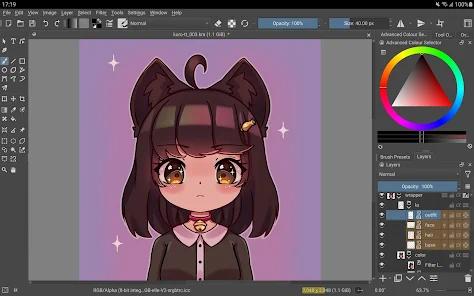
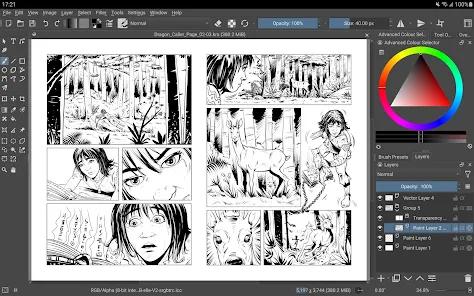
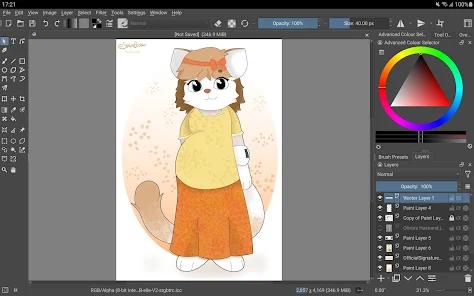
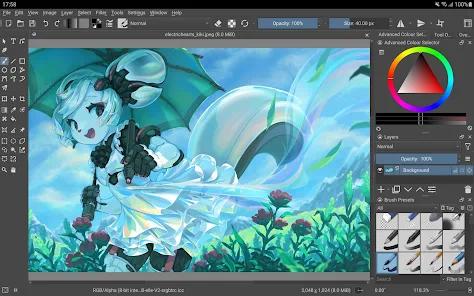
Krita on Android, developed by the Krita Foundation and Halla Rempt Software, is a full-featured, open-source digital painting application. Unlike simplified mobile drawing apps, Krita is a direct port of its powerful desktop version, maintaining complete feature parity. This design philosophy delivers an uncompromised desktop-grade digital art studio to mobile devices, making it a highly productive choice for professional illustrators, concept artists, comic book designers, and animators.
Uncompromising Desktop Feature Parity
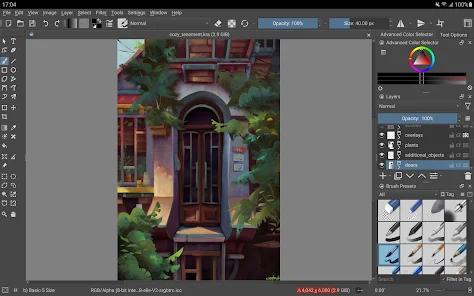
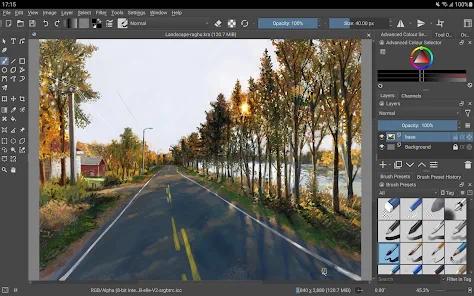
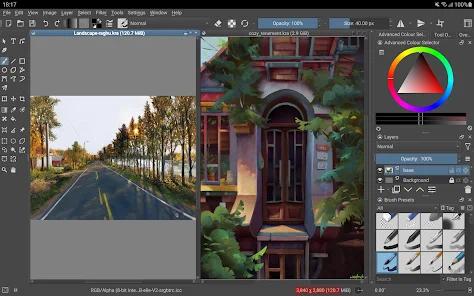
Because Krita does not simplify its toolset for mobile devices, users have access to its full suite of advanced tools. This includes multiple highly customizable brush engines, freehand stabilizers for clean line art, drawing assistants for constructing complex multi-point perspective grids, and a distraction-free canvas mode. It also features non-destructive editing through clone layers, layer styles, transform masks, and filter adjustments, allowing for complex non-destructive workflows.
Krita is also built for professional color management, supporting wide color spaces like RGB and CMYK at 8-bit, 16-bit, and 32-bit floating-point channels. Additionally, the application features an integrated 2D frame-by-frame animation pipeline, complete with onion skinning overlays, storyboarding layouts, and Python scripting support. Because it is open-source, the application contains no ads, premium paywalls, or feature locks.
Interface Densities and Android Platform Drift
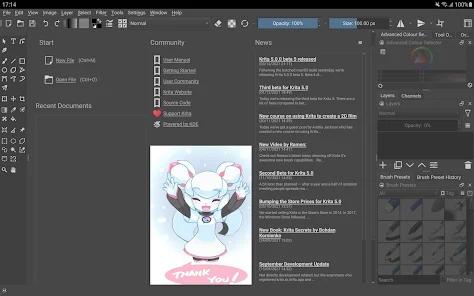
While this desktop-first approach makes Krita incredibly powerful, it presents significant usability challenges on smaller mobile screens. The desktop-derived interface is designed for larger displays, meaning settings panels, toolbars, and drop-down menus can feel cramped or cut off on standard smartphones. Navigating the interface often requires using landscape mode, a stylus, or an external Bluetooth keyboard. Additionally, keeping the app updated requires significant developer effort to stay compatible with Google's changing Android API guidelines.
Pros & Cons
Completely free and open-source under the KDE Project, with no ads or hidden costs.
Full desktop feature parity, offering advanced layer masks, perspective assistants, and filters.
Advanced color management, including CMYK color spaces for print workflows.
Integrated 2D frame-by-frame animation timeline with onion skinning and storyboarding tools.
Excellent file compatibility, supporting PSD formats and standard professional imports/exports.
- ✕
The interface does not scale well on small screens, resulting in cramped menus on smartphones.
- ✕
Heavy reliance on physical keyboard shortcuts and stylus inputs makes touch-only navigation difficult.
- ✕
Steep learning curve due to the complexity and density of the toolset.
- ✕
Android compatibility adjustments can sometimes delay interface and performance updates.
Download
 Get it on Google Play
  Get it on App Store
 FAQs
Is Krita on Android free to use?
Yes, Krita is entirely free and open-source, containing no ads, and is supported by community donations.
Can I run Krita on my Android phone?
While you can install it, the UI is optimized for larger tablet and Chromebook displays, making it difficult to use on standard phone screens.
Does Krita support drawing animations?
Yes, Krita has a complete 2D animation workspace featuring frame-by-frame timelines, onion skinning, and storyboard tools.
Can I export print-ready files in CMYK from Krita?
Yes, Krita supports RGB and CMYK color spaces at multiple bit depths, making it easy to prepare artwork for printing.
How do I navigate the interface without a keyboard?
While touch controls are supported, using an active stylus or connecting a Bluetooth keyboard is highly recommended to access all features.
Hot Reviews
The application works beautifully on large tablets, offering the exact same features and tools as the desktop version with excellent stylus support.
The mobile port does not scale down well to phone screens, making menus hard to read and settings difficult to adjust without a stylus.
The developers deserve praise for keeping all the desktop features intact rather than releasing a watered-down mobile version.