ReadEra – book reader pdf epub
Overview
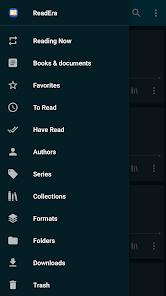
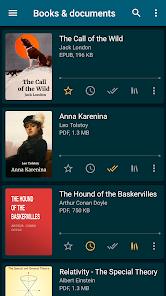
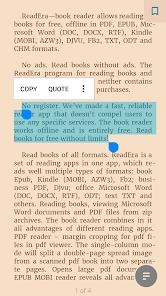
ReadEra is a premier offline document and ebook reader that stands out for its user-first, distraction-free design. Emphasizing privacy and utility, ReadEra contains zero advertisements and requires no account registration. The app operates entirely offline as an elegant file organizer, scanning the device's internal storage and SD card directories to automatically compile a centralized digital library.
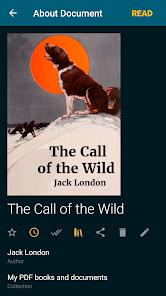
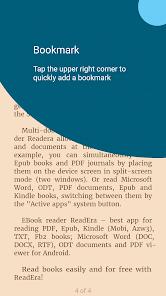
The system natively supports an extensive range of formats, including EPUB, PDF, Kindle formats (MOBI, AZW3), FB2, DjVu, Microsoft Word documents (DOC, DOCX, RTF), ODT, TXT, and comic book files (CBR, CBZ). Unlike readers that force-copy books into separate application databases, ReadEra references files in their existing folders. This preserves device memory and retains user data, such as bookmarks, quotes, and reading progress, even if files are renamed or moved across directories.
For PDF and DjVu files, the app provides advanced margin-cropping options to maximize text areas on small screens. It also features a single-column split mode that divides scanned double-page spreads into separate pages to improve readability. In EPUB, MOBI, and FB2 formats, footnotes are dynamically extracted and rendered directly at the bottom of the page, mimicking physical print formatting.
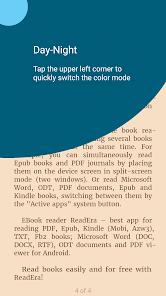
The application supports parallel reading through a multi-document layout, allowing users to view two books side-by-side in split-screen mode or switch rapidly using system task managers. It also features a parental-controlled Kids Mode with simplified interfaces, large book covers, and custom file filters.
For users seeking advanced features, upgrading to ReadEra Premium unlocks Google Drive synchronization, a background text-to-speech engine, custom font uploads, and advanced quote sorting tools.
Pros & Cons
Ad-Free Free Tier with No Registration: Offers a private reading environment with absolutely no advertisements, account requirements, or data collection on its free tier.
Broad Multi-Format Support: Natively processes diverse digital formats including EPUB, PDF, MOBI, AZW3, DjVu, Word, ODT, TXT, CBR, and CBZ.
Highly Efficient Library Indexing: Scans local storage directories and SD cards directly without duplicating files, preserving local memory.
Parallel Multi-Document Reading: Enables side-by-side split-screen reading for two files, or rapid switching between active documents.
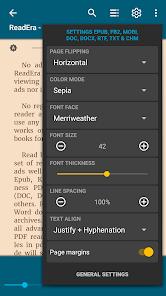
Advanced Visual Optimization: Features margin-cropping tools, double-page scanned PDF splits, and customizable typography settings.
Integrated Parental-Controlled Kids Mode: Incorporates a simplified interface sandbox with custom book filtering and visual controls for children.
- ✕
No Native Right-to-Left (RTL) Layouts: Lacks support for right-to-left swiping gestures, which can affect the reading flow of localized Manga or Middle Eastern texts.
- ✕
Occasional Chapter Indexing Glitches: The automated scanner occasionally fails to extract chapter tables of contents for certain DRM-free files.
- ✕
High Screen Ghosting on E-Ink Devices: Lacks specialized high-contrast refresh modes, causing notable page-turn ghosting on E-Ink screen readers.
Download
 Get it on Google Play
  Get it on App Store
 FAQs
Does ReadEra copy imported books into its internal app storage?
No. The application scans and opens files directly from their existing folders, keeping storage usage to a minimum and preventing duplicate files.
Is it possible to read Amazon Kindle formats inside ReadEra?
Yes. ReadEra natively supports DRM-free Kindle formats including MOBI and AZW3. It does not open files locked by Amazon's proprietary DRM systems.
How does Kids Mode help parents manage reading content?
Kids Mode simplifies the interface with larger cover views and allows parents to set content filters, preventing access to adult folders.
Does the free version of ReadEra include audio text-to-speech?
No. The advanced background text-to-speech reader, which reads books aloud even when the screen is locked, is exclusive to ReadEra Premium.
How are annotations and highlights managed when files are moved?
The database tracks files using a unique signature, preserving highlights, bookmarks, and notes even if files are shifted or renamed on local storage.
Hot Reviews
The reading interface is highly polished, offering excellent text scaling and margin adjustments that make reading various formats simple and intuitive.
The local indexing scanner is fast and lightweight, organizing massive book collections with zero ads, tracking prompts, or annoying login requirements.
The Premium upgrade is well worth it, providing a high-quality background audio reader that serves as a great, cost-effective alternative to audiobooks.