XB Game Controller
Overview
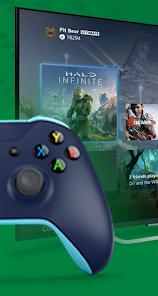
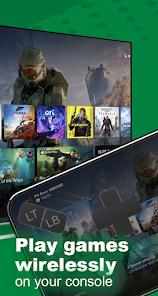
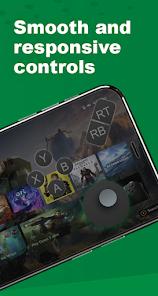
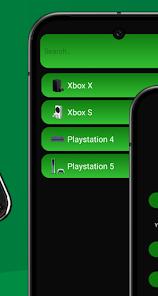
The XB Game Controller application is a specialized tool designed to transform an Android device into a wireless Xbox controller while facilitating high-definition remote play. Developed by Fa9ssa, this app addresses a specific niche: gamers who wish to stream their Xbox Series X/S or Xbox One console to their phone with lower latency. The app's technical architecture is built around two primary modes: "Gamepad Mode," which provides a virtual on-screen controller, and "Remote Mode," which streams the full video and audio output of the console.
An insightful observation of this application is its focus on "multiplayer-ready" connectivity. It allows multiple phones to connect as separate controllers for a single console, effectively bypassing the need to purchase additional expensive physical gamepads for local co-op sessions. Technically, the app supports 1080p streaming and includes advanced features such as customizable button mapping and "rumble" vibration feedback, which are often absent in generic remote-desktop apps. Despite its utility, the app's reliance on ad-supported monetization has led to criticisms regarding the setup flow.
Pros & Cons
Optimized streaming protocols result in a more responsive experience for competitive gaming.
Allows the phone to act as a primary or secondary controller, saving the cost of physical gamepads.
Supports streaming over both WiFi and mobile data (5G/LTE) for on-the-go gaming.
Users can remap every button and adjust joystick sensitivity to their preference.
Includes support for in-game voice chat using the phone’s built-in microphone.
Seamlessly transition between multiple paired Xbox One or Series X/S consoles.
- ✕
High volume of advertisements during the connection phase can be frustrating for users.
- ✕
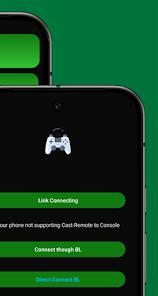
Requires specific console settings (Remote Features enabled) and a shared network for initial pairing.
- ✕
Not an official Microsoft product; features may be affected by console firmware updates.
Download
 Get it on Google Play
  Get it on App Store
 FAQs
Can I play Xbox 360 games with this app?
No, it is designed for Xbox One, Series X, and Series S consoles only.
Does it support Bluetooth controllers?
Yes, the app can bridge external Bluetooth gamepads to the Xbox stream.
Is my Xbox login information safe?
The app uses standard authentication, but users should be aware it is a third-party developer.
Why is my stream laggy?
Remote play requires a high-speed stable network; 5GHz WiFi or a strong 5G signal is recommended.
Does this work with Xbox Game Pass?
Yes, you can stream any game installed on your console, including Game Pass titles.
Hot Reviews
Numerous reviewers claim this app provides a smoother, less laggy experience, particularly on older Android hardware.
A recurring complaint involves the difficulty of adding a "new console," with users citing confusing menu layouts and repetitive ads as major roadblocks.
Users who have lost or broken their physical controllers praise the app for its responsive virtual layout, stating it is "perfect for navigating menus and simple games".